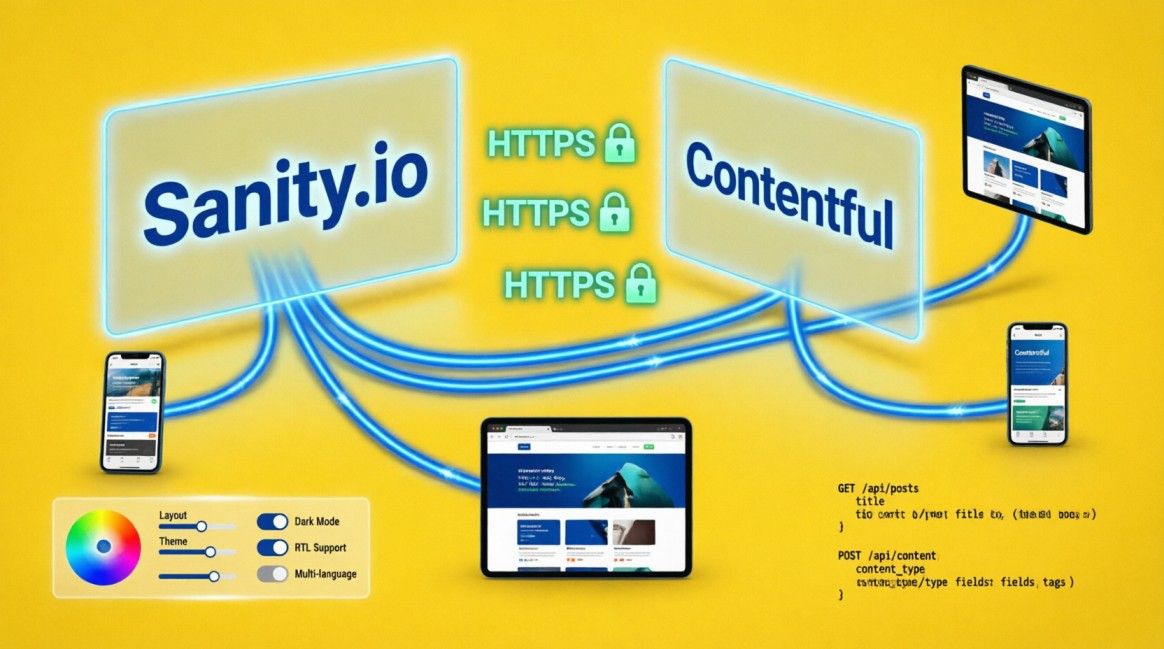
What Is a Headless CMS and Do You Need One?

Table of Contents
Table of Contents
The Problem with the Traditional Approach
In a traditional CMS — WordPress being the most familiar example — your content and your presentation layer live together in the same system. Your editor types in a dashboard, and the CMS uses its own templating engine to turn that content into HTML pages. The database, the business logic, and the front-end rendering are all entangled in the same application.
This architecture was the right choice in 2005. It is increasingly the wrong one in 2025 — not because WordPress is bad at what it does, but because what it does is no longer the complete picture of how content needs to be delivered.
Your website is no longer the only surface your content touches. It may need to power a mobile app, populate a digital display, feed a voice assistant, or serve as the data layer for a custom web application. A traditional CMS was built to serve one front-end. Modern content delivery requires serving many.
The headless CMS is the architectural response to that shift. It solves the coupling problem by separating the content management layer from the presentation layer entirely. Understanding how it works — and whether it is the right architecture for your business — is the decision this article helps you make.
What ‘Headless’ Actually Means
The metaphor is precise: a traditional CMS has a head (the front-end — the part users see) and a body (the back-end — the content store and delivery engine). In a headless CMS, the head is removed. The system stores and manages content, exposes it through an API, and has no opinion about what happens to that content next. The front-end — the ‘head’ — is built separately, by developers, in whatever framework serves the use case best.

Figure 1: Traditional CMS vs headless CMS architecture. In the traditional model, the database, rendering engine, and front-end are coupled in one application. In the headless model, content is stored in a dedicated system and exposed via API — any front-end can consume it.
How the data flow works
In a traditional CMS, a page request triggers a server-side process: the CMS queries the database, retrieves the content, applies the theme template, generates HTML, and sends it to the browser. This happens on every request. Every visitor’s page load is a fresh database query and a fresh render.
In a headless CMS setup — typically paired with a framework like Next.js — the flow is different. At build time (not at request time), the front-end application fetches content from the CMS via API, renders static HTML pages, and deploys them to a CDN. When a user visits the site, they receive a pre-built HTML file served from the nearest CDN edge node. There is no database query on the request path. There is no server rendering under load. The page simply exists, already built, ready to be delivered in milliseconds.
The API layer: REST vs GraphQL
A headless CMS exposes its content through an API. Two formats are common, and the choice between them affects how your front-end developers query content.
REST API: returns fixed data shapes for defined endpoints. Simple to query, predictable, well-understood. You request /posts and you get a list of posts with all their fields. If you only need the title and date, you still receive everything. Standard REST responses can over-fetch data on complex pages.
GraphQL: lets the front-end specify exactly which fields it needs. A single query can retrieve deeply nested related content without multiple API calls. More efficient for complex content models but requires developers comfortable with the GraphQL query language.
For most business websites, REST is sufficient. GraphQL becomes valuable when your content model is complex — many related types, deep nesting, or highly varied page structures that each need different data shapes.
Traditional vs Headless — the Full Comparison
| Dimension | Traditional CMS | Headless CMS |
|---|---|---|
| Page speed | Server renders HTML on each request; database queries on every load; plugin overhead compounds | Pages pre-built at deploy time; served from CDN edge; no database on request path |
| CWV performance | 44% of WordPress sites pass mobile CWV benchmark (HTTP Archive 2025) | 90%+ of framework-built sites pass by default |
| Content editing | Familiar dashboard; non-technical teams self-sufficient from day one | Separate studio dashboard (Sanity, Contentful); similar UX; requires initial setup |
| SEO control | Depends on plugins; limited control over rendering, schema injection, URL patterns | Full control: server-rendered HTML, structured data in <head>, URL slugs from keyword map |
| Multi-channel | Built for one website; adapting to mobile apps or other channels is difficult | Content via API: same data powers website, app, digital display, voice, anything |
| Security surface | Large attack surface: /wp-admin, plugin vulnerabilities, database exposed to web | Minimal surface: no admin URL, no plugin ecosystem, static files have no server-side attack vector |
| Launch speed | Days to weeks with a theme and plugins | Weeks to months; custom build time required |
| Developer skill | PHP/WordPress skills widely available; lower development cost | Requires React/Next.js developer; higher upfront build cost |
| Maintenance | Weekly plugin, theme, and core updates; security monitoring required | npm dependency updates quarterly; no plugin ecosystem to maintain |
| 3-year TCO | Plugin licences + managed hosting + periodic dev interventions accumulate | Higher upfront; lower ongoing; compounding performance ROI |
What Headless CMS Options Exist

Figure 2: Headless CMS decision matrix. Left column: when headless is the right choice. Centre: when traditional CMS still wins. Right: the leading headless CMS options by use case — each with a distinct positioning.
The headless CMS market has matured significantly. The major platforms have settled into distinct positioning. Choosing between them is a function of your content model complexity, your team’s technical preferences, and whether you want a hosted solution or a self-managed one.
1. Sanity
Sanity is the headless CMS Semola Digital uses as its default build stack. It is fully hosted, exposes content via GROQ (a query language similar to GraphQL in expressiveness), and offers a real-time collaborative studio that non-technical content editors find intuitive.
Its schema is defined in code, which means content models are version-controlled alongside the rest of the application.
The free tier is generous for small to medium sites. Paid plans start when you need higher API request volume or additional users.
Sanity is strongest for: custom content models where the editor experience needs to match the product precisely, real-time preview (editors see the page as it will appear before publishing), and structured content that needs to be queried in complex relational ways.
2. Contentful
Contentful is the market leader by revenue and is aimed squarely at enterprise. Its content modelling interface is visual rather than code-defined, making it accessible to non-developers for model configuration.
It offers a rich app marketplace, strong localisation support, and an API that is extremely well-documented. It is the safest choice for organisations that need enterprise support SLAs, compliance documentation, and a large pool of developers who already know the platform.
Contentful is strongest for: large organisations with dedicated content operations teams, multi-region and multi-language deployments, and environments where procurement and vendor contracts need established enterprise tooling.
3. Strapi
Strapi is the leading open-source headless CMS. It is self-hosted — you run it on your own infrastructure — and generates a REST and GraphQL API automatically from your content models.
Because it is self-hosted, you own the data fully and pay only for the server it runs on, not a per-seat SaaS licence. The trade-off is that you are responsible for hosting, uptime, backups, and updates.
Strapi is strongest for: development teams that want full control over the data layer, projects with custom authentication requirements, and situations where budget constraints make SaaS pricing prohibitive at scale.
4. Payload CMS
Payload is a newer, developer-first headless CMS built natively in TypeScript. Unlike most competitors, it can be self-hosted inside a Next.js application — the CMS and the front-end live in the same repository.
This ‘local API’ pattern eliminates the network round-trip between the CMS and the front-end entirely, producing the fastest possible data access at build time. It also ships with a strong access control system and built-in form handling.
Payload is strongest for: TypeScript-first teams, monorepo architectures where co-location of CMS and front-end is desirable, and applications where the CMS doubles as the backend API for authenticated user features.
5. Storyblok
Storyblok differentiates itself with a visual editor that shows content editors a live preview of the page as they edit component-by-component.
For teams that struggle with the abstract nature of editing content in a form and wanting to see the result, Storyblok significantly reduces the learning curve. It is component-based — content is structured as reusable blocks that editors can compose visually.
Storyblok is strongest for: marketing teams that need high editorial autonomy, landing page-heavy sites where non-developers need to compose complex layouts, and organisations where the editorial experience is a top priority.
The Code Reality — How it Works in Practice
Understanding what headless CMS development looks like in practice removes the mystique. The following is how Semola Digital’s standard stack — Next.js with Sanity — fetches and renders content.
Defining a content schema in Sanity
Content types in Sanity are defined as JavaScript schema files. The schema below defines a blog post type with title, slug, publication date, author, and body content.
// sanity/schemas/blogPost.js
// Schema definition for a blog post content type

export default {
  name: 'blogPost',
  title: 'Blog Post',
  type: 'document',
  fields: [
    {
      name:  'title',
      title: 'Title',
      type:  'string',
      validation: Rule => Rule.required().max(80),
    },
    {
      name:  'slug',
      title: 'URL Slug',
      type:  'slug',
      options: { source: 'title' },  // auto-generates from title
      validation: Rule => Rule.required(),
    },
    {
      name:  'publishedAt',
      title: 'Published At',
      type:  'datetime',
    },
    {
      name:  'author',
      title: 'Author',
      type:  'reference',
      to: [{ type: 'author' }],     // references another document type
    },
    {
      name:  'body',
      title: 'Body',
      type:  'array',
      of: [{ type: 'block' }],      // Sanity’s Portable Text format
    },
  ],
};

// The content editor sees a clean form from this schema.
// Sanity generates the API endpoint automatically.Fetching content in Next.js at build time
The following is a Next.js page that fetches all blog posts from Sanity at build time using ‘generateStaticParams’ (App Router). The content is fetched once, during the build, and the resulting pages are served as static HTML.
// app/blog/[slug]/page.js  (Next.js 14 App Router)
import { client } from '@/lib/sanity'
// GROQ query: fetch a single post by slug
const query = `*[_type == 'blogPost' && slug.current == $slug][0] {
   title,  publishedAt,
   'author': author->{ name, role },
   body
}`
// generateStaticParams: Next.js calls this at BUILD TIME
// It fetches all slugs and pre-renders a page for each one
export async function generateStaticParams() {
   const slugs = await client.fetch(
    `*[_type == 'blogPost']{ 'slug': slug.current }`
)
  return slugs.map(({ slug }) => ({ slug }))
}
// The page component: also runs at build time
export default async function BlogPost({ params }) {
const post = await client.fetch(query, { slug: params.slug })
  return (
     <article>
         <h1>{post.title}</h1>
          <p>By {post.author.name} · {post.publishedAt}</p>
          {/* render Portable Text body */}
     </article>
  )
}
// What this produces:
// At build time: one static HTML file per blog post slug
// At request time: Vercel CDN serves the pre-built file
// Database queries: zero at request time
// LCP: typically under 1.5 seconds globallyIncremental Static Regeneration — staying fresh without rebuilding
The common objection to static generation is staleness: if content is pre-built, how does a content editor’s update appear on the live site without triggering a full rebuild? The answer is ISR — Incremental Static Regeneration. A Sanity webhook fires on every publish event, triggering Next.js to regenerate only the affected pages in the background.
// next.config.js — enable On-Demand Revalidation

// app/api/revalidate/route.js
// Sanity sends a webhook POST to this endpoint on every content publish

import { revalidatePath } from 'next/cache'
import { NextResponse } from 'next/server'

export async function POST(req) {
  const body = await req.json()

  // Sanity webhook payload includes the document slug
  const slug = body?.result?.slug?.current

  if (slug) {
    revalidatePath(`/blog/${slug}`)  // regenerate only this page
  }

  return NextResponse.json({ revalidated: true })
}

// Result:
// Editor publishes post in Sanity studio
// Sanity fires webhook to /api/revalidate
// Next.js regenerates /blog/[slug] in the background
// Updated page appears on the live site within 5–60 seconds
// No full site rebuild. No downtime. No stale content.

Figure 3: The Semola Digital production stack — Next.js + Sanity + Vercel. Content flows from the editor’s Sanity studio through the API to Next.js at build time, producing pre-built HTML served from Vercel’s global CDN. Updates propagate via webhook-triggered ISR within seconds of publishing.
What Headless Means for SEO
One of the most persistent concerns about headless architecture is its impact on SEO. The concern is rooted in an older version of the problem: early JavaScript-rendered sites (React SPAs using client-side rendering) delivered a blank HTML shell to Googlebot, with all the content rendered by JavaScript after load. Google could see the page, but only after executing JavaScript — which introduced indexation delays and rendering uncertainty.
The Next.js headless CMS architecture resolves this completely. Because pages are pre-built as static HTML at deploy time, Googlebot receives a fully rendered HTML page on the first crawl pass — no JavaScript execution required. Every H1, every paragraph, every internal link, and every structured data block is present in the raw HTML. There is no rendering gap.
SEO advantages specific to headless
1. Complete control over the <head>:
Every meta tag, canonical tag, hreflang attribute, and structured data block is injected server-side, before the page is delivered.
There are no plugin conflicts, no race conditions between multiple SEO plugins, and no risk of structured data being injected by client-side JavaScript in a way Google’s first crawl misses.
2. URL slugs from keyword strategy:
In a WordPress theme, URL structures are partly dictated by the theme and the plugin. In a Next.js application, every route is defined in code, from the project’s information architecture. Slug patterns are set from the keyword strategy before a single page is built, not retrofitted after.
3. Performance as a structural advantage:
CWV scores that would require significant plugin-level optimisation on WordPress are achieved by default in a Next.js static build. The performance ceiling is removed structurally, not patched.
4. Per-page structured data without plugins:
Schema markup is defined programmatically per page type. An Article schema for blog posts, a Service schema for service pages, a LocalBusiness schema on the homepage — all injected in server-rendered HTML, all validated against the Rich Results Test without plugin conflicts.
// app/blog/[slug]/page.js
// Injecting Article structured data server-side in Next.js

export default async function BlogPost({ params }) {
  const post = await client.fetch(query, { slug: params.slug })

  const jsonLd = {
    '@context': 'https://schema.org',
    '@type':    'BlogPosting',
    'headline': post.title,
    'datePublished': post.publishedAt,
    'dateModified':  post.updatedAt || post.publishedAt,
    'author': {
      '@type': 'Person',
      'name':  post.author.name,
    },
    'publisher': {
      '@type': 'Organization',
      'name':  'Semola Digital',
      'url':   'https://semoladigital.com',
    },
  }

  return (
    <>
      <script
        type='application/ld+json'
        dangerouslySetInnerHTML={{ __html: JSON.stringify(jsonLd) }}
      />
      <article>
        <h1>{post.title}</h1>
        {/* page content */}
      </article>
    </>
  )
}

// The JSON-LD block is present in raw server-rendered HTML.
// Googlebot reads it on the first crawl without executing JavaScript.
// No plugin required. No conflicts. No validation errors from
// schema injected in the wrong order.
Headless Architecture: Do You Need One?
The architecture is compelling. The performance case is clear. The SEO advantages are real. Whether you need it depends on factors that have nothing to do with what is technically optimal and everything to do with your specific situation.
You probably need headless if:
- You have a developer on staff or a developer relationship that will maintain the front-end application
- Your content needs to reach more than one surface — a website and a mobile app, or a website and an API for a third party
- You are building a site where performance is a direct business requirement: e-commerce where load time affects conversion, professional services where SERP ranking is the primary acquisition channel, or any site where mobile users in slower network conditions are the primary audience
- You need complete control over the technical SEO architecture: URL patterns from a keyword map, structured data from code, canonical tags injected without plugin dependency
- You are building at scale: a content library of thousands of pages, a multi-region site with localisation requirements, or a product that will need the CMS to serve as a data layer for features beyond marketing pages
Stick with a traditional CMS if:
- Your content team updates the site independently and there is no developer available to maintain a custom application
- You need to launch in days rather than weeks and the development timeline of a custom build is not viable
- Your site is a stable brochure of under 50 pages with no performance pressure, no multi-channel requirements, and no aggressive SEO targets
- Your budget does not accommodate the upfront cost of a custom Next.js build and the ongoing cost of developer time for updates and features
“The best architecture is the one that serves your business’s actual constraints — not the one that scores highest on a technology trend report.”
The Practical Next Step
If you are evaluating whether to build or rebuild on a headless architecture, the most productive starting point is a conversation about the specific constraints of your business: how often your content team updates the site, how important organic search rankings are to your acquisition model, whether you have or need multi-channel content delivery, and what the realistic budget is for both the build and the ongoing maintenance.
At Semola Digital, we build on both WordPress and Next.js with headless CMS, depending on which architecture genuinely serves the client’s situation. We are not advocates for headless universally. We are advocates for the right tool, correctly implemented, with the SEO architecture built in from the start rather than retrofitted after.
If you are unsure which architecture your next project needs, a 45-minute discovery call is the most direct path to a specific recommendation — one that is based on your content team’s capabilities, your performance requirements, and your SEO targets rather than on technology preference.
Start the conversation: semoladigita@gmail.com
Reading Recommendation:
- Next.js vs WordPress: Which Should You Build Your Business Website On? — the platform decision in full
- JavaScript Rendering and SEO: What Every Developer Needs to Know — CSR vs SSR explained
- Core Web Vitals Are a Design Problem, Not a Dev Problem — why the headless performance advantage is structural
- The Business Case for Investing in Professional Web Design — the ROI argument for getting the build right

Founder, Technical Analyst
Oladoyin Falana is a digital growth strategist and full-stack web professional with over four years of hands-on experience at the intersection of SEO, web design, and application development. His journey into the digital world began as a content writer — a foundation that gave him a deep, instinctive understanding of how words, structure, and intent drive organic visibility. While honing his craft in content, he simultaneously taught himself the building blocks of the modern web: HTML, CSS, and React.js — a pursuit that would eventually evolve into full-stack Web Development and a Technical SEO Analyst.
Follow me on LinkedIn →