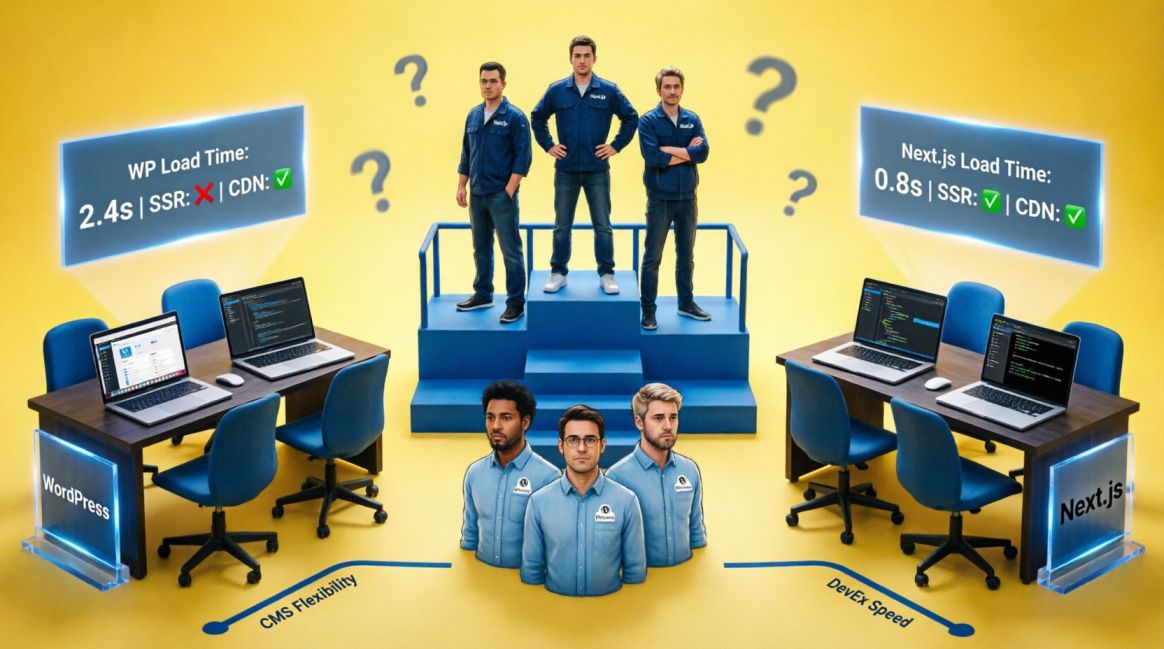
Next.js vs WordPress: Which Should You Build Your Business Website On?

Table of Contents
Table of Contents
Two Philosophies, Not Two Products
WordPress was born in 2003 as a blogging tool. It democratised the web by making it possible for anyone, without a single line of code, to publish a website. That mission made it the most successful CMS in history.
As of April 2025, it powers 43.4% of all websites on the internet and holds 61.4% of the CMS market — more than all other platforms combined (W3Techs, 2025).
Next.js was created by Vercel in 2016. It is not a CMS. It is a React framework for building high-performance web applications. Netflix uses it. TikTok uses it. Notion uses it. It has no admin dashboard, no drag-and-drop editor, and no plugin library. What it has is speed, security, and developer control that WordPress cannot structurally match.
These are not two versions of the same thing. They are two different philosophies about what a website is and who builds it. Choosing between them is not a technical decision. It is a business decision.
The Performance Gap is Real — and Growing
Google made Core Web Vitals a direct ranking signal in 2021. Since then, the performance gap between WordPress and Next.js has had direct commercial consequences, not just technical ones.
According to the HTTP Archive’s CMS Performance Report, only 44% of WordPress sites pass Google’s Core Web Vitals on mobile.
The majority of WordPress sites are actively failing the benchmark Google uses to rank pages. The structural reason is WordPress’s plugin architecture: by the time a typical business site has 15–20 plugins installed — which is completely normal — it is carrying thousands of lines of extra code on every page load, running database queries to serve each request, and executing PHP server-side before any HTML reaches the browser.
Next.js changes the architecture. Pages are either pre-built at deploy time (Static Site Generation) or rendered server-side before they reach the browser (Server-Side Rendering). There are no database queries on page load, no plugin overhead, and automatic code splitting ensures each page only loads the JavaScript it needs.
The practical consequence: businesses migrating from WordPress to Next.js consistently see organic traffic increases of 20–40% within 90 days — not from publishing new content, but from rankings recovery driven by improved Core Web Vitals scores. That is the speed differential translating directly into business outcomes.
What WordPress Code Looks Like vs What Next.js Code Looks Like
The architectural difference between the two platforms is visible in how they handle the most common web operation: serving a page with dynamic content.
WordPress: PHP queries the database on every request
In a standard WordPress site, every page load triggers a PHP execution that queries a MySQL database, builds the HTML response, and sends it to the browser. Add plugins and the query count multiplies.
<?php

// WordPress: runs on the server for EVERY page request

// This query fires each time a visitor loads the page

$args = array(

  'post_type'      => 'post',

  'posts_per_page' => 10,

  'post_status'    => 'publish',

);

$query = new WP_Query($args);

// Each plugin adds its own queries on top of this

// 15 plugins = potentially 50+ database queries per page load

// Result: average 3-5 second load time on mobile (W3Techs 2025)

?>Next.js: pages are pre-built at deploy time
In a Next.js site using Static Site Generation, pages are built once at deploy time. The result is a static HTML file served instantly from a CDN edge — no server, no database query, no PHP on the request path.
// Next.js: getStaticProps runs at BUILD TIME, not on every request

// The result is a pre-built HTML file served from CDN edge globally

export async function getStaticProps() {

  const posts = await fetchPostsFromCMS(); // runs once, at deploy

  return {

    props: { posts },

    revalidate: 3600, // ISR: rebuild in background every hour if requested

  };

}

// What Googlebot sees on first crawl: complete HTML, no JS required

// Average LCP: 0.8-2.5 seconds (We Are Heylo Studio, 2026)

// CWV pass rate: 90%+ of Next.js sites (vs 44% for WordPress)Next.js with a headless CMS: content editors still get a dashboard
The most common objection to Next.js is that non-technical content editors cannot update the site. This is solved by pairing Next.js with a headless CMS like Sanity, Contentful, or Strapi. The editor gets a clean dashboard. The developer gets full control over the front end.
// Next.js + Sanity headless CMS: best of both worlds

// Content team updates in Sanity’s dashboard (no code required)

// Next.js fetches and renders content at build time or on demand

import { client } from '@/lib/sanity';

export async function getStaticProps({ params }) {

  const query = `*[_type == 'post' && slug.current == $slug][0]{

    title, body, publishedAt, author->{ name }

  }`;

  const post = await client.fetch(query, { slug: params.slug });

  return { props: { post }, revalidate: 60 };

}

// Based on our experience:

// Next.js (framework) + Sanity (content) + Vercel (hosting)

// Result: sub-2s LCP, 95+ PageSpeed, non-technical team updates contentSecurity: A Real Risk, Not a Theoretical One
WordPress powers 43% of the web. That concentration makes it the single largest target for cyberattacks on the internet. According to security research, 13,000 WordPress sites are compromised daily, and 92% of breaches originate from outdated plugins or themes — not from WordPress core itself.
This is not a reason to avoid WordPress. It is a reason to understand the maintenance commitment. A WordPress site requires weekly updates to core, themes, and plugins, regular security monitoring, and a disciplined backup protocol. Miss those updates for two months and you are running a site with known, publicly documented vulnerabilities.
Next.js sites built as static or server-rendered applications have a dramatically smaller attack surface. There is no database exposed to the web, no admin login page at /wp-admin, and no plugin ecosystem where a single unmaintained dependency becomes a vulnerability. The security maintenance cost is closer to a monthly npm dependency review than a weekly vigilance protocol.
The Honest Cost Comparison
WordPress wins on upfront cost. You can launch a functional WordPress site in days using a theme and a set of plugins, at a fraction of the cost of a custom Next.js build. For a business that needs to be online quickly with a limited budget, this advantage is real and significant.
The cost equation reverses over time. A mature WordPress site typically accumulates: premium plugin subscriptions (₦50,000–₦200,000+ per year), managed WordPress hosting (significantly more expensive than static hosting due to compute requirements), periodic developer interventions to resolve plugin conflicts or security incidents, and performance optimisation work to address the CWV degradation that comes with plugin accumulation.
A Next.js site on Vercel’s infrastructure has near-zero hosting cost at small to medium scale (Vercel’s free tier handles substantial traffic), no plugin subscriptions, and minimal ongoing maintenance. The total cost of ownership over three years frequently favours Next.js despite the higher upfront development investment.
The Decision Framework
Build on WordPress if:
- You or your team will be updating content frequently and there is no developer on staff or on retainer.
- You need to launch within 2–4 weeks and the budget does not stretch to custom development.
- Your site is primarily a brochure or content-publishing operation without aggressive Core Web Vitals targets.
- Your competitive landscape is not primarily won or lost on technical SEO performance.
Build on Next.js if:
- Organic search is your primary customer acquisition channel and you are competing on performance.
- You have a developer relationship — in-house, freelance, or agency — who can manage the build and headless CMS setup.
- You are building for scale: a growing service catalogue, programmatic landing pages, or a site that will need to expand significantly.
- You want the site to serve as a compounding asset for the next three to five years without accumulating plugin debt.
Read Case Study: How Semola Rebuilt Itself from the Ground Up — and What That Means for Your Business
The Framework Question
The question is not which platform is more popular or which one more developers prefer. The question is: five years from now, what does your website need to be doing for your business?
If it needs to be a reliable, easily editable presence that your team manages independently, WordPress delivers that with lower friction than anything else at its price point.
If it needs to be a performance-optimised growth asset that compounds in organic visibility and converts traffic at the rates your business requires, Next.js builds a foundation that WordPress cannot match structurally.
Both are legitimate choices. Neither is right for every business. The decision belongs not in the hands of a developer with a favourite framework, but in the hands of a business owner who understands what the investment needs to produce.
Not sure which platform is right for you?
We offer a platform consultation as part of our discovery call for prospective clients. We will not recommend Next.js if WordPress serves your needs, and we will not let you launch on WordPress or WooCommerce when your business is competing in a market where performance is decisive.
Start the conversation: hello@semoladigital.com

Founder, Technical Analyst
Oladoyin Falana is a certified digital growth strategist and full-stack web professional with over five years of hands-on experience at the intersection of SEO, web design & development. His journey into the digital world began as a content writer — a foundation that gave him a deep, instinctive understanding of how keywords, content and intent drive organic visibility. While honing his craft in content, he simultaneously taught himself the building blocks of the modern web: HTML, CSS, and React.js — a pursuit that would eventually evolve into full-stack Web Development and a Technical SEO Analyst.
Follow me on LinkedIn →