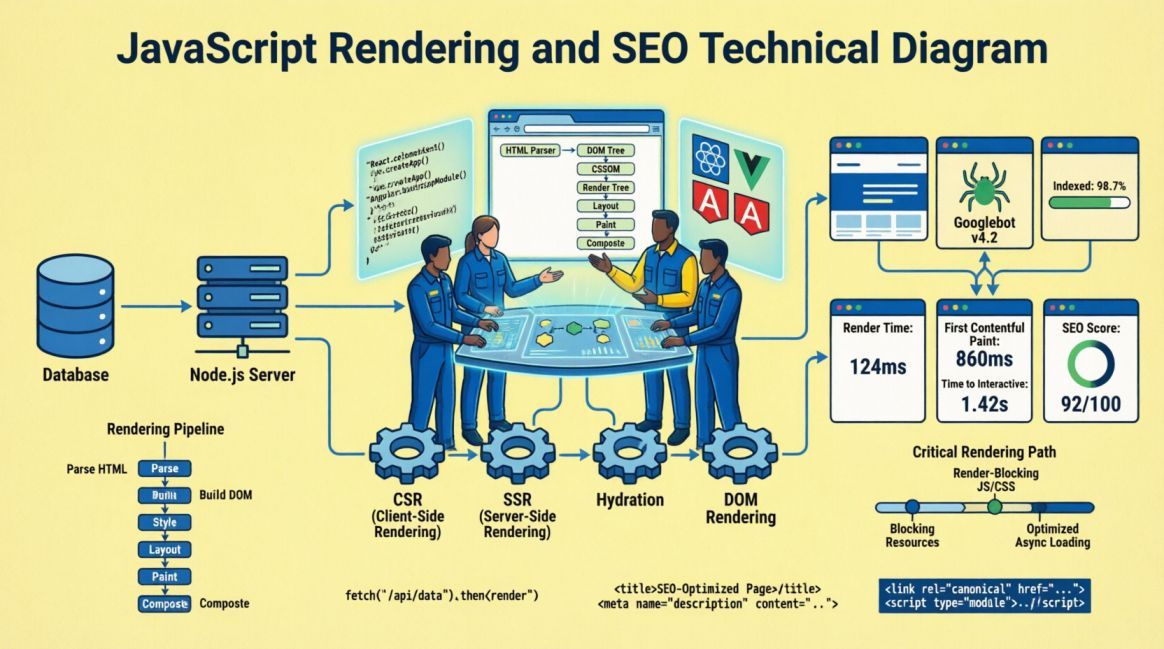
JavaScript Rendering and SEO: What Every Developer Needs to Know

Table of Contents
Table of Contents
The Architecture Decision Nobody Flags as an SEO Decision
A developer opens a new project, weighs up the framework options, and decides to build a React single-page application. The routing is clean, the component model is familiar, the developer experience is excellent. The site launches. It looks perfect. Users can navigate it without a full page reload. The team is satisfied.
Three months later, an SEO Specialist runs a coverage report in Google Search Console and finds that fewer than 30% of the site’s pages are indexed. A manual URL inspection shows that Google has crawled the pages but sees only a shell HTML document with an empty <div id="root"> and a JavaScript bundle reference. No content. No headings. No body text. Just the skeleton.
The content exists — in the JavaScript bundle, rendered beautifully in the user’s browser. But Google never got there. The rendering architecture, chosen for development convenience, has been silently preventing the site’s content from being indexed since launch.
This scenario plays out on hundreds of sites on daily basis. It is not a failure of the developer’s skill. It is a failure of the project brief, which did not identify the rendering strategy as an SEO decision.
This article explains why it is, how each rendering approach affects crawlability and indexing, and what the correct architecture looks like for content that needs to be found.
How Googlebot Reads a Page
To understand why JavaScript rendering matters for SEO, it helps to understand what Googlebot actually does when it crawls a URL. The process is more complex than most developers assume, and the complexity is precisely where the SEO risk lives.
Step 1: Fetch the raw HTML
When Googlebot visits a URL, the first thing it does is fetch the raw HTTP response — the HTML document returned directly by the server. This is the same document that arrives in the browser before any JavaScript executes. For a server-rendered page, this document contains all the content: headings, paragraphs, links, structured data, meta tags. For a client-side rendered page, it typically contains very little: a <head> block, some meta tags, and a <div> that will be populated by JavaScript.
Googlebot reads this initial HTML and makes an immediate assessment: is there content here? For SSR and SSG pages, the answer is yes, and the page proceeds directly to indexing consideration. For CSR pages, the answer is mostly no, and the page must enter the render queue.
Step 2: The render queue
Google maintains a render queue — a backlog of pages that require JavaScript execution before their content can be assessed. Pages enter this queue when the initial HTML does not contain sufficient content. The render queue is not first-in-first-out. It is prioritized based on crawl budget, site authority, and other page importance signals.
A page on a new or low-authority site will generally wait in the render queue for a matter of minutes to a few hours. While Google’s rendering capabilities are highly efficient today, any delay still means content is momentarily invisible, and heavy reliance on the render queue can rapidly deplete your crawl budget allocation.
During the time a page spends in the render queue, it is not indexed. Content published on a CSR page is invisible to search engines for the duration of that wait. For time-sensitive content — news, product launches, campaign pages — this delay is not just an inconvenience; it means the content does not exist in search during its most commercially valuable window.
Step 3: JavaScript rendering
When a page reaches the front of the render queue, Google allocates a headless Chromium instance to execute the JavaScript and render the page. This is Googlebot’s version of what a browser does when a user visits the page. After rendering, Google can see the content and proceed with indexing.
The important caveat: this rendering is not guaranteed to be perfect. JavaScript that relies on browser APIs not available in headless Chromium, scripts that make API calls blocked in the crawl environment, and complex hydration sequences can all result in incomplete rendering. Even under ideal conditions, the two-wave process introduces a delay that server-rendered pages never experience.

Figure 1: Google’s two-wave crawling process for JavaScript-heavy pages. The gap between Wave 1 and Wave 2 represents the indexing delay — hours to weeks depending on crawl budget and site authority.
The Four Rendering Strategies
Modern web development offers four primary rendering strategies. Each has distinct implications for SEO, performance, and architectural complexity. The correct choice depends on the nature of the content, the update frequency, and the authentication requirements of the page.

Client-Side Rendering (CSR)
In a CSR application, the server delivers a minimal HTML shell. The browser downloads a JavaScript bundle, executes it, and the JavaScript renders the page content in the browser. React, Vue, and Angular applications built without a server-side rendering layer default to this behaviour.
From an SEO perspective, CSR is the highest-risk rendering strategy for any indexed content. The initial HTML response contains no content, guaranteeing a render queue entry for every page. The two-wave crawl delay applies universally. And if the JavaScript bundle fails to execute correctly in Googlebot’s headless environment, the content may never be indexed at all.
CSR is appropriate for authenticated application interfaces: dashboards, admin panels, user-specific pages, real-time tools. It is entirely appropriate for the application layer of a SaaS product, where users are logged in and the content is not indexed. It is inappropriate for any content-facing page — marketing copy, blog articles, service descriptions, landing pages — that needs to be found in search.
<!-- What Googlebot sees on first pass: CSR React app -->
<!DOCTYPE html>
<html>
  <head>
    <title>Loading...</title>
    <meta name="description" content="">
  </head>
  <body>
    <div id="root"></div>  <!-- Empty. All content lives in the JS bundle. -->
    <script src="/static/js/main.abc123.chunk.js"></script>
  </body>
</html>

// SEO result: No content visible on first crawl.
// Page enters render queue. Indexing delayed hours to weeks.Server-Side Rendering (SSR)
In an SSR application, each request to the server triggers a render cycle: the server executes the JavaScript and returns a complete HTML document containing all the page content. The browser receives this full HTML, displays it immediately, and then hydrates it with the JavaScript bundle to add interactivity. Next.js, Nuxt.js, and SvelteKit all support SSR natively.
From an SEO perspective, SSR is the recommended default for content-facing pages. The initial HTML response contains all the content that needs to be indexed. Googlebot reads it on the first pass, no render queue entry is required, and indexing proceeds normally. The content is available in search as soon as the page is crawled.
The trade-off is server load: every request triggers a server-side render. For high-traffic sites, this requires a capable hosting infrastructure or a caching layer that serves pre-rendered responses for frequently accessed pages. This is a solved problem in modern deployment environments, but it is an architectural consideration that affects hosting cost and infrastructure design.
// Next.js SSR — getServerSideProps renders on every request
export async function getServerSideProps(context) {
  const post = await fetchPost(context.params.slug);
  return {
    props: { post },  // Passed to page component, rendered server-side
  };
}

// What Googlebot sees on first pass: complete HTML
// <h1>Article Title</h1>
// <p>Full article body text visible in source...</p>
// <script type='application/ld+json'>{ Article schema }</script>

// SEO result: Full content on first crawl. Indexed promptly.Static Site Generation (SSG)
In an SSG application, pages are rendered at build time rather than at request time. The build process generates a set of static HTML files, which are then deployed to a CDN. When a user or Googlebot requests a page, they receive a pre-rendered HTML file directly from the CDN, with no server-side processing required.
From an SEO perspective, SSG is the optimal strategy for content that does not change frequently. The initial HTML contains all content, TTFB is minimal (served from CDN edge), and LCP performance is excellent. For a blog, a documentation site, a portfolio, or a service page cluster, SSG provides the best possible combination of crawlability, indexability, and performance.
The limitation is content freshness. SSG pages reflect the content at the time of the last build. For a blog that publishes three articles per week, this is trivial — a build-on-publish pipeline ensures new content is available within seconds. For a product catalogue with prices that change hourly or an events feed that updates continuously, SSG is not appropriate without a hybrid approach.
// Next.js SSG — getStaticProps runs at build time
export async function getStaticProps({ params }) {
  const post = await fetchPost(params.slug);
  return {
    props: { post },
    revalidate: 3600,  // ISR: rebuild this page every hour if requested
  };
}

export async function getStaticPaths() {
  const posts = await fetchAllPostSlugs();
  return {
    paths: posts.map(p => ({ params: { slug: p.slug } })),
    fallback: 'blocking',  // SSR unknown slugs on first request, then cache
  };
}

// SEO result: Pre-rendered HTML at CDN edge.
// Fastest possible TTFB + LCP. Ideal for blog/content pages
Incremental Static Regeneration (ISR)
ISR is a hybrid strategy that combines the best of SSG and SSR. Popularized by Next.js (and supported via similar patterns in frameworks like Nuxt, SvelteKit, and Gatsby), pages are statically generated at build time, but each page can specify a revalidate interval.
Pages are statically generated at build time, but each page can specify a revalidate interval. When a request arrives for a page after its revalidation window has expired, Next.js serves the stale static page to the current visitor while regenerating the page in the background. Subsequent visitors receive the fresh version.
From an SEO perspective, ISR is the best approach for large content sites that need the performance benefits of SSG but cannot afford a full site rebuild when individual pages are updated. E-commerce product pages, news articles, and content sites with thousands of pages benefit from ISR: the pages are always served as pre-rendered HTML, the content stays reasonably fresh, and the CDN caching layer provides excellent Core Web Vitals scores.
JavaScript Rendering Strategy Reference
| Strategy | SEO Crawlability | First Contentful Paint | Suitable For | Not Suitable For |
|---|---|---|---|---|
| CSR | Poor — empty HTML on first pass | Poor — bundle parse + execute | Authenticated dashboards, admin UIs, real-time apps | Marketing pages, blogs, landing pages, any indexed content |
| SSR | Excellent — full HTML on first pass | Good — server think-time adds TTFB | Dynamic content, personalisation, frequent updates, product pages | Static pages (overkill), very high traffic without caching |
| SSG | Excellent — pre-rendered static HTML | Excellent — CDN-served, minimal TTFB | Blogs, docs, portfolios, marketing sites, service pages | Real-time data, hourly price changes, user-specific content |
| ISR | Excellent — pre-rendered + background regen | Excellent — CDN-served until revalidation | Large catalogues, news sites, content-heavy e-commerce | Real-time requirements, simple static sites (adds complexity) |

Common JavaScript SEO Mistakes
Beyond the fundamental rendering strategy choice, several specific JavaScript patterns consistently cause SEO problems even on sites that have chosen SSR or SSG as their base architecture. These are implementation-level issues, not strategy-level issues, but they are equally damaging and less visible.
Mistake 1: Lazy-loading above-the-fold content
Lazy loading defers the loading of images, components, and content until they enter the viewport. It is a legitimate and important performance technique for below-the-fold content. Applied to above-the-fold content, it becomes an SEO problem: Googlebot may not scroll the page during rendering, meaning lazy-loaded content that sits in the initial viewport may never be seen.
The rule is precise: use lazy loading for below-the-fold images and components. Never apply lazy loading to the LCP element, to above-the-fold text content, or to any structured data block. The fetchpriority and loading attributes on images encode this intent explicitly:
<!-- CORRECT: LCP image loaded eagerly, below-fold images lazy -->
<img src="hero.jpg" alt="Hero" loading="eager" fetchpriority="high"
     width="1200" height="600" />

<img src="section-image.jpg" alt="Section" loading="lazy"
     width="800" height="400" />  <!-- Below fold: lazy load fine -->

<!-- WRONG: LCP element lazy-loaded — Googlebot may never see it -->
<img src="hero.jpg" alt="Hero" loading="lazy" />

// Rule: loading='lazy' should never appear on the first image
// in the page source, or on any image in the above-fold viewport.Mistake 2: Hiding content behind user interactions
Tabs, accordions, and modal dialogs are common UI patterns that hide content behind a click or tap interaction. For users, this is appropriate information architecture. For Googlebot, content that requires a JavaScript interaction to be revealed may not be indexed, or may be indexed with lower weight than content that is directly visible in the rendered HTML.
Historically, content hidden in tabs or accordions received less SEO weight. However, under Google's mobile-first indexing, content placed behind UX elements like tabs or accordions is given the full weight of visible content, provided the text is fully loaded in the HTML DOM. The real risk occurs when the hidden content relies on an API fetch triggered only upon a user click, meaning Googlebot will never see it.
The practical implication: FAQ content should be visible in the page source (using HTML details/summary elements or CSS-based accordions that keep content in the DOM) and backed by FAQPage structured data. Main service descriptions should not be hidden behind a tab that requires a click to activate.
<!-- PROBLEMATIC: FAQ content revealed via JS toggle -->
<!-- Googlebot may not trigger the click — content hidden -->
<div class="faq-item">
  <button onclick="toggleAnswer(this)">What is technical SEO?</button>
  <div class="answer hidden">Technical SEO is...</div>
</div>

<!-- BETTER: HTML details/summary — content in DOM, CSS-collapsible -->
<details>
  <summary>What is technical SEO?</summary>
  <p>Technical SEO is the practice of ensuring a website is...
     (full answer visible in DOM, collapsed by default for UX)</p>
</details>

// The <details> element keeps content in the DOM at all times.
// Googlebot can index it. Users see it collapsed until they
Mistake 3: Client-side redirects
A redirect implemented in JavaScript — via window.location, React Router’s Navigate component, or a useEffect that pushes a new URL — is not the same as a server-side 301 redirect from an SEO perspective.
Server-side redirects are processed before the page is rendered. JavaScript redirects require the page to load, the JS to execute, and then the redirect to fire. Googlebot does follow JavaScript redirects and treats them similarly to 301 server-side redirects in terms of passing link equity. The severe SEO disadvantage is latency: Googlebot must spend crawl budget to download the initial HTML, wait in the render queue, execute the JavaScript, and only then discover the redirect. This creates a highly inefficient crawl path compared to a server-side redirect, which routes the bot immediately.
// PROBLEMATIC: Client-side redirect via JS
// Googlebot loads the original URL, may or may not follow redirect
useEffect(() => {
  if (shouldRedirect) {
    window.location.replace("/new-page/");
  }
}, []);

// CORRECT: Server-side redirect in Next.js (next.config.js)
// Processed before any rendering — Googlebot receives 301 directly
module.exports = {
  async redirects() {
    return [
      {
        source: "/old-page/",
        destination: "/new-page/",
        permanent: true,  // 301
      },
    ];
  },
};
Mistake 4: Dynamically injected internal links
If internal links are generated by JavaScript, they will be missed on the first crawl pass. Googlebot will eventually discover them during the rendering phase, but this delays crawl discovery and authority distribution. Furthermore, developers often mistakenly use onclick event listeners for JS-based routing instead of standard <a href="..."> tags. If an href attribute is missing from the rendered DOM, Googlebot cannot follow the link at all.
The rule: all navigation links, all breadcrumb links, all contextual internal links in body content, and all related-content links should be present in the server-rendered HTML. Dynamic components that load links after initial render should be limited to supplementary content (personalised recommendations, session-specific suggestions) that does not need to serve as a crawl path.
Mistake 5: Structured data injected post-render
While Google officially supports dynamically injected JSON-LD via JavaScript, doing so delays its discovery. If the JSON-LD block is injected via a React useEffect or after hydration, Googlebot will not see it on the initial HTML pass. The schema will eventually be processed during the rendering phase, but keeping it in the server-rendered HTML is the safest, most efficient way to ensure rich snippets are eligible from day one.
In Next.js, structured data should be injected via the <Head> component in getServerSideProps or as a static component in SSG pages — ensuring it is present in the server-rendered output, not added dynamically after hydration.
The JavaScript SEO Audit
The following checklist is designed to identify JavaScript SEO issues on existing sites and to serve as a pre-launch verification checklist for new builds. It covers rendering strategy assessment, content visibility, link accessibility, and structured data delivery.
| Check | What to Look For | Tool | Risk if Failed |
|---|---|---|---|
| View page source | Does the <body> contain readable content, headings, and text — or only a JS shell? | Browser: Ctrl+U | All content invisible to first-pass crawl; severe indexing risk |
| Disable JavaScript | Disable JS in the browser. Does the main content and navigation disappear? | Chrome DevTools > Settings > Disable JS | If the content vanishes, CSR is confirmed; your text strictly relies on JavaScript execution to be visible to search engines on the first crawl pass. |
| Google URL Inspection | Does the rendered HTML in Search Console show full page content? | Google Search Console | Rendering gap between what users and Googlebot see |
| Check lazy load on LCP | Does the hero / first image have loading='lazy' or fetchpriority missing? | View source / DevTools | LCP element deferred; slow indexing + poor LCP score |
| Audit JS redirects | Are any redirects handled via window.location or JS frameworks? | Search for window.location in codebase | Redirect equity not passed; Googlebot may not follow |
| Check nav link source | Are navigation and internal links present in page source HTML? | Ctrl+U: search for <a href= | Dynamically injected links not reliable for crawl discovery |
| Structured data in source | Is JSON-LD present in raw HTML before JS executes? | Ctrl+U: search for ld+json | Schema markup may not associate with page on first crawl |
| Hidden content audit | Is important content behind JS toggles, tabs, or modals? | DevTools: disable JS, check visibility | Hidden content may receive lower ranking weight or not index |
| Crawl with Screaming Frog | Run a crawl using the "JavaScript Rendering" mode. Use the tool's "Rendered HTML vs Original HTML" feature to automatically identify links, text, and meta tags that only appear post-render. | Screaming Frog: Spider > JavaScript | Large word count gap = significant JS-dependent content |
| Check Search Console coverage | Are pages in Crawled — Not Indexed or Discovered — Not Indexed status? | Search Console > Coverage | Render queue backlog or content quality assessment failure |
Quick source check for JS content dependency
# Fetch raw HTML (before JS) and count meaningful content

curl -A 'Googlebot/2.1' https://yoursite.com/blog/post-slug/ | \
  grep -o '<p>[^<]*</p>' | wc -l

# If this returns 0 or very low numbers: CSR detected.
# Compare with browser view — if browser shows 30+ paragraphs
# but curl shows 0, all content is JavaScript-dependent.

# Google's own rendering test:
# Google Search Console > URL Inspection > View Tested Page
# Compare 'HTTP response' tab vs 'Screenshot' tab
# Difference = content Googlebot cannot see on first crawl
Summing it up….
The Framework is an SEO Decision
The choice between React CSR, Next.js SSR, Next.js SSG, and Gatsby SSG is not purely a developer’s decision. It is an architectural decision with direct, measurable SEO consequences that begin on day one and compound over the lifetime of the site.
A developer who chooses CSR for a marketing site because it is the default behaviour of the framework they know best is making an SEO decision — they are simply making it without the information to know they are doing so. The project brief that does not include a rendering strategy requirement is the document responsible for the outcome.
The correct approach is straightforward and does not require any sacrifice of developer experience. Next.js provides SSR, SSG, and ISR as first-class, well-documented patterns. The decision costs nothing in development effort — it costs only the awareness to make it before the first component is written rather than after the coverage report comes back showing 70% of the site unindexed.
Choose the rendering strategy before choosing the components. Build it into the project brief before it becomes a post-launch remediation task. It is one of the highest-leverage, lowest-cost SEO decisions available to a development team — but only if it is made at the right time.

Founder, Technical Analyst
Oladoyin Falana is a certified digital growth strategist and full-stack web professional with over five years of hands-on experience at the intersection of SEO, web design & development. His journey into the digital world began as a content writer — a foundation that gave him a deep, instinctive understanding of how keywords, content and intent drive organic visibility. While honing his craft in content, he simultaneously taught himself the building blocks of the modern web: HTML, CSS, and React.js — a pursuit that would eventually evolve into full-stack Web Development and a Technical SEO Analyst.
Follow me on LinkedIn →