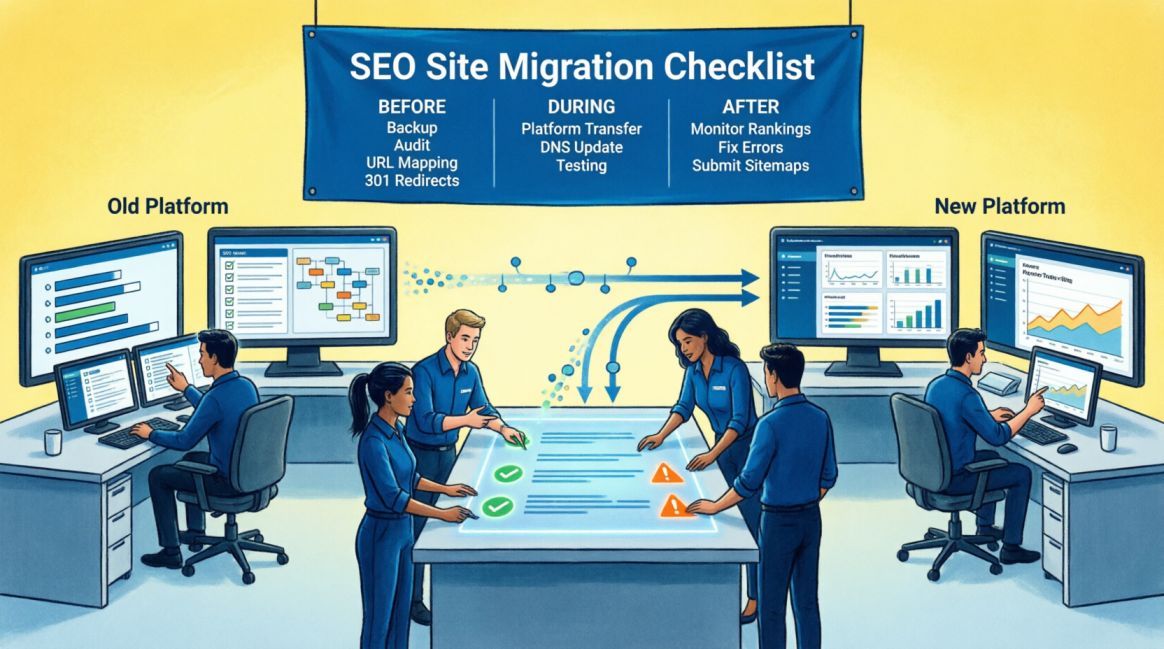
The Complete SEO Site Migration Checklist: Before, During & After You Move Platforms

| 60% Migration success determined in pre-migration phase alone | 42% Traffic loss from a single canonical error in live migration | 53% of all website traffic globally still driven by organic search | 6–8 wks - Typical full recovery window with correct execution |
Table of Contents
Table of Contents
Why Site Migrations Are One of the Highest-Risk Events in SEO
A site migration is not a website refresh. It is not a redesign. And it is emphatically not a task to hand to a developer on Friday afternoon and check on Monday morning.
A site migration — whether it is a domain change, a platform re-platform from WordPress to Shopify, a URL structure overhaul, or a move from HTTP to HTTPS — is one of the highest-risk technical events in the lifecycle of any website. Done incorrectly, it can erase years of accumulated search authority in a single afternoon. Done correctly, it becomes a platform for measurable ranking improvement that compounds over the months that follow.
We have seen both outcomes. A B2B SaaS company that migrated to a headless CMS architecture without preserving canonical logic lost 42% of its organic traffic in six weeks. Recovery took four months of intensive remediation work — entirely preventable with a structured pre-migration process. Conversely, an African e-commerce store that followed a phased migration framework when replatforming from WooCommerce to Shopify saw a 31% increase in organic traffic within 90 days of launch, because the migration was used as an opportunity to resolve years of accumulated technical debt simultaneously.
The difference between these two outcomes is not luck. It is not budget. It is whether the migration was planned and executed with SEO as a first-class participant from the first day of planning — not an afterthought called in at launch.
This guide is the complete, field-tested framework our team at Semola Digital follows on every migration engagement. It is built for three audiences: business owners who need to understand the stakes, marketing managers who are coordinating a migration project, and developers who need to know exactly what the SEO requirements are at each phase. It is structured around three phases — Before, During, and After — because every SEO migration failure we have ever encountered traces back to a specific failure at one of these three phases.
📌 Before You Read Further: What This Guide Covers
- The Semola Migration Risk Matrix — a reference table for understanding what type of migration you are dealing with and what its specific risks are
- Phase 1: Pre-Migration — the 60% of success that is determined before a single line of code is changed
- Phase 2: During Migration — the launch day sequence and the verification checks that must happen within the first 24 hours
- Phase 3: Post-Migration — the 90-day monitoring and recovery protocol that protects and restores your search authority
- The 2026 AI Visibility Layer — how site migrations now affect GEO and AI Overview citation eligibility, and what to do about it
- A complete FAQ section covering the most common migration questions we receive from clients
Understanding Your Migration Type and its Risk Profile
Not all site migrations carry equal SEO risk. A hosting server change with no URL modifications is fundamentally different from a full domain migration with a URL structure overhaul. Before any planning begins, you need to classify your migration accurately — because the classification determines which elements of this checklist are mandatory and which are advisory.
The Semola Migration Risk Matrix
The following matrix maps the seven most common migration types against three dimensions of SEO risk — URL risk (will URLs change?), authority risk (is accumulated link equity at risk?), and traffic risk (what is the probability of organic traffic disruption?) — and identifies the key mitigation action for each.
| Migration Type | URL Risk | Authority Risk | Traffic Risk | Key Mitigation |
|---|---|---|---|---|
| Domain Change | 🔴 Critical | 🔴 Critical | 🔴 Critical | Full URL map, 301s on every page, GSC change of address tool, backlink update outreach |
| Platform Replatform (e.g. WP → Shopify) | 🔴 Critical | 🟠 High | 🟠 High | URL structure usually changes — full redirect map essential. Schema markup must be rebuilt. Speed audit mandatory. |
| Site Redesign (Same CMS, Same URLs) | 🟡 Medium | 🟠 High | 🟡 Medium | URLs unchanged but content, headings, internal links may shift. Full content audit + CWV retest required. |
| HTTPS Migration (HTTP → HTTPS) | 🟡 Medium | 🟡 Medium | 🟢 Low | Verify SSL deployment across all assets. If utilizing legacy GSC URL-prefix properties, create and verify the new HTTPS version. If using a modern GSC Domain Property, verify that data for both protocols is flowing correctly into the existing property. |
| Subdomain → Subdirectory (blog.domain.com → domain.com/blog) | 🟠 High | 🟡 Medium | 🟡 Medium | Highly positive for authority consolidation — but requires careful 301 mapping from every old URL. |
| Hosting/Server Migration (No URL change) | 🟢 Low | 🟡 Medium | 🟢 Low | DNS propagation window is the primary risk. CWV must be tested on new server before go-live. |
| URL Structure Simplification | 🟠 High | 🟡 Medium | 🟡 Medium | Common during site rebuilds. Every old URL needs a 301 to its new equivalent — no category-level catch-all redirects. |
Critical principle: Every migration type, regardless of risk level, requires a pre-migration baseline audit and post-migration monitoring period. Low-risk migrations can still produce significant traffic loss if executed without SEO safeguards. There is no migration category where SEO oversight is optional.
Phase 1: Pre-Migration — The Foundation of Every Successful Move
“Industry data confirms: 60% of migration success is determined before a single code change is made."
Pre-migration planning is where most site migrations either succeed or fail before they launch. The work done in this phase creates the baseline you will need to diagnose problems after launch, the redirect map that preserves your authority, the content audit that identifies what must be protected at all costs, and the technical specifications that prevent the new platform from undoing years of SEO work.
Give this phase the time it deserves. For a site of 50–200 pages, pre-migration SEO work typically requires 3–4 weeks of structured effort. For sites of 500+ pages, 6–8 weeks is the realistic minimum. Compressing this timeline is the single most common cause of migration-related traffic loss.
Step 1 — Establish Your Pre-Migration Baseline
You cannot measure recovery if you have not documented your starting point. Before anything on the site changes, capture and store the following data permanently:
| PRE-MIGRATION BASELINE DATA — COLLECT AND STORE BEFORE ANY CHANGES | |
|---|---|
| ☐ | Export 12 months of organic traffic data from Google Analytics 4, segmented by landing page — identify your top 50 organic entry pages by sessions and conversions |
| ☐ | Export all keyword rankings for your top 100 target queries from Google Search Console (Performance → Queries, filter by Search type: Web, export to CSV) |
| ☐ | Run a full site crawl using Screaming Frog or Sitebulb — export the complete URL inventory including status codes, title tags, meta descriptions, H1s, canonical tags, and word counts |
| ☐ | Pull your full backlink profile from Ahrefs or Semrush — document which pages have the most referring domains (these are your highest-equity pages that must be preserved with exact 301 mapping) |
| ☐ | Run Google PageSpeed Insights on your homepage, top category page, and top product/service page (mobile test) — record LCP, INP, and CLS scores as your Core Web Vitals baseline |
| ☐ | Screenshot and export your Google Search Console Index Coverage report — document current coverage errors as a pre-migration baseline |
| ☐ | Export your current XML sitemap — this is your master URL reference document for redirect mapping |
| ☐ | Log AI Overview (AIO) and LLM Citation Baseline: Document your brand's current visibility in Google AI Overviews and major LLMs (like ChatGPT or Perplexity) for your top 20 high-intent queries. Note which of your pages are currently being cited as sources, as URL changes can temporarily disrupt AI citation algorithms. |
| ☐ | Semola Standard: Store all baseline data in a shared drive folder labelled 'Migration Baseline — [Date]'. This folder must be accessible to SEO, development, and project management teams throughout the migration. |
Step 2 — Complete URL Inventory and Redirect Mapping
URL mapping is, without qualification, the single most critical technical deliverable of any site migration. Search engines treat each URL as a unique entity with its own authority, ranking history, and backlink equity. When a URL changes without a correct 301 redirect in place, that entity is, from Google's perspective, destroyed — and a new, unproven entity takes its place. The authority accumulated over months or years is permanently lost, not transferred.
Every page that exists on your current site must be mapped to one of three outcomes on the new site: a direct URL equivalent (requiring a 301 redirect), a close equivalent (requiring a 301 redirect to the nearest relevant page), or legitimate discontinuation (requiring a 410 Gone or 404 response). There is no fourth option.
| Url Inventory And Redirect Map — Required Deliverables | |
|---|---|
| ☐ | Create a master redirect mapping spreadsheet with four columns: Old URL | New URL | Redirect Type (301/302/410) | Status (Tested/Pending) |
| ☐ | Map every URL in your current sitemap to its new destination — no URL should be unmapped |
| ☐ | For high-equity pages (pages with 5+ referring domains), verify the new destination page maintains the same primary keyword focus and content depth as the original |
| ☐ | Check for and flatten all existing redirect chains — if Old URL A currently redirects to Old URL B, the migration redirect must map A directly to New URL C, not A → B → C |
| ☐ | Identify any URLs that have changed platform-generated patterns (e.g., WooCommerce /product/ prefix changing to Shopify /products/) and ensure pattern-level redirect rules cover all variants |
| ☐ | Document all paginated URLs (/page/2, /page/3) and map them to their root category — paginated pages should not carry forward as indexed URLs on the new platform |
| ☐ | Test your redirect map on staging: every Old URL in column 1 should return a 301 status code and resolve to the New URL in column 2 — verify using Screaming Frog's 'List Mode' crawl |
| ☐ | Non-negotiable: No migration should go live without every URL in your inventory returning either a 200 OK (from a live new page) or a verified 301 redirect. A single high-equity page returning 404 on launch day is a preventable, costly failure. |
Step 3 — Content and On-Page SEO Audit
Platform migrations frequently strip or corrupt on-page SEO elements during content transfer. Title tags truncate. Meta descriptions reset to default template text. H1 tags become H2s. Schema markup is lost entirely. Internal links point to old URLs that now redirect rather than to live canonical pages. Every one of these failures is SEO equity that quietly bleeds away after launch.
| Pre-Migration Content And On-Page Seo Audit | |
|---|---|
| ☐ | Export all title tags and meta descriptions from current site — these must be manually reviewed and mapped to the new site. Never rely on the new platform's auto-population |
| ☐ | Document all custom schema markup implementations (Product, LocalBusiness, FAQ, Article, BreadcrumbList) — these must be rebuilt on the new platform from scratch |
| ☐ | Audit internal linking structure — identify your most internally-linked pages (these are your topical authority hubs) and ensure internal link structure is preserved on the new site |
| ☐ | Identify and export all canonical tag implementations — especially on paginated pages, filtered URLs, and any pages with deliberate canonical consolidation |
| ☐ | Run a content quality check: any page being migrated with thin content (under 400 words) should either be rewritten pre-migration or consolidated into a stronger parent page |
| ☐ | Document all hreflang implementations for any multilingual content — hreflang is frequently lost during platform migrations and takes weeks to recrawl and reprocess |
| ☐ | Audit your existing image alt text library — image alt texts are rarely migrated automatically and must be re-entered on the new platform |
| ☐ | Export all structured data (schema.org markup) using Google's Rich Results Test — document every schema type currently passing validation that must be rebuilt post-migration |
Step 4 — Technical and Environment Preparation
| Technical Pre-Migration Requirements | |
|---|---|
| ☐ | Secure the Staging Environment: Deploy the new site on a staging server protected by HTTP Basic Authentication (username/password login). This returns a 401 status code that naturally keeps crawlers out. As a failsafe, implement a site-wide 'noindex' meta tag on staging to prevent accidental indexing if the password protection is temporarily disabled during development testing. |
| ☐ | Verify the new hosting environment matches or exceeds the performance of the current server — run WebPageTest on staging with the Nigerian or target-market server location selected |
| ☐ | Configure SSL/TLS certificate on the new domain or platform before any content is transferred — HTTPS must be active on launch day, not applied after |
| ☐ | Set up Google Analytics 4 and Google Search Console on the new environment during staging — verify data is flowing before go-live so there is no measurement gap on launch day |
| ☐ | Ensure all third-party integrations (payment gateways, booking systems, live chat, CRM tracking scripts) are tested and functional on staging before launch |
| ☐ | Check DNS TTL Settings: Check your current DNS Time-to-Live (TTL). If it is set high (e.g., 24 hours), coordinate with your DevOps team to lower it to 300 seconds (5 minutes) at least 24–48 hours before launch day to ensure rapid global propagation during the switch. |
| ☐ | Define your rollback procedure: if a critical failure occurs within 4 hours of launch, what is the exact process for restoring the old site? This plan must be documented and tested on staging |
| ☐ | Brief your development team on the SEO launch day sequence — every technical team member must know the exact order in which steps are executed on go-live day |
Phase 2: During Migration — Launch Day Sequence
“This is a high-stakes, time-sensitive operation — every step has a defined order for good reason”.
Launch day is where meticulous pre-migration planning pays its dividend. If Phase 1 has been executed correctly, launch day should be a structured, step-by-step execution process with clear verification checkpoints — not a chaotic scramble to fix things discovered at the last moment.
Schedule your migration launch during the lowest-traffic period for your site — typically between 11pm and 4am, and never on a Friday. The rationale is simple: a problem discovered at 2am on a Tuesday can be diagnosed and fixed during normal business hours. A problem discovered at 11pm on a Friday cannot.
The Launch Day Sequence — Execute in Exact Order
| Launch Day Seo Execution Checklist — Do Not Skip Or Reorder | |
|---|---|
| ☐ | Step 1 — Final staging verification: Run a full Screaming Frog crawl of staging environment. Confirm 0 broken internal links, 0 missing title tags, 0 missing H1s, correct canonical tags on all pages. If any of these fail, do not proceed. |
| ☐ | Step 2 — Capture final baseline: Pull a final Search Console impressions snapshot and GA4 organic sessions screenshot immediately before go-live. This is your Day 0 benchmark. |
| ☐ | Step 3 — Lower DNS TTL: If not already done 24 hours prior, lower DNS TTL to 300 seconds to minimise propagation time. |
| ☐ | Step 4 — Remove staging blocks: Remove the robots.txt Disallow and any noindex meta tags from the live environment. Verify with a manual URL inspection — the live site must return 'URL is on Google' or 'URL is not on Google' (not 'Blocked by robots.txt'). |
| ☐ | Step 5 — Activate redirect map: Deploy all 301 redirects. Test a representative sample of 25 redirects immediately using a redirect checker tool. Confirm each returns 301 status and resolves to the correct new URL. |
| ☐ | Step 6 — Verify HTTPS: Confirm SSL certificate is active and all internal links, images, and scripts are loading over HTTPS. Check for mixed content warnings using browser developer tools. |
| ☐ | Step 7 — Update Google Search Console: For domain changes: use GSC's 'Change of Address' tool under Settings. For all migrations: verify both old and new properties in GSC and submit the new XML sitemap. |
| ☐ | Step 8 — Submit New (and retain Old) Sitemaps: Submit your updated, indexable XML sitemap in Google Search Console. Crucially, do not delete your old XML sitemap yet. Leave the old sitemap submitted in GSC for at least 30 days. This prompts Googlebot to recrawl your old URLs, immediately discover the new 301 redirects, and process the migration much faster. |
| ☐ | Step 9 — Request indexing on priority pages: Use the URL Inspection tool in GSC to manually request indexing on your 10 highest-traffic pages. Google will prioritise crawling these first. |
| ☐ | Step 10 — Update Bing Webmaster Tools: Submit the new sitemap in Bing Webmaster Tools. Often overlooked — Bing feeds Microsoft's Copilot and AI-assisted search features, making this a GEO-relevant step. |
| ☐ | Step 11 — Verify analytics tracking: Confirm GA4 is recording live sessions on the new site. Check that organic/referral/direct channel attribution is functioning. If you see 100% of traffic as Direct on launch day, your analytics tag is misconfigured. |
| ☐ | Step 12 — Document the Migration Event: Because GA4 lacks the native annotation feature found in older analytics platforms, you must document the exact date and time of the launch externally. Maintain a centralized "Migration Log" spreadsheet, utilize a third-party browser extension for GA4 annotations, or add text boxes to your Looker Studio SEO dashboards. Add a note in Google Search Console if you are using a new property. This timeline is invaluable for diagnosing performance shifts in the weeks ahead. |
Redirect Decision Framework — The Reference You Need on Launch Day
Every redirect decision made on or after launch day should follow this framework. Deviating from it — particularly by using homepage catch-all redirects for discontinued content — is one of the most common and damaging post-launch SEO errors we encounter.
| Scenario | Correct Action | Common Mistake to Avoid |
|---|---|---|
| Old page has a direct equivalent on the new site | 301 redirect old URL → exact new URL equivalent | Redirecting to the homepage instead of the matching page — loses topical relevance signal |
| Old page has no equivalent and content is discontinued | Check backlink equity first. If the page has valuable external links, 301 redirect it to the closest relevant category or parent page to preserve authority. If it has no links and no search traffic, let it return a 410 Gone (preferred) or 404. | Allowing heavily-linked discontinued pages to 404/410, thereby throwing away hard-earned link equity. (Alternatively, bulk-redirecting them to the homepage, which creates soft 404s). |
| Old URL structure simplification (e.g. /blog/category/post → /blog/post) | 301 from old full path → new shorter path — one-to-one | Category-level catch-all redirect that sends all /blog/category/* to /blog/ — loses individual page equity |
| Paginated series (/page/2, /page/3) | 301 paginated pages → root category URL (canonical) | Leaving paginated URLs live and indexable on new site — creates duplicate content |
| Language/region variants changing URL structure | Update hreflang annotations + 301 redirects to new regional URLs | Forgetting hreflang updates — search engines serve wrong language version to wrong region |
| Redirect chains from previous migrations | Flatten all chains: A→B→C becomes A→C directly | Carrying chain redirects into new migration — each hop loses approximately 10–15% link equity |
Phase 3: Post-Migration — 90-Day Recovery and Optimisation Protocol
“Where rankings stabilise, authority is verified, and the compound benefits of a well-executed migration emerge”.
The post-migration phase is where most teams make a critical mistake: they treat launch as the finish line. It is not. Launch is the beginning of a monitoring and optimisation period that, for most migrations, lasts 60 to 90 days before search performance stabilises and begins to reflect the new site's quality signals.
Expect a degree of search volatility in the first 2 to 4 weeks after launch — this is normal and documented. Google re-evaluates a migrated site's topical authority, E-E-A-T signals, and Core Web Vitals during this window. Sites with strong pre-migration authority and clean technical execution typically recover within 6 to 8 weeks. Sites with weak pre-migration authority or execution errors may take significantly longer.
Post-Migration Monitoring Timeline
| Timeframe | What to Monitor | Action Trigger |
|---|---|---|
| Hours 1–24 | Server response codes across all key URLs. DNS propagation status. GA4 real-time sessions. Search Console crawl activity (Crawl Stats report). | Any 5xx server errors on critical pages → immediate server/dev escalation. Sessions drop below 40% of baseline → check for noindex or robots.txt block. |
| Days 2–7 | Search Console Index Coverage report. Redirect verification (all 301s returning correct status). Internal link integrity. CWV scores on new platform. | Index Coverage errors above 50 new pages → crawl error audit. Any core page returning 404 → check redirect map for gaps. |
| Days 8–30 | Organic impressions trend vs pre-migration baseline. Click-through rate per query. Rankings for top 20 target keywords. Crawl rate and crawl budget consumption. | Impressions below 70% of baseline after Day 14 → content or redirect issue. Single keyword losing 5+ positions → page-level diagnosis required. |
| Days 31–90 | Organic traffic recovery trajectory. Backlink re-evaluation (do referring domains still point to live URLs or are they hitting 301 chains?). Conversion rate from organic. AI Overview citation monitoring. | Traffic recovery stalled below 80% of baseline at Day 60 → comprehensive redirect audit + content quality review. Backlinks hitting 404 → contact referring domains for link update. |
High-Priority Post-Migration Technical Checks
| Post-Migration Technical Remediation Checklist | |
|---|---|
| ☐ | Crawl the live site with Screaming Frog within 48 hours of launch — identify any 404 errors, redirect chains, or missing canonical tags that were not present on staging |
| ☐ | Verify all schema markup is live and passing validation using Google's Rich Results Test — schema is frequently lost during CMS-to-CMS content transfers |
| ☐ | Update all internal links that currently point to redirected URLs — update them to point directly to the new canonical destination. Redirects passing internal links lose efficiency; direct links do not |
| ☐ | Check all external backlinks from your top 20 referring domains — confirm they are resolving to live 200 OK pages, not hitting 301 chains or 404s. For 404-hitting backlinks, contact the referring domain to request a URL update |
| ☐ | Test Core Web Vitals on the live site (not staging) using PageSpeed Insights — real-user environment sometimes differs from staging. If LCP has regressed from your baseline, treat as urgent |
| ☐ | Verify Google Search Console is not flagging new coverage errors — check the Index Coverage report and Sitemap report daily for the first two weeks |
| ☐ | Re-verify all hreflang annotations using an hreflang testing tool — confirm bidirectional tags are correct and language codes match what was documented in pre-migration planning |
| ☐ | Confirm no staging URLs are indexed — search Google for 'site:staging.yourdomain.com' to verify staging is not appearing in search results |
2026 AI Visibility Layer — How Migrations Affect GEO
Site migrations in 2026 carry a dimension of risk that did not exist in 2023: the impact on AI Overview citation eligibility and generative engine visibility. Google's AI Overviews, Perplexity, and ChatGPT pull from indexed web content to synthesise answers. A site migration that disrupts indexation, strips schema markup, or degrades content quality does not just affect traditional organic rankings — it affects whether your content is cited by AI systems at all.
When Google detects significant structural changes to a website, its AI systems re-evaluate the site's topical authority and E-E-A-T signals from scratch. This recalibration window coincides with the standard post-migration volatility period — meaning a poorly executed migration can remove a site from AI Overview citations for weeks, not just from traditional organic rankings.
What Specifically Affects AI Citation Eligibility During and After Migration
- Schema markup loss: FAQPage, HowTo, Article, and Product schema are the primary schema types that qualify content for rich results and AI Overview extraction. These must be rebuilt and validated within 72 hours of launch.
- Content fragmentation: Migrations that split comprehensive pillar pages into multiple shorter pages — or merge multiple pages into thin combined pages — disrupt the topical authority signals that AI systems use to evaluate citation-worthiness.
- E-E-A-T signal disruption: Author bylines, publication dates, review metadata, and credential signals embedded in page content are frequently stripped during CMS migrations. Google's AI systems explicitly evaluate these signals. Rebuild them within the first week post-migration.
- Canonical confusion: If multiple versions of the same content are temporarily accessible (old domain + new domain, HTTP + HTTPS) during DNS propagation, AI systems may temporarily deprioritise the content entirely until canonical authority is consolidated.
- Crawl access barriers: Any temporary robots.txt block applied to the live site — a common error where staging configuration is accidentally carried to production — immediately removes the site from AI system consideration. Verify crawl access within the first hour of launch.
Post-Migration GEO Recovery Actions
- Within 72 hours of launch: Rebuild and validate all FAQPage, Article, Organization, and LocalBusiness schema on priority pages using Google's Rich Results Test
- Within one week: Verify all author bylines, credentials, and publication dates are visible on content pages — these are E-E-A-T signals that AI systems read directly
- Within two weeks: Manually test AI citation status by prompting ChatGPT, Perplexity, and Google AI Mode with your top 10 target queries — document whether your content is cited before and after migration
- Ongoing: Update your Bing Webmaster Tools sitemap — Bing's index feeds Microsoft Copilot and several AI-assistant products that source from web content
- At Day 30: Audit your structured data library comprehensively — use Screaming Frog's structured data report to identify any pages that had schema pre-migration but lost it post-migration
The Eight Migration Mistakes That Cause Irreversible Traffic Loss
| # | Mistake | Why It Causes Irreversible Loss — and the Prevention |
|---|---|---|
| 01 | Redirecting discontinued pages to the homepage | Homepage catch-all redirects create 'soft 404s' — Google treats them as dead content, not valid redirects. The equity of every redirected page is lost. Prevention: Use 410 Gone for discontinued content, or find the closest relevant live page and 301 there. |
| 02 | Going live on a Friday | A Friday launch means any critical issue discovered post-launch — a misconfigured robots.txt, a broken redirect map, a lost schema implementation — goes undiagnosed over the weekend while Google's crawlers work unimpeded. Prevention: Always launch on Tuesday, Wednesday, or Thursday. |
| 03 | Not testing redirects on the live environment before announcing launch | Redirects that work on staging sometimes fail on the live server due to configuration differences. Testing on staging is necessary but not sufficient. Prevention: Run a full redirect audit using Screaming Frog immediately after DNS propagation completes. |
| 04 | Carrying redirect chains from previous migrations | If a URL was previously 301 redirected from an older URL structure, a new migration that redirects the middle URL creates a chain: A→B→C. Each hop loses approximately 10–15% of link equity. Prevention: Flatten all chains in your redirect map before launch — A goes directly to C. |
| 05 | Forgetting to remove noindex from the live site | The staging environment is protected from search engines with a robots.txt Disallow or noindex meta tag. These controls are sometimes accidentally carried to the live environment. Prevention: The explicit removal of staging blocks is Step 4 of the launch day sequence — verify it within minutes of go-live. |
| 06 | Ignoring the backlink profile post-migration | Links from external sites pointing to your old URLs hit 301 redirects rather than live pages. While 301s pass equity, the redirect adds latency and reduces efficiency compared to direct links. Prevention: After migration, identify your top 30 referring domains and contact them to update their links to your new canonical URLs. |
| 07 | Not rebuilding schema markup | Schema markup is almost never migrated automatically by CMS-to-CMS transfers. It requires manual implementation on the new platform. A site that had FAQPage and Product schema pre-migration and loses it post-migration loses rich result eligibility and AI citation visibility simultaneously. Prevention: Schema audit is a mandatory pre-migration deliverable — rebuild within 72 hours of launch. |
| 08 | Treating traffic dips as failure rather than recalibration | A 15–25% dip in organic traffic in the first two weeks post-migration is normal and documented. Teams that panic, make additional large changes during this window, or revert the migration make the situation significantly worse. Prevention: Set stakeholder expectations before launch that a recalibration window of 2–4 weeks is normal. Monitor daily but do not intervene unless clear technical errors are confirmed. |
Conclusion: Every Migration is an Opportunity — If You Treat it as One
The framing of site migrations as a risk management exercise is understandable, but it is incomplete. A migration executed with SEO at the centre of the process is not just a risk to be contained — it is one of the clearest opportunities available to any business to fix years of accumulated technical debt, improve content quality, strengthen E-E-A-T signals, and upgrade infrastructure simultaneously.
The African e-commerce store we referenced at the opening of this guide did not achieve a 31% traffic increase post-migration by avoiding risk. It achieved it by treating the migration as a deliberate SEO upgrade project — using the platform change as the forcing function to resolve technical issues that had suppressed its rankings for years, implement schema markup it had never had, and build a faster, more mobile-optimised experience on a server architecture suited to its African audience.
That is the correct mindset for any site migration. Not: how do we survive the move? But: how do we emerge from the move with a stronger digital presence than we had before?
If you are preparing for a migration and want a team that treats it as an opportunity rather than a liability, Semola Digital offers a full pre-migration SEO audit and migration management service covering everything in this guide — including post-migration monitoring for 90 days after launch.
| 📋 MIGRATION CHECKLIST SUMMARY — QUICK REFERENCE |
|---|
| PHASE 1 (Pre-Migration): Baseline audit → URL inventory → Redirect map → Content audit → Schema documentation → Technical environment prep → Staging verification |
| PHASE 2 (Launch Day — in order): Final staging crawl → Day 0 baseline capture → DNS TTL reduction → Remove crawl blocks → Deploy redirects → Verify HTTPS → GSC change of address → Submit sitemap → Request priority indexing → Update Bing → Verify analytics → Annotate GA4 and GSC |
| PHASE 3 (Post-Migration — 90 days): Hours 1–24 response codes and DNS. Days 2–7 coverage report and redirect verification. Days 8–30 impressions and ranking monitoring. Days 31–90 traffic recovery and backlink health. |
| AI Visibility layer: Rebuild schema within 72 hours. Restore E-E-A-T signals (author bylines, dates, credentials) within one week. Test AI citation status at Day 7 and Day 30. |
| Never do: Homepage catch-all redirects. Friday launches. Skipping staging verification. Carrying redirect chains. Forgetting to remove noindex from live. |
Frequently Asked Questions
Questions readers ask about this topic
The FAQs below are pulled directly from this article's structured content and are designed to help readers quickly find answers to common questions related to the topic.
Q1: How long should we allow for pre-migration planning?
Q2: Should we do a content improvement as part of the migration, or wait until after?
Q3: We changed domain names two years ago and never did a proper SEO migration. Can we recover?
Q4: Do 301 redirects pass 100% of link equity?
Q5: How do we handle a CMS migration where the new platform changes URL structures automatically?
Q6: What is the earliest sign that a migration has gone wrong?

Founder, Technical Analyst
Oladoyin Falana is a certified digital growth strategist and full-stack web professional with over five years of hands-on experience at the intersection of SEO, web design & development. His journey into the digital world began as a content writer — a foundation that gave him a deep, instinctive understanding of how keywords, content and intent drive organic visibility. While honing his craft in content, he simultaneously taught himself the building blocks of the modern web: HTML, CSS, and React.js — a pursuit that would eventually evolve into full-stack Web Development and a Technical SEO Analyst.
Follow me on LinkedIn →