What is Dark Traffic in SEO? How to Recover the Visibility That GA4 is Hiding From You

Table of Contents
Table of Contents
The Traffic You Are Earning But Cannot See
Open your GA4 Traffic Acquisition report right now. Look at the Direct channel. In most businesses we audit, it is larger than it should be — sometimes dramatically so. The SEO team celebrates the organic channel going up. Management notices the direct channel going up too. Everyone assumes it reflects growing brand recognition. Nobody asks whether it is real.
It is often not real. Or rather, it is real traffic — real visits from real people who found your website through real channels. What is not real is the label GA4 has attached to it. Direct traffic in GA4 is not a channel. It is a confession: Google Analytics could not determine where this visitor came from, so it placed them here by default.
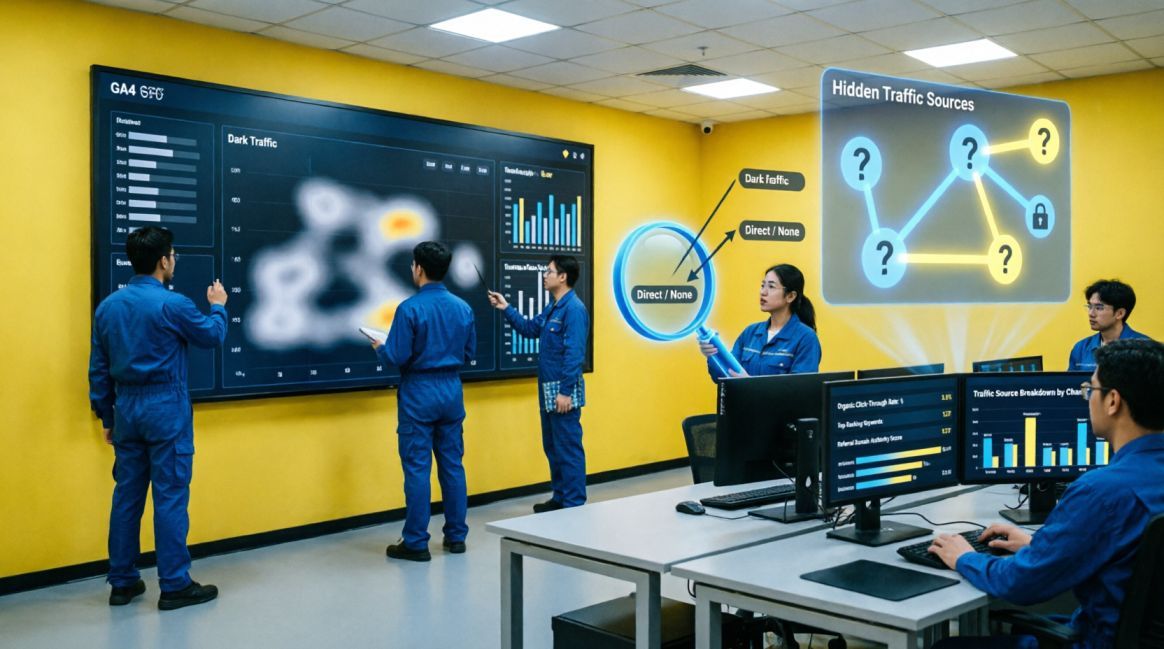
This misattributed traffic — traffic from genuine sources that GA4 cannot see or identify — is what practitioners call dark traffic. In 2026, the problem is larger than at any point in the history of web analytics, for a reason that is still catching most marketing teams by surprise: AI search platforms are sending traffic that no analytics system can currently track, and that traffic is growing at over 500% year-over-year.
Dark traffic matters for three reasons. First, it makes your SEO look worse than it is — organic traffic you have genuinely earned is credited to Direct rather than Organic Search, depressing the metrics your team is judged by. Second, it makes your Direct channel look better than it deserves — inflating a vanity signal and obscuring where real brand demand is coming from. Third, it actively distorts budget decisions — channels that are working appear to underperform, and channels that appear to perform may be doing nothing at all.
This guide gives you the complete framework: what dark traffic is, where it comes from, how to diagnose how much of it you have, and the exact steps to recover the visibility your analytics is currently hiding.
| 📌 WHAT THIS GUIDE COVERS |
|---|
| A precise definition of dark traffic and why it is structurally different from legitimate direct visits |
| The seven distinct sources of dark traffic in 2026 — each with its GA4 symptom pattern and specific fix |
| The dark traffic diagnostic process: a six-step investigation you can run in GA4 and Search Console this week |
| The recovery priority matrix: eight fixes ranked by impact, from critical to emerging |
| The AI traffic blindspot — why ChatGPT, Perplexity, and Gemini referrals are invisible to most analytics setups and what to do about it |
| The Nigerian and African market context: why dark traffic is particularly prevalent in markets with high WhatsApp and app-based sharing |
What Dark Traffic Actually Is — and What It Is Not
Dark traffic is any website traffic that arrives from a real, identifiable source but is misattributed to the Direct channel in Google Analytics because the referrer data was lost, stripped, or never captured.
It is not:
- Genuine direct traffic: visits from users who typed your URL into their browser, clicked a bookmark, or opened your site from a desktop shortcut. This is real and legitimate direct traffic.
- Bot traffic: automated crawlers do not generate dark traffic in the sense we are discussing — they are a separate data quality problem with a different diagnostic and fix.
- Paid dark social: while related, dark social (sharing in private messaging apps like WhatsApp, Telegram, or Signal) is a specific subset of dark traffic, not the full picture.
Dark traffic is specifically the intersection of real human traffic from real channels with lost attribution data. The visit happened. Google Analytics just cannot tell you from where.
How GA4 Assigns Traffic Sources — and Where it Fails
GA4 determines a session's traffic source by checking four data points in order of priority: UTM parameters in the URL, Google Click Identifier (gclid) for Google Ads, the HTTP referrer header from the previous page, and session-level data stored in first-party cookies. When all four return nothing — no UTM, no gclid, no referrer, no stored session — GA4 defaults to (direct) / (none).
The problem is that referrer headers are stripped in a surprisingly large number of real-world browsing scenarios. Whenever a user clicks a link in a native mobile app (WhatsApp, Instagram, Gmail, LinkedIn), the app's in-app browser often does not pass the referrer header to the destination site.
By default—due to standard browser security policies (strict-origin-when-cross-origin)—the HTTP referrer header is stripped whenever a user moves from a secure (HTTPS) page to a non-secure (HTTP) page. Unless specific Referrer-Policy tags are configured to bypass this, the destination page registers a direct visit.
Whenever a redirect chain removes URL parameters, the UTM data that should have identified the source is lost. The result, in each case: a real visit from a real channel that GA4 records as direct.
The 7 Sources of Dark Traffic — Diagnosed
Not all dark traffic comes from the same place, and not all of it is equally fixable. The following seven sources account for the vast majority of dark traffic in business websites. Each has a recognisable pattern in GA4 and a specific remediation approach.
Source 1: Untagged Email Campaigns
Email links without UTM parameters are the most common and most fixable source of dark traffic. When a user clicks a link in an email, many email clients do not pass a referrer header. Without UTM parameters, GA4 has no way to identify the session's origin and defaults to direct.
| 🔍 GA4 SYMPTOM: Blog posts or product pages appearing in high volume as direct entries, particularly on the day after a newsletter or campaign email is sent. The volume spike is time-correlated with email dispatch — a giveaway when you overlay send dates against direct traffic spikes. | ✅ THE FIX: Add UTM parameters to every link in every email: utm_source=newsletter, utm_medium=email, utm_campaign=[campaign-name]. Use a shared UTM spreadsheet to enforce consistency. This single fix typically reduces direct traffic by 20–30% for businesses with active email marketing. |
Source 2: Social and Messenger App Traffic (Dark Social)
When users share your links via WhatsApp, Telegram, Instagram DMs, Facebook Messenger, LinkedIn messages, or Slack, the recipient often clicks from within the app's in-app browser. These browsers strip the referrer header, making the traffic appear as direct to GA4. In Nigeria specifically — where WhatsApp is the dominant sharing medium — this effect is amplified.
| 🔍 GA4 SYMPTOM: High direct traffic volumes on mobile devices, landing on content pages (blog posts, guides, product pages) that are unlikely entry points for bookmarked or typed URLs. Mobile direct sessions landing on long, complex URLs are the clearest dark social fingerprint. | ✅ THE FIX: Tag all links shared publicly in social media posts with UTM parameters (utm_medium=social, utm_source=whatsapp etc.). For content that is likely to be shared privately (WhatsApp business groups, Slack channels), use short URLs from Bitly or your branded shortener — these allow click tracking even when referrer data is lost. |
Source 3: AI Platform Referrals (The 2026 Blindspot)
While some web-based AI platforms have started passing referrers (e.g., chatgpt.com), clicks from mobile AI apps or embedded preview panes often drop the referrer entirely. When this happens, GA4 cannot identify the source and defaults to logging the visit as direct. AI referral traffic grew over 500% year-over-year in 2024–2025 — making this the fastest-growing source of dark traffic in 2026.
| 🔍 GA4 SYMPTOM: Unexplained spikes in direct traffic that do not correlate with email sends, social campaigns, or calendar events. Particularly suspicious when the direct traffic lands on your most comprehensive, well-structured articles — the content types most likely to be cited by AI systems. Check GA4 for referrals from chat.openai.com, perplexity.ai, gemini.google.com — if they appear at all, your actual AI referral traffic is likely much higher. | ✅ THE FIX: Monitor GA4 for any referral traffic from known AI domains (chat.openai.com, perplexity.ai, gemini.google.com, claude.ai). Set up a custom channel group for 'AI Referral.' Cross-reference your Search Console AI Overview impressions data with unexplained direct traffic spikes. Consider server-side logging to capture HTTP referrers that GA4's client-side script misses. |
Source 4: Untagged Google Business Profile Links
Every click on the website link in your Google Business Profile is high-intent traffic — the user searched for you locally, found your GBP, and clicked through. Without UTM parameters on that URL, GA4 often lumps this traffic into generic 'Organic Search' (google / organic) or, in some mobile app scenarios, loses the referrer and labels it 'Direct'. Implementing UTMs is crucial to separate your local SEO performance from your general organic search visibility.
Source 5: HTTPS to HTTP Redirect Stripping
Browser security policy strips the HTTP referrer header whenever a user moves from a secure (HTTPS) page to a non-secure (HTTP) page. This means that if any page on your site — or any external site linking to yours — initiates a redirect that passes through an HTTP step, the referrer is permanently lost at that point. The destination page sees a direct visit.
| 🔍 GA4 SYMPTOM: Clusters of direct traffic landing on specific pages that have HTTPS redirect configurations or that receive backlinks from HTTPS external sites. Auditing these pages with a redirect path checker often reveals an HTTP step in the chain that was not visible at the surface. | ✅ THE FIX: Ensure every page on your site redirects HTTPS→HTTPS, never HTTPS→HTTP. Use a redirect checker tool (httpstatus.io, Redirect Path Chrome extension) to verify that every redirect chain resolves exclusively through HTTPS at every step. For backlinks pointing to HTTP versions of your pages, contact referring domains to update their links to the HTTPS equivalent. |
Source 6: Missing GA4 Tracking Code on Key Pages
If the GA4 tracking script does not fire on a landing page — because the page was added after the initial site build, is hosted on a subdomain without GA4 installed, or is part of a campaign microsite — every visit to that page starts without a tracked session. When the user navigates to the next page (which does have GA4), a new session begins with no source information.
| 🔍 GA4 SYMPTOM: Pages appearing as session entry points in GA4 that you know are typically traffic destinations (thank-you pages, checkout confirmation pages, campaign landing pages) but that show no session_start events in DebugView. Also: unusually high direct traffic ratios on specific landing pages compared to the site average. | ✅ THE FIX: Use Google Tag Assistant's browser extension to verify GA4 fires on every page in your site. Pay particular attention to recently added pages, campaign landing pages, and subdomain pages. If you use Google Tag Manager, audit your triggers to confirm they cover all URL patterns including any non-standard paths. |
Source 7: PDF and Document Link Traffic
When a user opens a PDF, Word document, or spreadsheet that you have published or distributed, and clicks a link within that document, the PDF reader does not pass a referrer header. The traffic appears direct. This is particularly common for businesses that distribute brochures, reports, proposals, or guides in PDF format.
| 🔍 GA4 SYMPTOM: Periodic spikes of direct traffic landing on pages that are linked within documents you have distributed — pricing pages, contact pages, proposal follow-up pages. Often correlates with document distribution events (conference handouts, tender submissions, email attachments). | ✅ THE FIX: Tag every URL embedded in any document you distribute with UTM parameters before publishing. For existing widely-distributed PDFs, create a tracked redirect page: yoursite.com/guide-download that automatically redirects to the PDF with a UTM-tagged landing page as the intermediate step, capturing the session source. |
The Dark Traffic Diagnostic — A Six-Step Investigation
Before you implement fixes, you need to know how much dark traffic you have, which sources are responsible, and which pages are most affected. The following six-step diagnostic can be completed in GA4 and Google Search Console in approximately two hours.
| STEP 1 | Check your Direct traffic percentage. Go to GA4 → Reports → Acquisition → Traffic Acquisition. What percentage of total sessions is labelled Direct?. Above 30%: urgent investigation. Above 40%: your tracking is significantly broken. |
|---|---|
| STEP 2 | Break Direct down by Landing Page. In GA4 Explore → Free Form → Rows: Landing Page + Session source/medium filter for (direct)/(none). Scan the landing page list. Deep blog URLs, campaign pages, product pages appearing as direct entries = dark traffic. Homepage dominating = more likely genuine direct. |
| STEP 3 | Cross-reference with Search Console. Compare GA4 organic sessions with Search Console clicks for the same date range. If Search Console shows 1,200 clicks but GA4 shows only 700 organic sessions, the gap (500 sessions) is likely organic traffic misattributed to direct. |
| STEP 4 | Identify the source type from landing page patterns. Blog posts and long URLs appearing as direct → likely organic search, social, or AI referral. Campaign landing pages → likely untagged email or paid. Checkout or account pages → likely cross-domain tracking failure. Deep product pages → likely app or messenger traffic. |
| STEP 5 | Check GA4 DebugView and Tag Assistant. Install Google Tag Assistant Chrome extension. Visit your site and inspect which pages fire the GA4 tracking event. Any page where no GA4 event fires is generating untracked sessions — every visit from that page will appear as direct on the next page. |
| STEP 6 | Audit your UTM coverage for outbound links. Pull your last 3 email campaigns, social posts, and any influencer or partnership links. Are all URLs tagged with UTM parameters? For any campaign link missing UTMs, calculate how much traffic it sent — this is your known misattribution volume. |
The Recovery Priority Matrix
Not all dark traffic fixes have equal impact, and not all can be implemented without developer involvement. The following matrix ranks all eight recovery actions by priority, expected impact, and implementation approach — so you can begin with the fixes that deliver the most visibility recovery the fastest.
| Fix | Priority | Expected Impact | How to Implement |
|---|---|---|---|
| UTM tagging on all outbound links | 🔴 Critical | 20–40% direct traffic reduction | Apply UTM parameters to every email, social post, GBP link, and partner link this week. No exceptions. Use a shared UTM builder to enforce consistency across the team. |
| GA4 tracking tag on every page | 🔴 Critical | Eliminates broken session dark traffic | Use Google Tag Assistant to verify GA4 fires on every page. Particularly check recently added landing pages, campaign microsites, checkout flows, and thank-you pages. |
| HTTPS on every page — no HTTP redirects | 🔴 Critical | Eliminates HTTPS→HTTP referrer stripping | All internal links and redirects must resolve HTTPS→HTTPS. Any HTTP page that redirects to HTTPS strips the referrer. Verify with a redirect path checker. |
| Cross-domain tracking configuration | 🟠 High | Eliminates third-party handoff dark traffic | Configure cross-domain tracking in GA4 Admin → Data Streams → Configure tag settings → Configure your domains. Include your booking engine, payment provider, and any external subdomain. |
| Cookie consent mode (Consent Mode v2) | 🟠 High | Recovers consent-blocked attribution | Implement Google Consent Mode v2. Without it, users who decline cookies are entirely invisible to GA4 — their sessions appear as direct or not at all. Consent Mode allows modelled attribution even for non-consenting users. |
| Internal traffic filter | 🟡 Medium | Removes developer/employee inflation | Create a GA4 internal traffic filter under Admin → Data Streams → Define Internal Traffic. Filter by your office IP address range to prevent your team's sessions contaminating your direct traffic data. |
| Referral exclusion list | 🟡 Medium | Eliminates self-referral dark traffic | Add your own domain and all subdomains to GA4's referral exclusion list. Without this, users navigating between your main site and a subdomain appear as new referral (or direct) sessions on each transition. |
| AI referral monitoring | 🔵 Emerging | Measures and identifies AI-sourced traffic | Check GA4 for referrals from chat.openai.com, perplexity.ai, gemini.google.com, and claude.ai. Set up a custom segment. AI referrals that do not pass referrer headers appear as direct — correlate with Search Console AI Overview impressions to estimate scale. |
The AI Traffic Blindspot — What 2026 Has Changed
The AI referral dark traffic problem deserves its own dedicated section because it is structurally different from all other dark traffic sources, and because its scale is growing faster than the industry's ability to measure it.
Why AI Platforms Do Not Pass Referrer Headers
When you click a link in a standard web browser, the browser automatically sends an HTTP referrer header to the destination website: a signal that says 'this user came from [previous page URL].' Web analytics platforms like GA4 read this header to attribute the session.
AI chat platforms — ChatGPT, Perplexity, Claude, Gemini — operate in a fundamentally different browser context. The link often opens from within the chat interface itself, which may use a redirect, a preview pane, or an embedded browser that does not pass the standard referrer header. The destination site's GA4 script sees a user arriving without any referrer: direct.
The practical implication: a significant proportion of the traffic driven by AI citation of your content — traffic you have earned through effective GEO and content strategy — is invisible to your analytics. You may be cited in 200 ChatGPT responses per day and see only a handful of GA4 referrals from chat.openai.com, with the remainder buried in your direct channel.
Estimating Your AI-Sourced Dark Traffic
While you cannot directly attribute dark traffic to AI referrals without server-side logging, you can estimate it using a triangulation approach:
- Check Search Console for AI Overview impressions: GA4 does not capture click traffic from AI Overviews that do not result in a site visit, but Search Console does log AI Overview impressions. Correlate impressions growth with unexplained direct traffic spikes.
- Monitor GA4 for referrals from known AI domains: filter your GA4 Traffic Acquisition report for referrals from chat.openai.com, perplexity.ai, gemini.google.com, and claude.ai. The volume you can see is a lower bound — the real volume is higher.
- Track branded search volume: when AI systems mention your brand, users often follow up with a branded Google search. Rising branded query volume in Search Console without a corresponding organic traffic increase can indicate AI-driven brand awareness that is converting through search rather than through direct AI links.implementation
- Set up server-side logging: unlike GA4's client-side script, server-side analytics capture the full HTTP request including referrer headers from AI platforms that do not pass them to client-side scripts. This is the most accurate measurement approach but requires a developer.
Nigerian and African Dark Traffic Context
Dark traffic is disproportionately prevalent in Nigerian and West African digital markets for a specific structural reason: WhatsApp is the dominant content sharing and business communication platform in these markets. When a Nigerian business owner shares a blog post in a WhatsApp business group with 500 members, and 80 of them click through to read it, those 80 sessions arrive without a referrer header. In GA4, they appear as direct traffic from Nigerian mobile users. The business's analytics show strong direct traffic. The SEO team's organic traffic report shows nothing. The 80 readers — earned entirely through organic discovery and social sharing — are invisible to the measurement system.
For Nigerian businesses, WhatsApp UTM tagging and server-side analytics are not optional sophistication. They are the minimum requirements for understanding what is actually driving traffic to your site. A business that relies on GA4 without these measures will consistently underestimate the commercial impact of its content marketing and overestimate the importance of channels that GA4 can natively track.
The Dark Traffic Recovery Checklist
| WEEK 1 — CRITICAL FIXES (IMPLEMENT WITHOUT DELAY) | |
|---|---|
| ☐ | Check your GA4 Direct traffic percentage. Go to Reports → Acquisition → Traffic Acquisition. If Direct exceeds 20% of total sessions, dark traffic is active. |
| ☐ | Add UTM parameters to your Google Business Profile website URL immediately — this is a two-minute fix with immediate impact on local traffic attribution |
| ☐ | Audit your last 3 email campaign sends: how many links were untagged? Set up a shared UTM builder (Google's Campaign URL Builder or a shared spreadsheet) and apply to all future emails |
| ☐ | Install Google Tag Assistant Chrome extension. Visit your homepage, top 5 landing pages, thank-you page, checkout page, and any recent campaign landing pages. Verify GA4 fires on every page. |
| ☐ | Run a redirect audit on your top 10 organic landing pages: verify every redirect resolves HTTPS→HTTPS at every step. Flag any HTTP step as a critical fix. |
| ☐ | Annotate in GA4: Add a GA4 annotation marking 'Dark Traffic Audit Begin — [Date].' Every fix you implement after this date needs its own annotation so you can measure the attribution improvement over the following 30 days. |
| WEEK 2–3 — HIGH IMPACT FIXES | |
|---|---|
| ☐ | Configure cross-domain tracking in GA4: Admin → Data Streams → Configure tag settings → Configure your domains. Add your main domain, all subdomains, any external booking or payment domains |
| ☐ | Implement Google Consent Mode v2 if not already active — without it, non-consenting users are invisible to GA4 and inflate dark traffic volumes |
| ☐ | Create an internal traffic filter: Admin → Data Streams → Define Internal Traffic. Enter your office IP range. Exclude from your GA4 data view. |
| ☐ | Audit referral exclusion list: Admin → Data Streams → Configure tag settings → List unwanted referrals. Add your own domain and any subdomains not yet included. |
| ☐ | Tag all public social media posts going forward with UTM parameters. Create a content calendar column for UTM tracking status — no post goes live without a tracked URL |
| ☐ | Search GA4 Acquisition report for referrals from chat.openai.com, perplexity.ai, gemini.google.com. Set up a custom channel group for 'AI Referral.' Document baseline volume. |
| WEEK 4 — MEASUREMENT AND ONGOING GOVERNANCE | |
|---|---|
| ☐ | Create a GA4 Exploration report: Rows = Landing Page, Columns = Session source/medium, filter Direct only. Save this as your permanent dark traffic diagnostic dashboard |
| ☐ | Set a 30-day review benchmark: document your current Direct % of total sessions. Set a target (below 20% for most businesses, below 15% for businesses with disciplined UTM hygiene). |
| ☐ | Establish a UTM governance policy: every link that leaves your domain and returns must carry UTM parameters. Make this a written requirement in your marketing operating procedures. |
| ☐ | Cross-reference GA4 organic sessions against Search Console clicks monthly. Any persistent gap above 15% signals ongoing dark traffic from organic sources — investigate further. |
| ☐ | Set up a quarterly AI citation test: prompt ChatGPT, Perplexity, and Google AI Mode with your key commercial queries. Document which responses cite your content. Correlate with unexplained direct traffic spikes in the same period. |
| ☐ | Long-term: Evaluate server-side tracking implementation. Client-side GA4 scripts cannot capture all dark traffic sources — particularly AI referrals and privacy-filtered sessions. Server-side analytics (via Google Tag Manager server-side container or a dedicated platform) provide the most complete picture. |
Wrapping it up…
The Traffic You Have Earned Deserves to be Counted
Dark traffic is not an obscure measurement technicality. It is a systematic misrepresentation of your marketing performance that has real consequences: SEO programmes that appear to underperform, channels that appear to dominate, and budget decisions made on corrupted data. For businesses investing in content, local SEO, and GEO — all of which drive traffic that GA4 routinely misattributes — it is a problem that directly obscures the return on their most important digital investments.
The good news is that a significant proportion of dark traffic is recoverable. UTM tagging on email and GBP links, GA4 code verification across all pages, correct HTTPS configuration, cross-domain tracking, and consent mode implementation are not complex engineering projects. They are disciplined housekeeping that most businesses have simply not prioritised.
Start with the diagnostic. Run the six-step investigation this week. Quantify how much of your direct traffic is genuinely dark. Then work through the recovery priority matrix — critical fixes first, high-impact next, measurement governance last. Within 30 days, your GA4 will show you a meaningfully more accurate picture of where your traffic is actually coming from — and the channels doing the real work will finally receive the credit they deserve.
| 📋 ARTICLE SUMMARY: DARK TRAFFIC IN SEO |
|---|
| Dark traffic is real traffic from real channels that GA4 cannot identify — it defaults to the Direct channel as a catch-all for sessions with no source data |
| The seven sources: untagged email links, dark social (WhatsApp/Messenger), AI platform referrals, untagged Google Business Profile links, HTTPS→HTTP redirect stripping, missing GA4 tags on key pages, and PDF/document link traffic |
| The AI blindspot: AI referral traffic grew 500%+ year-over-year in 2024–2025 — most of it invisible to GA4 because chat interfaces do not reliably pass referrer headers |
| If your direct traffic exceeds 20% of total sessions: investigate. Above 30%: your attribution is materially broken. |
| The fastest fix: add UTM parameters to your Google Business Profile URL, all email links, and all social media posts. This single discipline reduces dark traffic by 20–40% for active marketers |
| Cross-reference Search Console clicks against GA4 organic sessions monthly — the gap is your primary dark traffic measurement proxy |
| Nigerian context: WhatsApp is the dominant sharing platform, making dark social traffic disproportionately prevalent — UTM tagging of WhatsApp-distributed links is essential, not optional |
| The long-term solution: server-side analytics implementation captures referrer data that client-side GA4 scripts cannot, providing the most complete attribution picture available in 2026 |
Frequently Asked Questions
Questions readers ask about this topic
The FAQs below are pulled directly from this article's structured content and are designed to help readers quickly find answers to common questions related to the topic.
How much of my direct traffic is actually dark traffic?
If I fix all the dark traffic issues, will my direct traffic go to zero?
Does dark traffic affect my SEO rankings?
Why does GA4 show more direct traffic than Universal Analytics did?
Can I track AI referral traffic accurately?

Founder, Technical Analyst
Oladoyin Falana is a certified digital growth strategist and full-stack web professional with over five years of hands-on experience at the intersection of SEO, web design & development. His journey into the digital world began as a content writer — a foundation that gave him a deep, instinctive understanding of how keywords, content and intent drive organic visibility. While honing his craft in content, he simultaneously taught himself the building blocks of the modern web: HTML, CSS, and React.js — a pursuit that would eventually evolve into full-stack Web Development and a Technical SEO Analyst.
Follow me on LinkedIn →