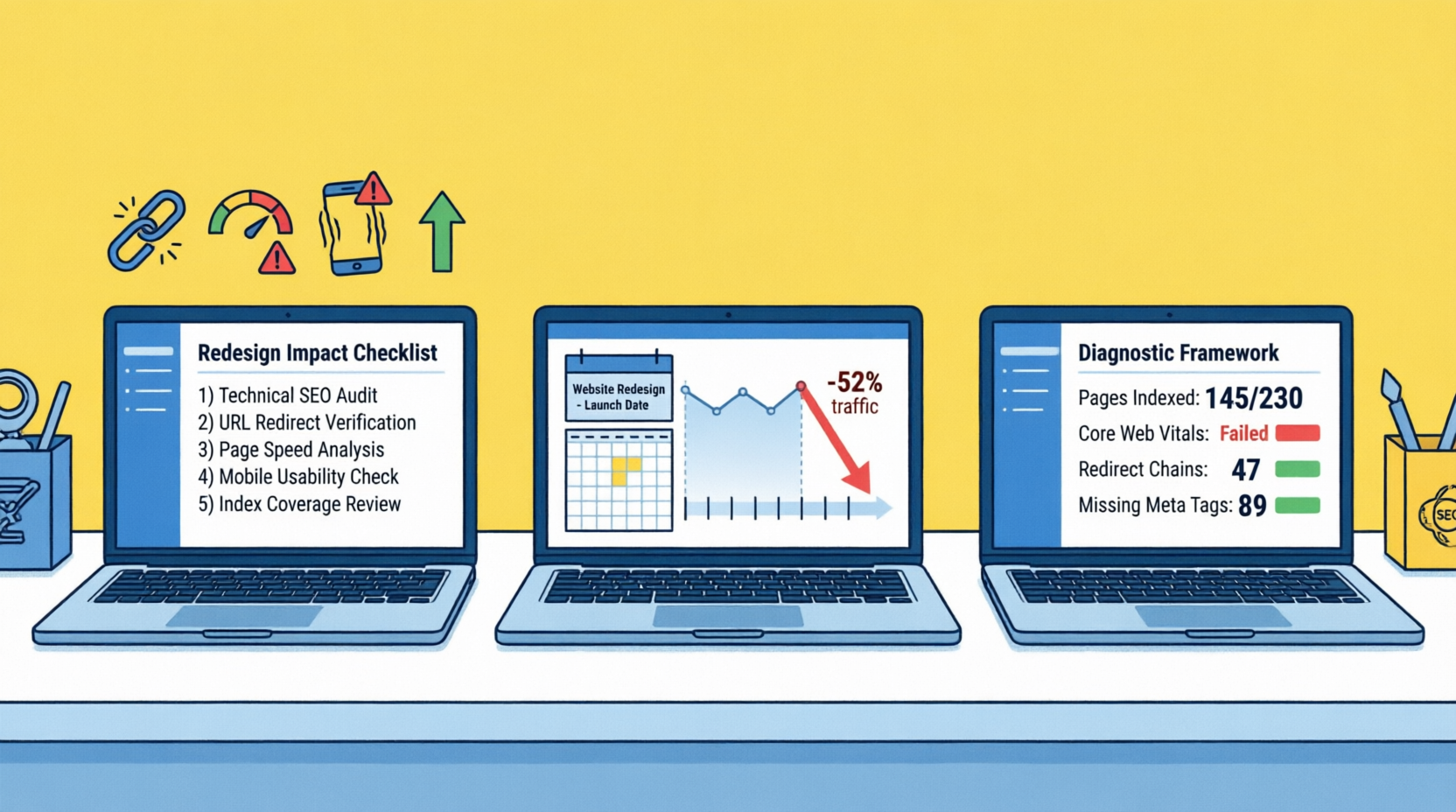
What to Do When Traffic Drops After a Website Redesign: A Diagnostic Framework

| #1 Website changes are the most common cause of sudden, dramatic traffic crashes | 72hrs Critical window — diagnosing within 72 hours prevents 90% of long-term recovery damage | Variable timeline (typically 1–3 months) for traffic recovery once technical issues are correctly diagnosed and resolved, depending on Google's recrawl rate. | 6mo+ Recovery timeline when content quality signals degraded during redesign |
Table of Contents
Table of Contents
The Most Preventable SEO Catastrophe in Digital Marketing
It is one of the most demoralising experiences in digital business. Your team spent three months and a significant budget on a new website. The design is cleaner. The user experience is better. The branding is sharper. Launch day arrives. The client celebrates. And then, within days or weeks, the traffic graph starts doing something alarming.
It goes down.
Website redesign traffic drops are the most common cause of sudden, dramatic organic traffic crashes — more common than algorithm updates, more common than competitor actions, and entirely preventable when the redesign is managed with SEO as a first-class participant from the start. They are also, critically, the most recoverable — provided diagnosis happens quickly and the correct cause is identified before random fixes are applied.
Here is the problem with every existing guide on this topic: they describe the same list of common causes (missing redirects, noindex tags, speed regression) and prescribe the same generic remediation steps — without accounting for the single most important variable in post-redesign recovery: how long ago the redesign launched.
The diagnosis and the correct intervention change completely depending on whether the drop happened yesterday, last week, or two months ago. A site that launched 48 hours ago with a cliff-drop in traffic has an entirely different problem from a site that launched six weeks ago and is experiencing a slow, steady decline. Applying the same checklist to both wastes precious recovery time and often makes the long-term problem worse.
This guide introduces the Time-Since-Launch Diagnostic Framework — a structured approach that sequences your diagnosis based on when the drop started relative to your launch date, identifies your specific drop pattern from four observable profiles, and gives you a precise, ordered recovery path for each combination. It is drawn from direct recovery work on post-redesign traffic drops across clients websites, where the challenges of hosting infrastructure, CMS platform changes, and limited pre-launch SEO involvement make redesign drops more severe.
📌 What This Guide Covers:
- The Four Drop Patterns: how to identify which pattern you have and what it tells you about the cause
- The Time-Since-Launch Diagnostic: why the correct diagnosis changes based on days vs weeks vs months post-launch
- The Eight SEO Signals Most Commonly Stripped During a Redesign — and how to detect each one quickly
- The Redirect Failure Matrix: six redirect scenarios, their consequences, and the correct remediation
- The 'Beautiful But Broken' trap: the Nigerian and African website redesign failure pattern specific to this market
- Phase-separated recovery plan: 72-hour emergency actions, Week 1–3 systematic repair, Month 2–3 restoration
- The GEO/AI visibility dimension: how redesigns break AI citation eligibility and how to restore it
Section 1: Identify Your Drop Pattern First — Everything Else Follows From This
Before running any diagnostic tool or making any change to your site, identify which of the four observable drop patterns you are experiencing. The pattern is visible in your Google Analytics and Search Console data and determines your entire diagnostic sequence.
| Drop Pattern | Symptom Profile | Most Likely Cause | First Diagnostic Action |
|---|---|---|---|
| Cliff Drop | 80–100% traffic loss overnight or within 24–48 hours of launch | Staging noindex/robots.txt block carried to production; Analytics tag not deployed; site is returning server errors on most pages | Check robots.txt immediately: `curl -s https://yourdomain.com/robots.txt. Check for noindex meta tags using Screaming Frog. Verify GA4 fires on live site. |
| Cascade Drop | 40–70% traffic loss over 3–7 days after launch, declining daily | Redirect map incomplete — major pages returning 404. Google discovering missing redirects progressively as it re-crawls. Some pages correctly redirected, others not. | Export all 404s from Search Console → Pages report (under the Indexing tab). Cross-reference against your original URL inventory. Missing redirects = immediate 301 implementation priority. |
| Slow Bleed | 15–35% traffic loss building over 2–6 weeks post-launch | Content quality signals degraded: thin page rewrites, stripped schema markup, changed heading structure, reduced internal linking density. Technical is fine but authority signals declined. | Compare title tags, H1s, word count, and schema on your top 20 pre-redesign pages vs their current state. Identify any page that now has less content than the version that was ranking. |
| Ghost Drop | Traffic appears in GA4 but is flat or declining — no organic sessions growth despite stable rankings in Search Console | Analytics tracking misconfigured: GA4 tag not firing on all pages, cross-domain tracking broken (payment gateway, booking system), or channel attribution corrupted. Organic traffic exists but is appearing as Direct. | Run GA4 real-time report and verify organic sessions during business hours. Compare Search Console clicks with GA4 organic sessions — a gap confirms attribution/tracking failure. |
Critical principle: If you have a Ghost Drop (traffic appears stable but no organic growth despite stable rankings), stop your redesign recovery work and audit your analytics implementation first. Every diagnostic and recovery action assumes your traffic data is accurate. If GA4 is misconfigured, you are diagnosing a phantom problem while real issues go undetected.
Section 2: Time-Since-Launch Diagnostic — When Determines What
The correct diagnostic sequence and the most likely cause of your traffic drop depend primarily on when the drop occurred relative to your launch date. This is the dimension that every generic redesign recovery guide ignores — and it is why so many businesses spend weeks applying fixes that address the wrong problem.
🚨 0–72 hours: Emergency Window — Almost Always a Technical Failure
Most Likely Causes:
Staging environment noindex/robots.txt block not removed before go-live. Analytics tracking tag not deployed to live site. Server errors (500/503) affecting most or all pages. Hosting migration DNS propagation is incomplete — some users are still hitting the old server.
First Checks (in Order):
1. Check robots.txt: visit yourdomain.com/robots.txt in a browser. If you see 'Disallow: /' your site is blocked from Google. Fix immediately.
2. Check any page for noindex meta tag: view page source and search for 'noindex'. If present on your homepage, the entire site may be blocked.
3. Check server response: visit your homepage and open browser developer tools → Network tab. Should return 200 OK. Any 5xx code is a server emergency.
4. Verify GA4 fires: open your site and check GA4 real-time report. If no sessions appear within 5 minutes, your tracking is not deployed.
Urgent Actions:
Remove noindex/robots.txt blocks immediately — these are existential errors that must be fixed before anything else. Deploy GA4 tracking tag if missing. If DNS is still propagating, wait 24–48 hours before further diagnosis. Do not make content changes until technical foundations are confirmed.
🔍 Days 3–14: Discovery Window — Redirect and Indexation Problems
Most Likely Causes:
Google is actively re-crawling your new site and discovering missing redirects. Pages that received 404 errors begin dropping from the index. Redirect chains from incomplete mapping. New URL structure not yet fully indexed. Content changes on key pages beginning to register.
First Checks (in Order):
1. Search Console → Pages report → click on the 'Not found (404)' reason code to view the list of URLs.': this reveals every URL Google tried to access and got a 404 error. This is your missing redirect list.
2. Search Console → Pages with decreasing impressions: export and cross-reference with your pre-launch top pages list. Any high-traffic old URL not appearing in the new sitemap needs investigation.
3. Run Screaming Frog on your new site in list mode using your old sitemap URL list: every old URL should return either a 200 OK (still live) or a 301 redirect (correctly mapped). Any 404 needs an immediate redirect.
Urgent Actions:
Build or complete your redirect map: every old URL → its nearest equivalent new URL. Implement all 301 redirects. Resubmit your XML sitemap in Search Console. Request indexing on your top 20 commercial pages via URL Inspection. Do not add new content during this window — focus entirely on redirect remediation.
📊 Weeks 3–8: Authority Recalibration Window — Content and Signal Quality
Most Likely Causes:
Technical infrastructure is stable. Redirects are in place. But authority signals degraded during the redesign — stripped structured data (schema) markup, reduced word count on key pages, changed heading structures, thinner content. Google is re-evaluating your pages under the new signal profile and finding them less authoritative than before.
First Checks (in Order):
1. Export your top 30 pre-redesign pages from Google Analytics. For each, compare: current word count vs old word count, schema markup types present vs absent, title tag vs pre-redesign title tag, internal link count vs old internal link count.
2. Run Google Rich Results Test on your top 5 pages. If schema types are missing that were present before, they were stripped during the redesign.
3. Run PageSpeed Insights (mobile) on homepage and your top service/product page. If LCP has regressed by more than 1 second vs pre-redesign, speed degradation is compounding your authority losses.
Urgent Actions:
Prioritise schema rebuilding on your top 10 commercial pages. Restore word count on any page now below 60% of its pre-redesign depth. Fix LCP regressions via image compression and CDN. Restore internal linking density. These are the signals Google is now evaluating on your new site — your recovery pace depends on how quickly they are restored.
📉 Month 2–4: Settled Loss — Content Quality and Competitor Response
Most Likely Causes:
All technical issues resolved but traffic has not recovered. Rankings for your most important keywords remain below pre-redesign levels. Competitors who were not affected by your redesign have taken over the positions you vacated during the disruption window. This phase requires content quality improvement, not technical fixes.
First Checks (in Order):
1. For each affected page: search its primary keyword and identify the URL currently outranking you. This is now your competitor gap audit — the same diagnostic used for core update recovery. The page that displaced you shows you exactly what needs to be built.
2. Check your AI citation status: prompt target queries in Google AI Mode, ChatGPT, and Perplexity. Redesigns frequently break AI citation eligibility by flattening semantic HTML structures or removing clear Q&A content formats. If competitors are cited where you are not, restoring your heading hierarchies (H2/H3) and providing direct, authoritative answers to user queries is your priority.
3. Analyse your backlink profile: do referring domains from high-DA sites still point to live pages (via correct 301 redirects) or are they now hitting 404s or chain redirects? Lost backlink equity from redirect failures is a common cause of persistent post-redesign suppression.
Urgent Actions:
Apply the competitor gap audit methodology from our Core Update Recovery guide. This phase of post-redesign recovery is functionally identical to core update recovery — because from Google's perspective, your site has undergone a major quality recalibration event. Execute type-specific content improvements on your top commercial pages, rebuild schema comprehensively, and initiate backlink recovery outreach to referring domains currently hitting redirect error.
Section 3: Eight SEO Signals Redesigns Most Commonly Destroy
Most businesses approach a website redesign as a design project. Agencies approach it as a development project. Neither frame treats it as what it actually is for Google: a complete re-evaluation of your site's quality signals from scratch. The following eight signals are the ones most commonly and most consequentially stripped during a redesign — often without anyone noticing until traffic data reveals the damage.
| What Gets Stripped | Priority | Why It Happens | How to Detect It |
|---|---|---|---|
| Schema Markup | 🔴 Critical | WP themes and page builders overwrite or discard existing schema during redesign. A site that had LocalBusiness, FAQPage, and Article schema loses all of it when a new theme is activated — unless schema is managed via a dedicated plugin (Rank Math, Yoast) rather than the theme itself. | Run Google Rich Results Test on your homepage and top 5 pages immediately after launch. Compare schema types found vs those present pre-redesign. |
| Title Tags and Meta Descriptions | 🔴 Critical | New CMS templates often reset title tag formats to defaults ('Page Title | Site Name') and blank meta descriptions. Pages that were ranking on carefully crafted, keyword-rich titles lose that signal immediately. | Run Screaming Frog on the new site. Export all title tags. Compare against your pre-redesign baseline export. Flag any page where the title has changed. |
| Internal Link Density | 🟠 High | Redesigns frequently reduce internal linking by simplifying navigation, removing sidebar widgets, cutting related posts sections, and streamlining footer links. Internal link equity redistributes poorly after a dramatic reduction. | Export internal link count per page from Screaming Frog pre and post redesign. Any high-value page that received significantly fewer internal links needs manual link restoration. |
| Heading Structure (H1/H2/H3) | 🟠 High | New design templates often introduce decorative headings using H1 for section titles, converting content H1s to H2s, or creating multiple H1 elements per page. This disrupts Google's content hierarchy parsing. | Check H1 structure on your top 20 pages using Screaming Frog. Each page should have exactly one H1 matching its primary keyword. Flag all pages with 0 H1s or 2+ H1s. |
| Page Speed (LCP) | 🟠 High | Redesigns almost always regress Core Web Vitals. New themes introduce heavier JavaScript frameworks, unoptimised hero images, render-blocking scripts, and larger CSS bundles. The new design may look better but loads significantly slower. | Run PageSpeed Insights (mobile test) on homepage, top category page, and top product/service page. Compare LCP vs your pre-redesign baseline. LCP above 2.5 seconds requires immediate optimisation. |
| Content Word Count | 🟡 Medium | Designers frequently reduce copy to 'clean up' pages visually — replacing 800-word service page descriptions with 150-word summaries and a CTA. This strips the topical depth signals that supported rankings. | Export word count per page from Screaming Frog. Compare top 30 pages by pre-redesign organic traffic. Any page now at less than 60% of its previous word count is a ranking risk. |
| Author Attribution | 🟡 Medium | Blog posts and articles frequently lose author attribution when themes change — especially when moving between CMS platforms or when custom author box plugins are not reinstalled in the new theme. | Manually check your 10 most-trafficked blog posts for author byline presence. Missing author attribution is an E-E-A-T degradation that accumulates across an update cycle. |
| Canonical Tags | 🟡 Medium | New CMS configurations sometimes introduce self-referential canonical tags pointing to incorrect URLs, or remove existing canonical consolidations that were preventing duplicate content issues. | Export canonical tag data from Screaming Frog. Check for pages with missing, empty, or incorrect canonical tags. Pay particular attention to paginated URLs and filtered category pages. |
Section 4: Redirect Failure Matrix — Why Traffic Bleeds After Redesign
Redirect errors are responsible for the largest single-event traffic losses in website redesigns. A correctly structured redirect map preserves approximately 90–95% of a page's ranking equity. Every redirect failure — from a missing redirect to a homepage catch-all — costs real, measurable, often permanent authority. Here are the six redirect scenarios, their consequences, and why the correct scenario matters:
| Redirect Scenario | How It Happens | SEO Consequence |
|---|---|---|
| Redirect to homepage | Common when pages are deleted without mapping. The old URL 301 redirects to the homepage rather than the nearest equivalent page. | A redirect to the homepage instead of a topically relevant equivalent is classified by Google as a soft 404 — it effectively treats the redirect as a dead page and removes its ranking equity. |
| Redirect chains (A→B→C) | Prior redirects from a previous redesign are carried forward, creating chains when new redirects are added to them. | Redirect chains create severe crawl latency and waste crawl budget. While 301s pass full link equity, Googlebot typically abandons chains after 5 hops, meaning the destination page may never receive the ranking signals. |
| 404 instead of redirect | Pages deleted during the redesign with no redirect implemented — the most common error in redesigns managed without SEO involvement. | The page's entire ranking history, backlink equity, and user signals are permanently lost. Every referring domain that linked to that URL is now delivering a dead link. |
| Redirect loop | A→B redirects, B→A redirects, creating an infinite loop. Occurs when redirect rules conflict in the new CMS configuration. | Google and users both receive an error. The page is unvisitable. Google eventually deindexes both URLs involved in the loop. |
| Redirect to wrong page | Old blog post URL redirects to a category page rather than the nearest equivalent post. Happens when redirect mapping is done at category level rather than page level. | Authority from the old URL is deposited on a page with weaker topical relevance. Rankings for the specific long-tail query the old page served are lost. |
| Correct 301 to exact equivalent | Old URL maps directly to the closest topically equivalent new URL, one-to-one, with no chain. | Passes 100% of the original page's link equity and ranking signals to the new URL. |
Section 5: The 'Beautiful But Broken' Trap — The Nigerian Redesign Pattern
In the Nigerian and broader African digital market, website redesigns follow a pattern we see consistently in our recovery work. Understanding this pattern accelerates diagnosis for businesses in this context.
How it Typically Happens
A Nigerian business engages a web design agency or a freelance developer. The brief is almost entirely aesthetic — a modern look, mobile responsiveness, faster loading than the old site. The developer presents a Figma prototype. Everyone approves it. The developer builds the new site on a staging server (or sometimes directly on the live domain during off-hours). The site launches. The client posts about it on Instagram. Three weeks later, organic traffic is down 60%.
The autopsy almost always reveals the same combination of failures:
- Staging noindex tag left in place: the developer set up the staging server with a robots.txt Disallow or a sitewide noindex meta tag to prevent Google from indexing the incomplete site. When the site went live, nobody removed it. Google has been blocked from indexing the new site for weeks.
- No redirect map: the old site used WordPress with URLs structured as /services/seo-lagos/. The new site was built on a page builder that restructured URLs as /seo-lagos/ or /services/ with no individual service pages. No 301 redirects were implemented. Every old service page URL now returns a 404.
- Schema stripped: the old WordPress site used Yoast SEO, which had LocalBusiness and Article schema configured. The new theme does not include Yoast, no schema plugin was installed, and every structured data signal is now absent.
- Analytics not transferred: the developer built the new site but did not transfer the GA4 tracking code. The GA4 property is configured for the old site. Traffic appears to have dropped to zero — but it is actually still occurring, just untracked.
- Hosting downgraded: to keep costs low, the new site was hosted on a shared server with no CDN, often on cheaper international hosting. The LCP went from 3.2 seconds (bad) to 6.8 seconds (catastrophic). Core Web Vitals, already problematic, became severe.
None of these failures are the developer's fault in isolation — they are the fault of a project brief that did not include SEO requirements. The developer was hired to build a website, not to manage an SEO migration. Without an explicit SEO brief, SEO migration does not happen.
The Diagnostic Sequence for This Pattern
- Run robots.txt check immediately: yourdomain.com/robots.txt — look for Disallow: / or any broad block. If found: remove it immediately and submit your sitemap in Search Console.
- Check for sitewide noindex: view the source of your homepage and search for 'noindex'. If found in the meta robots tag: remove it from the theme settings or WordPress SEO plugin. This is a one-change fix with immediate impact.
- Verify GA4 tag deployment: go to GA4 → Real-Time report. Visit your website on a mobile device. If no real-time session appears within 60 seconds, GA4 is not deployed on the live site.
- Run a Screaming Frog crawl of the new site using your old XML sitemap as a crawl list: every URL from the old sitemap that now returns 404 needs an immediate 301 redirect to its nearest equivalent page.
- Check your new hosting server's response time: use tools.pingdom.com with the test server set to Lagos or Johannesburg. If TTFB is above 800ms, your server is too far from your users. Implement Cloudflare's free CDN immediately.
Section 6: Restoring AI Visibility After a Redesign — The Invisible Traffic Layer
In 2026, a website redesign that strips schema markup and restructures content does not just affect traditional search rankings — it breaks AI citation eligibility simultaneously. Google AI Overviews, ChatGPT, and Perplexity source their answers from content that is structured, schema-marked, and written in a format AI systems can extract answers from. A redesign that changes your content structure — even without removing text — can disrupt this citation eligibility for weeks.
The specific redesign actions that most commonly break AI citation eligibility:
- Removing or failing to reinstall FAQPage schema — the primary schema type that qualifies content for AI Overview extraction and citation
- Converting Q&A sections from structured question-answer format into flowing prose — AI systems extract from structured Q&A far more reliably than from narrative paragraphs
- Removing Article schema with author attribution — AI systems apply authorship signals when selecting citation sources, particularly for expert-level content
- Changing URL structures without updating internal links — broken internal link networks reduce the topical clustering signals that AI systems use to evaluate authority
- Replacing text-based content with image-heavy or video-heavy layouts — AI extraction systems read text, not images. A redesign that moves critical content into visual formats removes it from AI citation consideration entirely
GEO Restoration Checklist for Post-Redesign Recovery
- Run Google Rich Results Test on your top 10 pages — verify FAQPage, Article, and Organization schema are present and validating. Rebuild any missing schema as a priority.
- Check all FAQ sections on your site: are they marked up with FAQPage schema AND structured as discrete question-answer pairs (not as prose paragraphs)? Restore structured format where changed.
- Test AI citation status on your 5 most commercially important queries in Google AI Mode, ChatGPT, and Perplexity. Document which pages (yours or competitors') are cited for each query.
- For any query where a competitor is now cited that you previously ranked for: the redesign likely changed the content structure that made your page AI-extractable. Restore the original Q&A structure, reimplement FAQPage schema, and resubmit for indexing.
- Review your article pages: does every page have a named author with a bio page link and Article schema with datePublished and dateModified? Author attribution is an AI citation signal that redesigns frequently strip.
Section 7: The Three-Phase Recovery Plan
| PHASE 1 — 72-HOUR EMERGENCY ACTIONS (TECHNICAL EXISTENCE) | |
|---|---|
| ☐ | Check robots.txt for Disallow: / — remove any sitewide block immediately if found |
| ☐ | Check homepage source for noindex meta tag — remove if present |
| ☐ | Verify server is returning 200 OK responses on all key pages (use a status checker tool) |
| ☐ | Confirm GA4 fires on the live site (check Real-Time report while visiting the site on mobile) |
| ☐ | Run a quick Screaming Frog crawl to confirm homepage, service pages, and blog index are returning 200 OK |
| ☐ | If any of the above fail: fix them before doing anything else. Every other action is meaningless if Google cannot access your site or if your traffic data is unreliable. |
| PHASE 2 — WEEK 1–3: SYSTEMATIC TECHNICAL REPAIR | |
|---|---|
| ☐ | Export all 404 errors from Google Search Console → Coverage report and from Screaming Frog crawl of old sitemap |
| ☐ | Build complete redirect map: every 404 URL → nearest equivalent new page (not homepage). Implement all 301 redirects. |
| ☐ | Verify no redirect chains exist — test each redirect and flatten any A→B→C chains to A→C directly |
| ☐ | Run Google Rich Results Test on homepage and top 10 pages — rebuild all missing schema (FAQPage, Organization, Article) immediately |
| ☐ | Export title tags, H1s, and word counts for top 30 pages — compare against pre-redesign baseline. Flag any page with significant regression. |
| ☐ | Run PageSpeed Insights (mobile) on homepage and top service/product page — implement Cloudflare CDN if TTFB above 800ms |
| ☐ | Submit updated XML sitemap to Search Console — ensure it contains only live 200 OK pages, no redirected or noindex URLs |
| ☐ | Request indexing via URL Inspection for your top 20 commercial pages |
| ☐ | Milestone: By end of Week 3, all redirects live, all schema rebuilt, sitemap submitted, PageSpeed above 50 on mobile. Technical foundation restored. |
| PHASE 3 — MONTH 2–3: SIGNAL RESTORATION AND GROWTH | |
|---|---|
| ☐ | Restore word count on pages now below 60% of pre-redesign depth — add original data, FAQ blocks, supporting examples |
| ☐ | Rebuild internal linking density: every high-value page should receive at least 3 contextual internal links from related pages |
| ☐ | Restore author attribution on all blog posts and articles — add named authors with bio pages and Person schema |
| ☐ | Conduct AI citation monitoring: test all priority queries in Google AI Mode, ChatGPT, and Perplexity. Document citation gaps. |
| ☐ | Run competitor gap audit for pages not recovering: what does the page that replaced you have that yours does not? Build a specific improvement brief for each. |
| ☐ | Audit your backlink profile: do high-DA referring domains still resolve to live pages via direct 301 (not chains)? Contact referring domains for direct link updates on any hitting chain redirects or 404s. |
| ☐ | Check GBP (if local business): redesigns sometimes break the connection between your website and your Google Business Profile. Verify your GBP website URL points to your new site. |
| ☐ | Recovery expectation: Technical fixes (Phase 2) show impact within 2–4 weeks. Content signal restoration (Phase 3) takes 4–8 weeks. AI citation restoration typically follows traditional ranking recovery by 2–4 weeks. Full recovery to pre-redesign levels: 2–4 months for technical failures, 4–6 months for content quality degradation. |
Conclusion: The New Site Should Not Cost You the Rankings the Old One Earned
A website redesign should be an upgrade — to your brand presentation, your user experience, your technical performance, and your conversion architecture. It should never be the event that resets years of accumulated search authority.
The reason it so often comes down to sequencing. Design happens first. Development happens second. SEO migration — the process of carrying your search signals from the old site to the new one — either does not happen at all or happens as an afterthought after launch, when the damage is already measurable in your analytics.
Every drop pattern in this guide is preventable. Every cause in the diagnostic framework is avoidable with proper pre-launch planning. And every cause, once identified using the Time-Since-Launch Diagnostic, is recoverable with a correctly sequenced intervention — provided the diagnosis happens before random fixes are applied that confound the data and extend the recovery window.
If your redesign has already launched and traffic has dropped: work through the diagnostic sequence in Section 2. Identify your time window. Identify your drop pattern. Apply the Phase recovery plan that matches your window. Monitor at the page level, not just site-wide. And treat the GEO restoration layer — schema, structured Q&A, author signals — as part of complete recovery, not an optional enhancement.
The new site should not cost you the rankings the old one earned. With the right diagnostic framework, it does not have to.
📋 Article Summary: The Redesign Traffic Drop Diagnostic Framework
Identify your drop pattern first: Cliff Drop (80–100%, overnight), Cascade Drop (40–70%, days 1–7), Slow Bleed (15–35%, weeks 2–6), or Ghost Drop (stable traffic but no organic growth).
The Time-Since-Launch Diagnostic: 0–72 hours = technical emergency (noindex/robots.txt/server). Days 3–14 = redirect and indexation failures. Weeks 3–8 = authority signal degradation. Months 2–4 = content quality settlement.
The eight most stripped signals: schema markup, title tags, internal link density, heading structure, page speed, content word count, author attribution, canonical tags.
Redirect failures are the largest single-event traffic loss mechanism: homepage catch-alls, chains, and missing 404 redirects all destroy page-level authority in different ways.
The Nigerian 'Beautiful But Broken' pattern: staging noindex not removed, no redirect map, schema stripped, GA4 not deployed, hosting downgraded. All preventable with an SEO migration brief.
GEO restoration is mandatory post-redesign: FAQPage schema, structured Q&A content, Article schema with author attribution, and AI citation testing. Recovery is not complete until AI citation eligibility is restored.
Three-phase recovery: Phase 1 (72hr emergency) → Phase 2 (technical repair, Week 1–3) → Phase 3 (signal restoration and growth, Month 2–3).
Recovery timeline: 2–4 weeks for technical fixes. 4–8 weeks for content signal restoration. 2–6 months for full traffic recovery depending on the severity of signal degradation.
Frequently Asked Questions
Questions readers ask about this topic
The FAQs below are pulled directly from this article's structured content and are designed to help readers quickly find answers to common questions related to the topic.
Is some traffic drop after a redesign normal?
We did not keep a pre-redesign baseline. Can we still diagnose the problem?
Our developer says everything is fine. How do we verify independently?
How do we prevent this from happening on the next redesign?

Founder, Technical Analyst
Oladoyin Falana is a certified digital growth strategist and full-stack web professional with over five years of hands-on experience at the intersection of SEO, web design & development. His journey into the digital world began as a content writer — a foundation that gave him a deep, instinctive understanding of how keywords, content and intent drive organic visibility. While honing his craft in content, he simultaneously taught himself the building blocks of the modern web: HTML, CSS, and React.js — a pursuit that would eventually evolve into full-stack Web Development and a Technical SEO Analyst.
Follow me on LinkedIn →