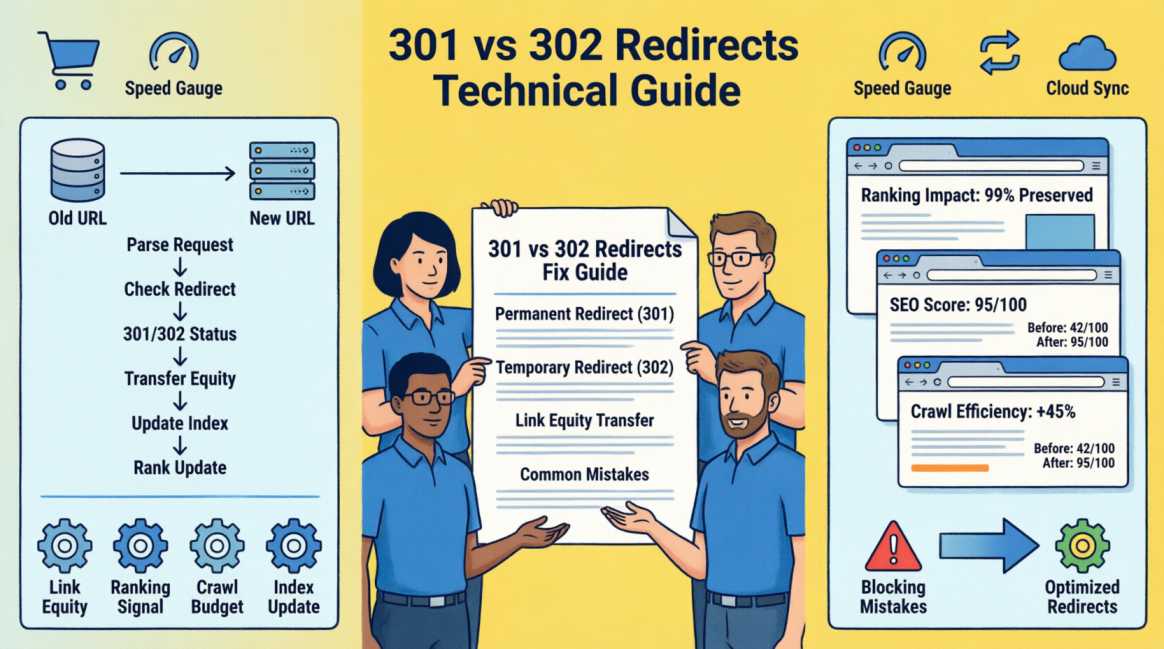
301 vs 302 Redirects: When to Use Which — and the Mistakes That Cost Rankings

| 📌 Key Notes: |
|---|
| 301 Permanent redirect — passes 90–99% of link equity to the destination URL |
| 302 Temporary redirect — passes 0–10% of equity — used by mistake far more than by design |
| #1 Most costly redirect mistake: using 302 instead of 301 for a permanent page move |
| 2–4 Weeks for Google to process a correctly implemented 301 and transfer ranking authority |
Table of Contents
Table of Contents
The Two-Line Answer — and Why it is Not Enough
The two-line answer is simple: use a 301 when a page has moved permanently, use a 302 when a page is temporarily unavailable. Every other HTTP redirect type is a variation on these two principles.
The reason this guide exists is that the two-line answer is consistently misapplied — and the cost of misapplication is measured in lost rankings, wasted link equity, and ranking recoveries that take weeks or months. The single most common cause of unexplained ranking drops after a site change is a 302 redirect where a 301 should have been used. The developer intended 'temporary' but the move was permanent. Google preserved ranking authority at the dead old URL and the new URL ranked from zero. Nobody noticed for months.
This guide covers the complete redirect landscape: what 301 and 302 do differently, why the difference matters to Google's ranking algorithm, every other redirect type you will encounter, the six redirect mistakes that cost rankings, and an implementation checklist for the most common redirect scenarios.
📌 What This Guide Covers:
- The 301 vs 302 comparison across every SEO-relevant dimension — in plain, precise terms
- How Google specifically uses redirect signals to decide where to assign ranking authority
- Other redirect types: 303, 307, 308, meta refresh, and canonical tags — when each is appropriate
- The six redirect mistakes that cost rankings and how to identify and fix each one
- Implementation guidance for the most common redirect scenarios: redesigns, migrations, HTTPS upgrades, deleted pages
- The redirect audit checklist for identifying issues on any site
301 vs 302 — The Complete Comparison
The fundamental difference between a 301 and a 302 is a signal about intent: 301 says 'this URL is gone permanently — transfer everything to the new location.' 302 says 'this URL is temporarily unavailable — keep everything here, I will be back.' Google interprets this distinction with a specific ranking consequence: 301 transfers ranking authority to the new URL; 302 preserves ranking authority at the original URL pending its return.
| 301 — Permanent Redirect | 302 — Temporary Redirect | |
|---|---|---|
| What it tells Google | This page has moved permanently. Transfer all ranking authority to the new URL. The old URL will not return. | This page is temporarily unavailable here. Do not transfer ranking authority. Expect the old URL to return. |
| PageRank transfer | Passes 100% PageRank. Consolidates indexing and ranking signals to the destination URL immediately. | Passes PageRank, but preserves the indexing and canonical authority at the original URL pending its return. |
| Index behaviour | Permanent. Google de-indexes the old URL and indexes the new one. | If left in place long-term, Google will eventually interpret a 302 as a permanent 301 and shift indexation to the new URL. |
| Ranking inheritance | New URL inherits all rankings of the old URL (within 2–4 weeks) | New URL does not inherit rankings; old URL rankings preserved |
| When to use | Page deleted permanently, URL structure changed, site migrated, HTTP→HTTPS, domain changed | A/B testing, geo-targeted redirects, genuinely temporary unavailability, maintenance pages |
| Most common wrong use | Using 302 when you meant 301 (the single costliest redirect error) | Using 302 for 'temporary' redesign redirects that become permanent — Google never transfers the equity |
| Recovery if wrong | Change 302 to 301 — equity transfer begins within 2–4 weeks of Googlebot re-crawling | Change to 301 immediately if the move is permanent — lost rankings can be recovered if corrected quickly |
How Google Processes Redirects — The Ranking Mechanism
The Crawl-to-Index Sequence
When Googlebot encounters a redirect, it follows it and records the relationship between the old URL and the new URL. For a 301, it adds the new URL to the indexation queue and schedules the old URL for de-indexing. For a 302, it retains the old URL in the index and may or may not index the new URL depending on its independent quality assessment.
This crawl-to-index process takes time — typically 2–4 weeks for Google to fully process a correctly implemented 301 and transfer ranking positions from the old URL to the new one. During this processing window, you may see temporary ranking fluctuations. This is normal. If rankings have not stabilised to the new URL within 6 weeks of a correctly implemented 301, investigate for redirect chains, canonical conflicts, or schema errors on the destination page.
The Equity Transfer Mechanism
When Google processes a 301 redirect, it consolidates the link equity (PageRank) from all external backlinks pointing to the old URL and redirects it to the new URL. This is how sites preserve their ranking authority during domain migrations and URL structure changes. A correctly implemented 301 preserves approximately 90–99% of the original page's ranking equity — the small loss reflects Google's re-evaluation of the destination page as a new entity.
A 302, by contrast, does not trigger this equity consolidation. Google assumes the old URL will return, so it maintains the equity at the old URL pending its eventual return. If the 302 never changes — if the 'temporary' move becomes permanent — the equity sits at a dead URL indefinitely and the new URL builds its authority from scratch.
The Soft 404 Problem
Google has a specific classification called a 'soft 404' — a redirect or page that technically resolves but is treated as equivalent to a 404 error for ranking purposes. The most common soft 404 scenario in redirects: a 301 redirect to the homepage instead of the nearest equivalent page. When Google encounters a deleted product page that redirects to the homepage, it infers that the specific product content no longer exists and treats the redirect as a dead page — no equity transfer, no ranking inheritance. The redirect destination must be topically relevant to the redirected URL.
Other Redirect Types You Will Encounter
| Code / Type | What It Does and How Google Treats It | When and How to Use It |
|---|---|---|
| 303 See Other | POST request has been processed; retrieve the result at this new URL. Not used in SEO contexts — purely server-side logic for form submissions and API responses. | Never use in SEO. If a page returns 303 in response to a GET request, it is a server configuration error. |
| 307 Temporary Redirect | HTTP/1.1 equivalent of 302. Explicitly temporary; the request method (GET, POST) is preserved across the redirect. Google treats 307 the same as 302 — no equity transfer, original URL ranking preserved. | Use 307 instead of 302 only when you need to preserve the HTTP method (POST requests). For SEO purposes, 302 and 307 are equivalent. |
| 308 Permanent Redirect | HTTP/1.1 equivalent of 301 that also preserves the request method. Google treats 308 the same as 301 — full equity transfer to the destination URL. | Use 308 instead of 301 only when your application requires preserving POST requests across the redirect. For SEO purposes, 301 and 308 are equivalent. |
| Meta refresh redirect | A redirect implemented via an HTML meta tag or JavaScript that fires after a delay. Transfers some equity but is considered a poor SEO practice — Google treats it as a weaker signal than a server-side 301. | Never use meta refresh or JavaScript redirects for permanent URL changes. They are slower to execute, less reliable for equity transfer, and flag as a quality concern in some crawl tools. Always use server-side redirects. |
| Canonical tag (not a redirect) | A canonical tag tells Google which URL to credit as the 'official' version of duplicate content. It is not a redirect — both URLs remain accessible — but it consolidates ranking signals to the canonical URL. | Use canonical tags for duplicate content (filter URLs, paginated pages, parameter variants). Use redirects when you want to physically move users and Google to a new URL. Do not use canonicals as a substitute for redirects during migrations. |
The Six Redirect Mistakes That Cost Rankings
These six mistakes are responsible for the majority of ranking losses that follow site changes. Each is specific, identifiable, and fixable — but the cost accumulates with every week the mistake remains uncorrected.
| Mistake | What It Costs You | How to Fix It |
|---|---|---|
| Using 302 instead of 301 for a permanent move | The most common and costliest redirect error in SEO. A developer implements a 302 ('I will come back to check this') when the page is permanently deleted. Google holds all ranking authority at the old, dead URL indefinitely. The new URL earns no ranking inheritance. | Change the status code from 302 to 301. Google will re-crawl and transfer equity within 2–4 weeks. Rankings lost during the 302 period typically recover after the correction. |
| Redirect chains (A→B→C→D) | Each hop in a redirect chain loses approximately 10–15% of link equity. A chain of three hops passes approximately 70% of original equity. Chains also add latency — each hop is an additional HTTP request before the user and Googlebot reach the final destination. | Flatten all redirect chains to direct A→D redirects. Use Screaming Frog to identify chains: Response Codes → 3XX → Redirects tab → filter for chains. Fix by updating the original redirect to point directly to the final URL. |
| Redirecting to the homepage instead of the equivalent page | When a deleted page redirects to the homepage instead of the nearest relevant equivalent page, Google classifies it as a soft 404. The authority of the deleted page is not transferred — the redirect is treated as if the page returned a 404. | Always redirect to the topically nearest equivalent page. A deleted product page redirects to its category. A deleted blog post redirects to a related article or the blog index. Homepage redirect = soft 404 = no equity transfer. |
| 301 redirect loops (A→B, B→A) | Both pages become inaccessible to users and Googlebot. A redirect loop is an existential technical error — the pages are effectively dead for as long as the loop persists. | Identify using Screaming Frog: crawl your site and look for 3XX redirect cycles in the response code report. Fix by removing the loop — one URL should be the canonical destination, the other should redirect to it (not back). |
| Forgetting to update internal links after a redirect | Every internal link pointing to the old URL forces Google to follow a redirect on every crawl, wasting crawl budget and adding latency. While the 301 transfers equity, a site with hundreds of internal links still pointing to redirected URLs is slower and less efficient than one with updated internal links. | After any significant redirect implementation, run a Screaming Frog crawl and filter for internal links that resolve to 3XX redirects. Update these links to point directly to the final destination URL. |
| Removing redirects too soon after migration | A common mistake after a site migration: the old redirects are removed after 6–12 months because 'everyone has updated their bookmarks.' But external backlinks from other websites still point to the old URLs — removing the redirects breaks those link equity flows permanently. | Keep 301 redirects from old URLs to new URLs indefinitely. There is no SEO reason to remove a correctly implemented 301 redirect. Storage cost is negligible. The cost of removing it — losing link equity from referring domains — can be substantial. |
Implementation Guide for the Most Common Redirect Scenarios
Scenario #1 — HTTP to HTTPS Migration
Use: 301 redirects from every HTTP URL to its HTTPS equivalent. This is the most common redirect implementation and one of the most important — Google treats HTTP and HTTPS as separate URLs. Without 301 redirects, your backlink equity from links to http:// URLs does not transfer to your https:// pages. Implement at the server level (Apache .htaccess or Nginx config), not via WordPress plugin — server-level redirects execute faster and more reliably than application-level redirects.
Scenario #2 — Website Redesign with URL Structure Change
Use: 301 redirects from every old URL to its nearest equivalent new URL. Build a complete redirect map before launch — a spreadsheet matching every old URL to its new destination. Do not redirect all old URLs to the homepage (soft 404). Do not implement redirects only for your top pages and leave the rest as 404s — every unredirected URL loses its accumulated equity permanently. Verify every redirect using Screaming Frog post-launch by crawling your old sitemap URLs.
Scenario #3 — Domain Migration
Use: 301 redirects from every page on the old domain to its equivalent on the new domain. Additionally: use Google Search Console's Change of Address tool (Settings → Change of address) to explicitly notify Google of the migration. This accelerates equity transfer and reduces the re-crawl lag. Keep old domain hosting active with redirects in place for a minimum of 12 months — external backlinks may point to the old domain for years after migration.
Scenario #4 — Deleted Product or Page
Use: 301 redirect to the nearest relevant equivalent — same category, same brand, similar price range. If no equivalent exists, redirect to the most relevant parent category. If the product or content is seasonal and will return, use a 302 to preserve equity at the original URL. If it is permanently discontinued with no equivalent, a clean 404 is preferable to a homepage redirect (which Google classifies as a soft 404 anyway).
Scenario #5 — Temporary Maintenance or Testing
Use: 302 redirect from the live URL to a maintenance page. This tells Google the page is temporarily unavailable and to preserve its ranking position. Do not use 302 for A/B testing that runs for more than 30 days — extended 302 redirects are increasingly treated by Google as permanent moves. For long-running tests, use client-side splitting tools (Google Optimize alternative) rather than server-side redirects.
Scenario #6 — Non-WWW to WWW (or Reverse) Canonicalisation
Use: 301 redirects from your non-preferred domain variant to your preferred variant. Choose one canonical domain (www or non-www) and redirect all traffic to it permanently. Ensure your internal links and XML sitemaps strictly reference this preferred version. Without clear server-side 301 redirects and matching canonical tags, Google may split ranking signals between the www and non-www versions of the same pages.
The Redirect Audit Checklist
| REDIRECT AUDIT — RUN ON ANY SITE AFTER CHANGES OR QUARTERLY | |
|---|---|
| ☐ | Run Screaming Frog crawl → Response Codes → 3XX: export all redirecting URLs. Every redirect should have a documented reason. |
| ☐ | Check for redirect chains: Screaming Frog → Redirects tab → filter for chains (A→B→C). Flatten all chains to direct A→C redirects. |
| ☐ | Check for redirect loops: Screaming Frog will flag these as errors. Fix immediately — loops make pages inaccessible to both users and Googlebot. |
| ☐ | Check all redirects to homepage: export 3XX redirects, filter destination = homepage URL. Each one is a soft 404 candidate — verify each has a topically relevant alternative destination. |
| ☐ | Verify 302 redirects: every 302 on your site should have an explicit reason for being temporary. If it has been in place for 3+ months with no planned expiry, change to 301. |
| ☐ | Check internal links: Screaming Frog → Bulk Export → All Inlinks. Filter for inlinks that resolve to 3XX responses. Update these to point directly to the final destination. |
| ☐ | Search Console → Coverage: check for 'Soft 404' entries. Each one may be a redirect pointing to the homepage or a low-relevance destination. |
| ☐ | Post-migration check: After any site migration, verify all high-value pages (by traffic and backlinks) are correctly 301-redirected by crawling the old sitemap URL list in Screaming Frog and confirming each returns a 301 to the correct destination. |
The Choice is Binary — and the Stakes Are Real
The 301 vs 302 decision is not complex. The binary rule covers 95% of use cases: permanent move = 301, genuinely temporary unavailability = 302. The complexity lies entirely in its misapplication — developers defaulting to 302 for convenience, redirect chains accumulating silently over multiple migrations, homepage catch-all treating deleted pages as soft 404s.
The audit checklist in Section 6 runs in under an hour on most sites and will surface any of the six mistakes documented in Section 4. One misidentified redirect type on a high-authority page can cost months of accumulated ranking equity — and the fix, once identified, is a single status code change that produces ranking recovery within 2–4 weeks. The effort-to-impact ratio of a redirect audit is among the highest available in technical SEO.
📋 QUICK REFERENCE: 301 VS 302
- 301 Permanent Redirect: Page has moved forever. Google de-indexes old URL, indexes new URL, transfers 90–99% of link equity. Use for: page deletions, URL restructures, domain migrations, HTTP→HTTPS, www/non-www canonicalisation.
- 302 Temporary Redirect: Page is temporarily unavailable. Google keeps old URL indexed and holds equity there. Use for: maintenance pages, genuine A/B testing (under 30 days), truly temporary geo-redirects.
- The #1 mistake: using 302 instead of 301 for a permanent move. Cost: all ranking equity sits at the dead old URL. Fix: change status code to 301. Recovery: 2–4 weeks.
- Six redirect mistakes: 302-for-permanent-move, redirect chains, redirect-to-homepage (soft 404), redirect loops, unupdated internal links, removing redirects too soon.
- Other redirect types: 307 = 302 equivalent preserving HTTP method. 308 = 301 equivalent preserving HTTP method. Meta refresh = avoid for SEO. Canonical = not a redirect — use for duplicate content consolidation only.
- Audit frequency: run a redirect audit quarterly and immediately after any significant site change (migration, redesign, page deletion campaign).
Frequently Asked Questions
Questions readers ask about this topic
The FAQs below are pulled directly from this article's structured content and are designed to help readers quickly find answers to common questions related to the topic.
Does a 301 redirect lose any SEO value?
How do I implement a 301 redirect in WordPress?
How long should I keep 301 redirects after a migration?

Founder, Technical Analyst
Oladoyin Falana is a certified digital growth strategist and full-stack web professional with over five years of hands-on experience at the intersection of SEO, web design & development. His journey into the digital world began as a content writer — a foundation that gave him a deep, instinctive understanding of how keywords, content and intent drive organic visibility. While honing his craft in content, he simultaneously taught himself the building blocks of the modern web: HTML, CSS, and React.js — a pursuit that would eventually evolve into full-stack Web Development and a Technical SEO Analyst.
Follow me on LinkedIn →