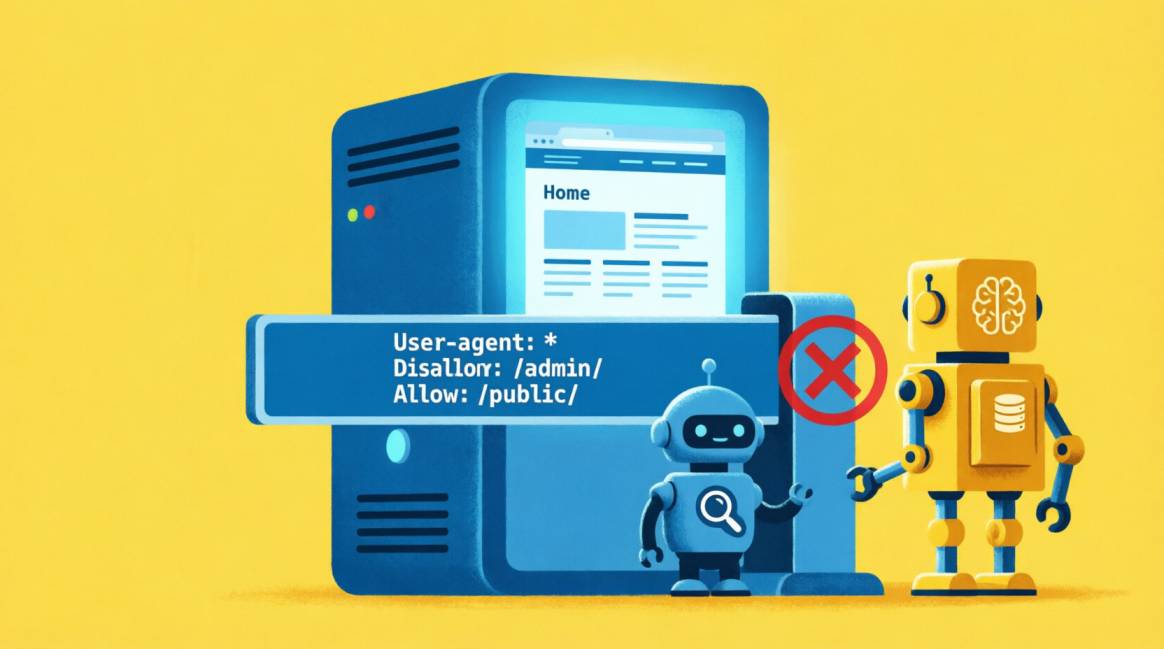
robots.txt for AI Crawlers in 2026: Training Bots vs Retrieval Bots — The Distinction That Decides Your AI Visibility

Your robots.txt needs three decisions, not one. Most guides treat AI bots as a single category. They are not. Every major AI company runs at least two bots with different jobs: one that trains their models (you can choose to block) and one that powers their AI search and citations (blocking this removes you from AI answers). The default rule: allow retrieval bots, make an informed choice about training bots, and strongly consider blocking aggressive scrapers like Bytespider at the server (WAF) level to protect server resources—unless your business relies heavily on visibility within ByteDance's ecosystem (TikTok, CapCut).
Three categories, three decisions:
- Training crawlers and control tokens (GPTBot, ClaudeBot, CCBot, and the Google-Extended directive) — these build model training datasets. You may legitimately block them. Blocking does not affect AI search citations. (Note: Google-Extended is a control token, not a standalone crawler; Googlebot still handles the actual fetching).
- Search/retrieval crawlers (OAI-SearchBot, PerplexityBot) — these bots fetch your pages in real-time to provide direct answers and clickable citations in AI search engines. (Note: Some AI assistants rely on traditional search engines like Bing or Google for real-time retrieval, meaning standard Googlebot and Bingbot allowances remain crucial for AI visibility).
- User-triggered fetchers (ChatGPT-User, claude-web) — retrieve your page in real-time when a user asks about it. Allow these for live AI browsing citations.
Critical caveat: Perplexity was documented in mid-2024 by security researchers and networks like Cloudflare to use undeclared crawlers that ignore robots.txt. Bytespider (ByteDance) has poor compliance records. robots.txt is voluntary — non-compliant bots require server-level WAF rules to reliably block.
| 📋 Key Notes: |
|---|
| 3 Categories of AI bots — training, search/retrieval, and user-triggered — each requiring a different robots.txt decision |
| 87% of AI-referred web traffic originates from ChatGPT (Omnibound/BrightEdge, 2026) — OpenAI's retrieval bots are the highest-priority to allow |
| 42.8% Year-over-year growth in AI search visits (Q1 2025 → Q1 2026) — AI referral traffic is growing faster than any other channel |
| 0 Effect on Google Search rankings from blocking Google-Extended — it controls Gemini training only, not Search |
Table of Contents
Table of Contents
Why Your Current robots.txt May Be Costing You AI Citations
Most websites with AI bot problems are not being maliciously blocked — their SEO plugin is doing it for them. WordPress and Shopify SEO plugins began adding 'block AI bots' toggles in 2024 and 2025, sometimes enabled by default after an update. A plugin update that looks routine can silently add Disallow rules for every AI crawler — including the retrieval bots that power ChatGPT Search, Perplexity, and Claude's citation features.
The result: your content is structurally invisible to AI platforms that your target audience uses daily, not because of any deliberate configuration decision, but because of a default setting you never reviewed.
Step one before anything else: visit yourwebsite.com/robots.txt in your browser right now. Look for any Disallow rules containing: GPTBot, ChatGPT-User, OAI-SearchBot, ClaudeBot, PerplexityBot, or User-agent: * Disallow: /. If you see Disallow rules for any retrieval or user-triggered bots — you are currently invisible to those AI platforms. The fix takes under five minutes.
The Complete AI Bot Reference — Every Major Crawler, Its Job, and What to Do
Each row below is verified against primary vendor documentation published through June 2026. The 'Default' recommendation applies to most Nigerian and African businesses prioritising AI citation visibility.
| Bot / User-Agent | Company | Category | What It Does | What You Should Do | Default |
|---|---|---|---|---|---|
| GPTBot | OpenAI | Training | Crawls the web to train OpenAI's foundation models (GPT-4o etc.). Does NOT power ChatGPT Search citations. | You may block. Blocking removes your content from future OpenAI model training. Does not affect ChatGPT Search visibility. | Block to opt out of training; allow for no restrictions |
| OAI-SearchBot | OpenAI | Search Index | Indexes pages so ChatGPT Search and SearchGPT can cite them in answers. Separate from GPTBot. | ALLOW if you want to appear in ChatGPT Search results. Independently controllable from GPTBot — confirmed by OpenAI documentation. | | ALLOW | |
| ChatGPT-User | OpenAI | User-Triggered | Fetches a specific page in real-time when a ChatGPT user asks about it (web browsing mode). | ALLOW. Blocking removes you from ChatGPT's real-time web browsing responses — the most common ChatGPT commercial citation pathway. | | ALLOW | |
| ClaudeBot | Anthropic | Training | Crawls pages for Anthropic's foundation model training data. | You may block. Controllable independently from Claude-SearchBot. | | Optional | |
| claude-web | Anthropic | User-Triggered | User-triggered real-time fetch for Claude's web access features. | ALLOW for citation eligibility in Claude's web responses. | | ALLOW | |
| Google-Extended | Training Token | Controls whether Google may train Gemini and Vertex AI on your content. NOT Googlebot — does not affect Google Search. | Blocking Google-Extended has no direct effect on your traditional Google Search rankings. It is generally safe to block if your sole goal is preventing Gemini training; however, be aware that this also blocks your content from Vertex AI, which may reduce your visibility to enterprise clients building applications within Google's cloud ecosystem. | | Optional | | |
| Googlebot | Search Index | Classic Google Search crawler. Powers both traditional organic results AND Google AI Overviews via the same index. | NEVER block. Blocking Googlebot removes your site from Google Search entirely, including AI Overviews. There is no separate bot for AI Overviews. | | ALWAYS ALLOW | | |
| PerplexityBot | Perplexity | Search Index | Indexes pages for Perplexity's citation-based AI answers. Perplexity's documented crawler. | ALLOW for Perplexity citation eligibility. Caveat: Cloudflare documented in August 2025 that Perplexity also uses undeclared crawlers that may ignore robots.txt. robots.txt alone is not a reliable block. | | ALLOW | |
| CCBot | Common Crawl | Training | Runs the Common Crawl public web archive. Training data for many open-source LLMs and research models. | You may block. Low commercial citation value — Common Crawl data goes into model training, not real-time citations. | | Optional | |
| Bingbot | Microsoft | Search Index | Microsoft's web index crawler. Microsoft Copilot draws from Bing's index — allowing Bingbot is required for Copilot citation eligibility. | ALLOW. Submit your sitemap to Bing Webmaster Tools separately to accelerate Copilot indexing. | | ALLOW | |
| Bytespider | ByteDance | Training | ByteDance (TikTok's parent company) crawler. Multiple independent reports confirm Bytespider has poor robots.txt compliance. | Block in robots.txt AND add a server-level WAF rule. robots.txt alone is insufficient — Bytespider has been documented ignoring Disallow directives. | | BLOCK | |
Note on Perplexity compliance: Cloudflare published a detailed report in August 2025 documenting that Perplexity uses undeclared crawlers with rotating user-agents and IPs that circumvent robots.txt directives. Cloudflare subsequently de-listed Perplexity from its Verified Bots programme over these findings. This means: allow PerplexityBot in robots.txt for citation eligibility, but understand that Perplexity may crawl your site through undeclared agents regardless of your Disallow rules. If you specifically want to block Perplexity, server-level WAF rules are the only reliable mechanism.
The Key Facts That Change Common Assumptions
1. Blocking Google-Extended Does Not Affect Your Google Search Rankings
This is the single most widely misunderstood fact in AI bot configuration. Google-Extended is an opt-out token that controls whether Google may use your content to train Gemini and Vertex AI generative models. Googlebot — the crawler that powers all Google Search results, including Google AI Overviews — is a completely separate user-agent. You can Disallow Google-Extended and Allow Googlebot simultaneously. Your organic rankings and AI Overview eligibility are unaffected. This is confirmed in Google's own documentation.
2. OpenAI's Three Bots Are Independently Controllable
GPTBot, OAI-SearchBot, and ChatGPT-User are three separate bots with three separate user-agents. You can block GPTBot (training) while allowing OAI-SearchBot (ChatGPT Search indexing) and ChatGPT-User (real-time browsing citations). OpenAI explicitly documents this configuration pattern — it is the recommended setup for brands that want ChatGPT citation visibility without contributing training data. Blocking all three simultaneously removes you from ChatGPT entirely. Allowing only OAI-SearchBot and ChatGPT-User gives you citation eligibility without training data contribution.
3. Robots.txt is Voluntary — Compliance Varies by Company
Major AI companies — OpenAI, Anthropic, Google — publicly commit to honouring robots.txt directives. For these companies, robots.txt is a reliable control mechanism. Non-compliant bots — Bytespider (ByteDance) in particular — require server-level WAF rules to reliably block. HAProxy data from 2024 reported Bytespider accounting for approximately 90% of AI crawler traffic on their network, much of it ignoring Disallow rules. robots.txt Disallow for Bytespider should always be accompanied by a Cloudflare, Nginx, or WAF-level block.
4. There is No Separate Bot for Google AI Overviews
A common misconception: that blocking Googlebot allows you to appear in traditional Google Search but opt out of Google AI Overviews. This is not possible. Googlebot builds the index that Google uses for both traditional organic results and AI Overviews. If you block Googlebot, you are removed from Google Search entirely. If you allow Googlebot, you are eligible for both traditional results and AI Overviews. There is no mechanism to appear in one but not the other.
The Two robots.txt Templates for Nigerian WordPress Sites
1. Template A — Recommended: Allow AI Citations, Optional Training Block
This configuration allows all AI retrieval and search bots (maximum AI citation eligibility) while giving you the option to block training-only crawlers. Suitable for most Nigerian businesses prioritising AI visibility.
# robots.txt — Semola Digital recommended configuration
# Updated: July 2026
# Last reviewed: July 2026 — review quarterly as new AI bots are released

# ——— TRADITIONAL SEARCH ENGINES (always allow) ———
User-agent: Googlebot
Allow: /

User-agent: Bingbot
Allow: /

# ——— OPENAI (retrieval bots — allow for ChatGPT citation eligibility) ———
User-agent: OAI-SearchBot
Allow: /

User-agent: ChatGPT-User
Allow: /

# ——— OPENAI (training — your choice; does not affect ChatGPT citations) ———
User-agent: GPTBot
Allow: /
# Change to Disallow: / to opt out of OpenAI model training

# ——— ANTHROPIC (retrieval bots — allow for Claude citation eligibility) ———
User-agent: Claude-SearchBot
Allow: /

User-agent: claude-web
Allow: /

User-agent: Claude-User
Allow: /

# ——— ANTHROPIC (training — your choice) ———
User-agent: ClaudeBot
Allow: /
# User-agent: anthropic-ai (Legacy agent, safely deprecated but can be blocked for redundancy)

# ——— PERPLEXITY ———
User-agent: PerplexityBot
Allow: /

# ——— GOOGLE AI TRAINING (safe to block; does NOT affect Search rankings) ———
User-agent: Google-Extended
Allow: /
# Change to Disallow: / to opt out of Gemini training

# ——— BLOCK: NON-COMPLIANT / LOW-VALUE BOTS ———
User-agent: Bytespider
Disallow: /
# Also add server-level WAF rule — Bytespider ignores robots.txt

User-agent: CCBot
Disallow: /

# ——— STANDARD WORDPRESS BLOCKS ———
User-agent: *
Disallow: /wp-admin/
Disallow: /wp-login.php
Disallow: /cart/
Disallow: /checkout/
Disallow: /?s=

Sitemap: https://yoursite.com/sitemap.xml
2. Template B — Training Data Opt-Out: Block Training, Keep Citations
If you choose to opt out of AI model training while maintaining citation eligibility, use this variant — replace the training bot Allow rules with Disallow.
# Training opt-out (replace corresponding Allow rules in Template A)

User-agent: GPTBot
Disallow: /

User-agent: ClaudeBot
Disallow: /

User-agent: anthropic-ai
Disallow: /

User-agent: Google-Extended
Disallow: /

User-agent: CCBot
Disallow: /
# All retrieval and search bots (OAI-SearchBot, Claude-SearchBot,
# PerplexityBot, ChatGPT-User, Bingbot, Googlebot) remain Allow: /How to Implement in WordPress (No Code Required)
- In WordPress Admin: navigate to your Rank Math or Yoast plugin settings.
- Rank Math path: Rank Math → General Settings → Edit robots.txt. Add your User-agent blocks after the existing rules.
- Yoast path: Yoast SEO → Tools → File Editor → Edit robots.txt. Add User-agent blocks.
- After saving: verify your changes by visiting yourwebsite.com/robots.txt in your browser. Confirm each User-agent block and its Disallow or Allow rule appears correctly.
- Test using Knowatoa AI Search Console (free): enter your URL to see which AI crawlers you are currently blocking or allowing across 24 crawler user-agents.
- Set a calendar reminder to review your robots.txt quarterly. New AI bot user-agents appear 2–4 times per year as AI companies launch new products.
Conclusion: Review Your robots.txt This Week
Your robots.txt is no longer just a document for traditional search crawler management. In 2026, it is the access control layer for the fastest-growing visibility channel in digital marketing. AI search visits grew 42.8% year-over-year in the 12 months to Q1 2026 — and every business blocked from AI retrieval crawlers is invisible to that growth by default.
The configuration in this guide takes under 15 minutes to implement in Rank Math or Yoast. The diagnostic — visiting yoursite.com/robots.txt and checking for accidental retrieval bot blocks — takes 30 seconds. Do the diagnosis first. If you find retrieval bots blocked, fix it before any other GEO work, because robots.txt misconfiguration is the one issue that makes every other GEO investment irrelevant.
The rule is simple: allow what indexes you, decide about what trains on you, block what misbehaves. Every other robots.txt decision for AI bots follows from that principle.
| 📋 SUMMARY: ROBOTS.TXT FOR AI CRAWLERS |
|---|
| Three bot categories: Training crawlers (GPTBot, ClaudeBot, Google-Extended, CCBot) — your choice to block. Search/retrieval crawlers (OAI-SearchBot, Claude-SearchBot, PerplexityBot, Bingbot) — allow for AI citation eligibility. User-triggered fetchers (ChatGPT-User, Claude-User) — allow for live AI browsing citations. |
| Critical fact: Blocking Google-Extended has ZERO effect on Google Search rankings. It only controls Gemini training data. Blocking Googlebot removes your site from all Google results including AI Overviews. |
| Critical fact: OpenAI's three bots are independently controllable. Allow OAI-SearchBot + ChatGPT-User while blocking GPTBot to get ChatGPT citation eligibility without contributing training data. |
| Plugin alert: WordPress SEO plugin updates sometimes reset custom AI bot rules. Check yoursite.com/robots.txt after every major plugin update. |
| Compliance caveat: Perplexity uses undeclared crawlers (Cloudflare, August 2025). Bytespider ignores robots.txt. Both require server-level WAF rules for reliable blocking. |
| Quarterly review: AI companies release new crawler user-agents 2–4 times per year. Set a recurring calendar reminder to audit your robots.txt every 90 days. |
Frequently Asked Questions
Questions readers ask about this topic
The FAQs below are pulled directly from this article's structured content and are designed to help readers quickly find answers to common questions related to the topic.
Should I block AI bots in my robots.txt?
What is the difference between GPTBot and ChatGPT-User?
Does blocking AI bots affect my Google search rankings?
How do I know which AI bots are currently crawling my site?
Can I allow ChatGPT to cite me without letting OpenAI train on my content?
Does robots.txt reliably block all AI crawlers?

Founder, Technical Analyst
Oladoyin Falana is a certified digital growth strategist and full-stack web professional with over five years of hands-on experience at the intersection of SEO, web design & development. His journey into the digital world began as a content writer — a foundation that gave him a deep, instinctive understanding of how keywords, content and intent drive organic visibility. While honing his craft in content, he simultaneously taught himself the building blocks of the modern web: HTML, CSS, and React.js — a pursuit that would eventually evolve into full-stack Web Development and a Technical SEO Analyst.
Follow me on LinkedIn →