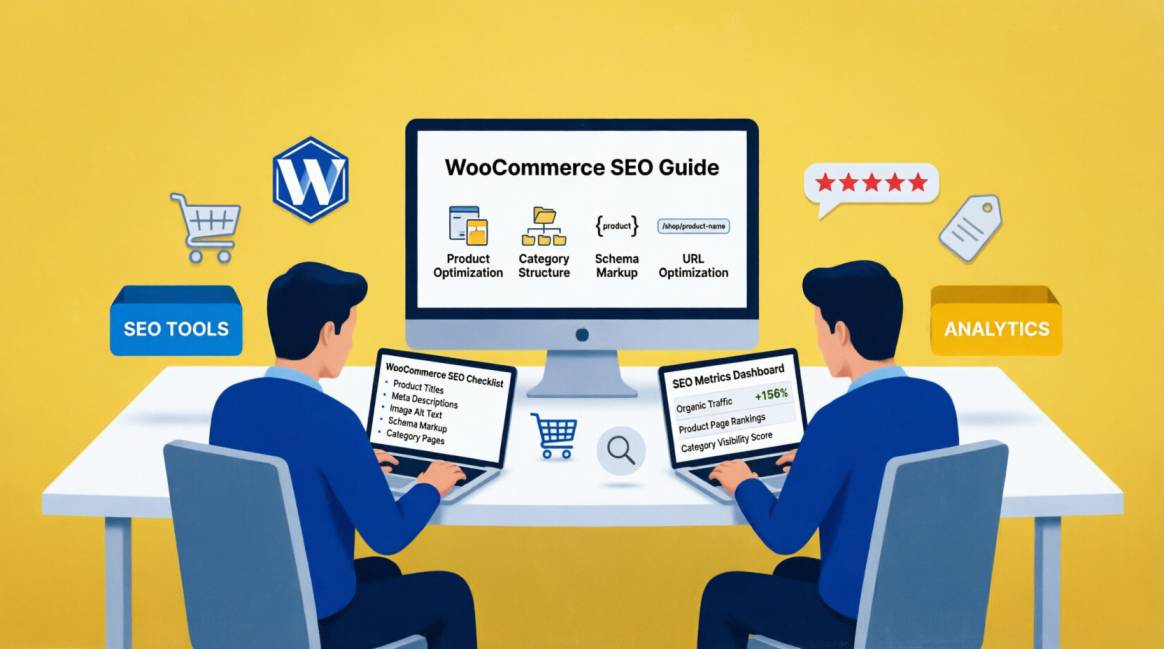
WooCommerce Product Page SEO: 18 Optimisations That Actually Move Rankings

| 📌 Key points: |
|---|
| 18 – Specific, actionable optimisations — each one tested across Nigerian WooCommerce stores |
| 3.2× – Higher conversion rate on product pages with complete schema vs pages with no structured data |
| 67% – of Nigerian online shoppers complete purchases on mobile — mobile optimisation is non-negotiable |
| <5% – Of Nigerian WooCommerce stores have all 18 optimisations implemented correctly — the competitive gap is wide open |
Table of Contents
Table of Contents
Most WooCommerce Product Pages Implement Fewer Than Half of These Critical Optimizations
A WooCommerce product page has one job: rank for the search queries your potential customers type, and then convert those visitors into buyers. These two goals are not in tension — the same elements that tell Google your product page is high-quality are largely the same elements that tell a Nigerian consumer your product is worth buying.
Most WooCommerce product pages we audit are implementing few than half of the 18 optimisations in this guide. The rest are either missing, incomplete, or incorrectly deployed. Each gap represents a compounding loss in both rankings and conversions: a missing Product schema means no rich result star ratings in the SERP; a slow LCP means 53% of mobile users bounce before the page loads; a thin product description means Google cannot confidently rank the page for specific product queries.
This guide is organised differently from typical 'product page SEO checklists.' Each optimisation explains specifically why it moves rankings — the mechanism by which the change produces better organic performance — not just what to do. Understanding the 'why' allows you to prioritise correctly, implement once instead of iterating, and justify the investment to clients or to your own business.
The 18 optimisations are grouped into six categories: on-page fundamentals, schema and structured data, content quality signals, technical performance, internal linking architecture, and GEO/AI visibility. Every one has been tested on WooCommerce stores across fashion, electronics, FMCG, and home goods categories. The implementations that produce ranking movement are included; the ones that produce no measurable impact are not.
📌 How This Guide is Structured:
- 18 optimisation tips — each with: the specific ranking mechanism, precise implementation instructions, and a pro tip from client experience
- Grouped into 6 categories for structured implementation
- A before/after comparison for the 5 most commonly misimplemented optimisations
- A complete 18-point implementation checklist for auditing any WooCommerce product page
- FAQ covering the most common product page SEO questions in the Nigerian market context
Group 1: On-Page Fundamentals (Optimisations 1–5)
These are the signals Google's algorithm evaluates first and most heavily — the on-page elements that determine whether your product page is eligible to rank for its target queries at all.
📝 #1: Product Title Tag — Keyword-Rich, Conversion-Optimised (High Impact)
Why it Moves Rankings:
The title tag is Google's primary indicator of page relevance. It is also the first thing a potential buyer reads in the SERP. A title that is neither keyword-optimised nor conversion-oriented ranks lower and gets fewer clicks — a compounding visibility loss.
How to Implement:
Use the pattern: [Product Name] — [Key Differentiator] | [Brand] | [Store Name]. The key differentiator should be the attribute buyers search for: storage size, colour, certification, material, or market-specific detail (e.g., 'NAFDAC Approved'). Example: 'Samsung Galaxy A54 — 128GB Blue | Samsung | TechMart Nigeria'. Keep under 60 characters to prevent truncation. Every product in the same category should have a unique, non-duplicate title.
💡 Pro tip: Never use the same title tag across product variants. A Samsung A54 in blue and a Samsung A54 in black are different products to a buyer — they should have different title tags targeting buyers who search specifically for their chosen colour.
🏷️ #2: Meta Description as a SERP Conversion Asset (Medium Impact)
Why it Moves Rankings:
Meta descriptions are not a direct ranking signal but are a CTR signal — and CTR influences ranking. A meta description that is specific, local, and trust-forward earns significantly more clicks than a generic one, which Google interprets as a quality signal through Navboost behavioural weighting.
How to Implement:
Write each meta description as a single-sentence value proposition targeting Nigerian buyer concerns: delivery timeframe, warranty status, payment options, and price anchor if competitive. Example: 'Buy the Samsung A54 128GB in Nigeria — official Samsung warranty, Lagos delivery in 24hrs, pay with Paystack or bank transfer.' Keep under 160 characters. Do not duplicate meta descriptions across product variants.
💡 Pro tip: For out-of-stock products, update the meta description to note availability — 'Back in stock [date]' or 'Pre-order available.' A stale meta description on an OOS product is a wasted SERP impression.
📌 #3: H1 Tag — One Per Page, Keyword-Aligned (High Impact)
Why it Moves Rankings:
WooCommerce uses the product name as the H1 by default. This is correct structurally, but most product names are not keyword-optimised. If your product is named 'TKLC-84X Generator' in your inventory system, the H1 reads as 'TKLC-84X Generator' — a query nobody searches for. Google's heading evaluation system reads H1 as the primary topic declaration for the page.
How to Implement:
Ensure your product H1 contains the primary keyword exactly as your target buyer would search it. If the manufacturer model name is not a searchable term, prefix it: 'Nexus Silent Generator 3.5KVA — TKLC-84X.' WooCommerce H1 is set by the product title in the product editor. Check that no theme template also outputs an H1 from the page title — multiple H1s are a structural error.
💡 Pro tip: Check H1s across all products using Screaming Frog: filter pages with 0 H1s (a theme stripping them) or 2+ H1s (a theme adding a second H1 above the WooCommerce product title).
📖 #4: Short Description — Above-the-Fold Conversion Copy (High Impact)
Why it Moves Rankings:
WooCommerce's short description appears directly above the Add to Cart button — the highest-visibility text on the page. Google reads this content with higher weight than below-fold content because it appears first in the crawled page content and is typically visible without JavaScript execution. It is also the most critical conversion text on the page.
How to Implement:
Write 60–100 words covering the three questions every Nigerian buyer has before adding to cart: What does this product do specifically? What is the key spec or quality proof? Why should I buy from this store rather than searching elsewhere? Include the primary keyword naturally. Do not use bullet points — the short description renders as prose in the WooCommerce default layout and bullets often break the visual hierarchy.
💡 Pro tip: Test your short description with the 5-second test: if a buyer reads only this section before clicking Add to Cart, would they have enough information to buy confidently? If not, it is not serving its function.
📄 #5: Long Description — 300–600 Words, Keyword-Varied, Locally Contextualised (High Impact)
Why it Moves Rankings:
The product long description (the tab section) is where Google evaluates topical depth. A page with 80 words of product description is competing against pages with 500+ words of specification, use case, compatibility, and contextual detail. Thin descriptions cannot rank for long-tail queries that buyers type when they want to confirm a specific product attribute before purchasing.
How to Implement:
Structure the long description: Opening paragraph (product overview + primary keyword), Technical specifications section (with Nigerian-relevant specs: voltage compatibility for Nigerian 220V supply, dimensions for local delivery packaging), Use case section (who this is for, specific Nigerian contexts), Trust section (warranty, authorised reseller status, return policy summary). Target 300–600 words. Include 3–4 keyword variations of your primary product query naturally throughout.
💡 Pro tip: For Nigerian electronics: always specify Nigerian power supply compatibility (220V/50Hz). Products that do not explicitly state this produce buyer anxiety that kills conversions — and the keyword 'works in Nigeria' or 'Nigeria voltage compatible' represents genuine long-tail search demand.
Group 2: Schema and Structured Data (Optimisations 6–9)
The difference between a plain blue link and a rich result with star ratings, price, and availability in the SERP. In 2026, schema is also the primary AI citation signal — product pages without schema are invisible to AI product recommendation systems.
⭐ #6: Product Schema — Complete, Validating, Zero Errors (Critical)
Why it Moves Rankings:
Product schema is the instruction manual Google uses to generate rich results for your product page. A Product schema with all required properties — price, currency, availability, brand, and aggregateRating — enables Google to display star ratings, price, and stock status directly in the SERP. This visual differentiation produces CTR improvements of 15–30% over plain blue links for the same position. Without Product schema, competitors with schema will always earn more clicks at the same ranking position.
How to Implement:
Implement via Rank Math Pro or Yoast WooCommerce SEO. Required properties: name, description, sku, brand (@type: Brand), image (array of at least 3 images), offers (price in correct currency, priceCurrency: 'NGN', and availability using strict Schema.org URLs: https://schema.org/InStock or https://schema.org/OutOfStock), aggregateRating (when 3+ reviews exist). Validate every product type on a sample URL using Google's Rich Results Test. Zero errors is the mandatory standard — one error prevents all rich results.
💡 Pro tip: Set priceCurrency to 'NGN' for Nigerian stores — this signals to Google which market the product is priced for, improving relevance for Nigerian buyer queries that include price context.
🧭 #7: BreadcrumbList Schema — Hierarchy Signal and SERP Path (High Impact)
Why it Moves Rankings:
BreadcrumbList schema communicates your product page's position in your site's category hierarchy to Google's systems. This serves two functions: it tells Google which category this product belongs to (strengthening topical relevance signals) and it enables breadcrumb paths to display in the SERP below the page title, increasing click-through rate by giving buyers context before they click.
How to Implement:
BreadcrumbList should display: Home > [Primary Category] > [Sub-Category] > [Product Name]. Most SEO plugins (Rank Math, Yoast) generate this automatically when breadcrumb navigation is enabled in the plugin settings. Verify by running the product URL through Rich Results Test and confirming BreadcrumbList appears with zero errors. Check that the category names in the breadcrumb match the H1/title of the corresponding category pages.
💡 Pro tip: If a product belongs to multiple categories in WooCommerce, set a primary category in the product editor (Rank Math allows this setting) — the BreadcrumbList should display the primary category path, not all category paths.
❓#8: FAQPage Schema — AI engine extraction and LLM context (High Impact)
Why it Moves Rankings:
FAQPage schema on product pages is the most underused schema type in WooCommerce stores and one of the highest-impact for 2026. Google AI Mode and Perplexity frequently answer product questions by extracting from FAQPage-marked content. A product page that answers 'Does this generator work in Nigeria?', 'What is the warranty on this product?', and 'Does this phone support dual SIM in Nigeria?' in FAQPage schema format is both more likely to rank for those long-tail queries and more likely to appear in AI-generated product recommendations.
Note: While Google has heavily restricted traditional FAQ rich snippets in standard search results, FAQPage schema remains highly influential in the GEO (Generative Engine Optimization) layer. Conversational engines like Perplexity and Google's AI Overviews read this structured data to extract direct answers for conversational shopping queries.
How to Implement:
Add a FAQ section to every product page priced above ₦50,000 (high consideration purchases). Minimum 4 questions per page. Typical questions: delivery time to key Nigerian cities, warranty terms and Nigerian service centre locations, compatibility with Nigerian power supply, payment methods accepted, return policy. Implement FAQPage schema on the FAQ section. Each answer: 40–80 words, direct and self-contained.
💡 Pro tip: Source FAQ questions from your actual customer service inquiries, WhatsApp enquiries, and the product's Google Search Console query data — these are the exact questions buyers type before purchasing.
⭐ #9: AggregateRating — Star Ratings in Search Results (High Impact)
Why it Moves Rankings:
AggregateRating schema nested inside Product schema produces star ratings displayed directly in Google's SERP for your product page. A result with a 4.7-star rating from 54 reviews earns significantly more clicks than an identical result with no rating — regardless of ranking position. In competitive product categories, star ratings in the SERP are the single highest-impact CTR improvement available without changing your ranking position.
How to Implement:
WooCommerce's built-in review system generates AggregateRating data when reviews exist. Ensure your SEO plugin is configured to output this data in the Product schema block. Configuration path in Rank Math Pro: Schema → Product → Include AggregateRating → Enable. The minimum threshold for meaningful rich result display is 3 reviews. Prioritise getting reviews on your highest-traffic product pages first — the CTR benefit is position-dependent and matters most on positions 3–7 where visual differentiation has the highest impact.
💡 Pro tip: Send post-purchase review request emails via WooCommerce's built-in email system 7 days after delivery. Subject line: 'How is your [product name]?' — personalized review requests outperform generic 'please review us' emails by 3–4× in response rate.
Group 3: Content Quality and E-E-A-T Signals (Optimisations 10–12)
Google's March 2026 Core Update elevated E-E-A-T evaluation beyond YMYL content to include e-commerce product pages in competitive categories. Content quality signals now influence product page rankings in ways that were previously reserved for editorial content.
📸 #10: Product Images — WebP, Multi-Angle, Descriptive Alt Text (High Impact)
Why it Moves Rankings:
Product images are the most crawled content element on a WooCommerce product page — Google's image index evaluates them for relevance, quality, and metadata. Beyond ranking, product image quality directly affects conversion rate: pages with 3+ images showing multiple angles convert at 35% higher rates than pages with a single front-facing image. On Nigerian mobile connections, image file size is a direct speed signal.
How to Implement:
Minimum 3 images per product: front view, angle/detail view, and in-use/context view. All images in WebP format under 80KB at display dimensions. Alt text for every image using the pattern: '[Product Name] [key attribute] — [store name]'. Example: 'Samsung Galaxy A54 128GB in Phantom Black — TechMart Nigeria'. File names should be descriptive (samsung-a54-128gb-black-front.webp, not IMG_4521.jpg). Avoid manufacturer stock images used by every competing retailer — unique photography signals original content.
💡 Pro tip: Use free tools like Squoosh (squoosh.app) to batch-convert product images to WebP. A 200-product store that converts all images to WebP typically reduces page weight by 60–75%, producing measurable LCP improvements without any code changes.
👤 #11: Seller/Author Attribution — Trust and E-E-A-T Signal (High Impact)
Why it Moves Rankings:
Google's E-E-A-T evaluation extended to e-commerce in the 2025–2026 algorithm updates. Product pages that demonstrate seller expertise — a named product specialist, a stated buying team, or an author attribution on category-level buying guides — score higher on the Experience and Expertise dimensions. For Nigerian e-commerce where consumer trust is a conversion barrier, visible seller expertise reduces pre-purchase anxiety.
How to Implement:
Implement your store's credentials using the seller property nested inside the offers block of your Product schema, defining it as an OnlineStore or Organization. If you include an expert editorial breakdown, ensure it is clearly mapped as a merchant-provided description or nested appropriately without invalidating the core @type: Product requirements. Validate using Google’s Rich Results Test to ensure zero critical errors
💡 Pro tip: For high-consideration product categories (medical devices, baby products, food supplements), product expert attribution is no longer optional — it is a quality threshold. Google explicitly evaluates whether expert review is evident on YMYL-adjacent product content.
📋 #12: Specification Table — Scannable, Comprehensive, Unique (High Impact)
Why it Moves Rankings:
A comprehensive specification table serves two simultaneous functions: it provides the specific technical details buyers use to make purchase decisions (reducing bounce rate from buyers who leave to research specifications elsewhere), and it creates keyword-rich, structured content that Google can use to match the page to specific technical queries like '128GB dual SIM phone under ₦200,000 Nigeria.'
How to Implement:
Build a specification table using an HTML table structure (not a plugin-dependent shortcode) for maximum crawlability. Include every relevant attribute: dimensions, weight, materials, technical specs, compatibility details (voltage, frequency, socket type), package contents, and warranty terms. For Nigerian market specificity: include compatibility with Nigerian infrastructure where relevant (voltage range, delivery weights that affect Nigerian customs, etc.). Each row is a potential keyword match for a specific buyer query.
💡 Pro tip: Specification tables built with proper HTML table markup are the most commonly extracted content type in Google's Featured Snippets for product-specific queries — a well-structured spec table is your product page's primary featured snippet opportunity.
Group 4: Technical Performance (Optimisations 13–15)
Speed and technical signals that affect both ranking and conversion rate — in the Nigerian market context where mobile network variability makes these signals especially consequential.
⚡ #13: LCP Optimisation — Product Hero Image Loading Speed (Critical)
Why it Moves Rankings:
The LCP (Largest Contentful Paint) element on most WooCommerce product pages is the main product image. When this image loads slowly, Google measures a poor LCP score — a direct ranking demotion signal for mobile-first indexing. On Nigerian 4G networks (average 8–15 Mbps with high variability), an unoptimised product hero image can produce LCP scores of 6–10 seconds. The target is under 2.5 seconds.
How to Implement:
Four-step LCP fix for WooCommerce product hero images: (1) Convert to WebP and compress to under 80KB. (2) Add fetchpriority='high' to the main product image element in your theme template. (3) Preconnect to your CDN origin in your theme's head. (4) Implement Cloudflare CDN if TTFB from Nigeria exceeds 800ms. Test using PageSpeed Insights mobile test after each step — verify the LCP element is correctly identified as your product image, not a theme banner or logo.
💡 Pro tip: Woo product images load from /wp-content/uploads/ — these are perfect CDN candidates. Set up Cloudflare to cache product images at the edge to reduce initial load time for Nigerian users from ~2,800ms (European server, no CDN) to ~400ms.
📱 #14: Mobile Layout — Above-Fold CTA Visibility
Why it Moves Rankings:
67% of Nigerian online shoppers complete purchases on mobile. WooCommerce's default product layout places the Add to Cart button below the product short description — on many themes, this is below the fold on mobile screens, requiring a scroll before the buyer can take the primary action. Pages where the CTA is not visible without scrolling convert at measurably lower rates and produce higher bounce rates, which Google's behavioural signals system interprets as a quality indicator.
How to Implement:
Test your product pages on a 5-inch mobile screen (the most common Nigerian mobile screen size). The sequence that should be visible without scrolling: product name (H1), main product image, price in Naira, and Add to Cart button. If the Add to Cart button requires scrolling, adjust your theme's mobile product layout via CSS or a page builder. Additionally: ensure product images do not produce CLS (layout shift) during load — set explicit width and height attributes on all product image elements.
💡 Pro tip: Add a sticky Add to Cart bar that appears as the user scrolls past the primary CTA — this is the single highest-impact mobile conversion element for long product pages. Several free WooCommerce plugins provide this functionality.
🔗 #15: Canonical Tag — Variant and Duplicate Content Control
Why it Moves Rankings:
If you use third-party plugins or layered navigation filters that expose unique URLs for every product variation (e.g., ?attribute_pa_color=blue), these parameters can cause duplicate content issues. Ensure your technical setup forces a canonical tag back to the clean parent product URL. Each variation URL is crawlable, contains nearly identical content to the parent product, and dilutes the parent page's ranking authority across multiple thin variant pages. Without canonical tags pointing variant URLs to the parent product URL, Google divides your ranking equity across 5–20 variations instead of concentrating it on the page you want to rank.
How to Implement:
Set all product variation URLs (?attribute_pa_*=*) to canonical the parent product URL. Configure via Rank Math Pro: Products → Schema Settings → Canonical URL handling for variations. Alternatively, add a custom filter in your theme's functions.php to set variation URL canonicals programmatically. Verify in Screaming Frog: crawl your product URLs and filter by ?attribute_ — all should show a canonical pointing to the variation-free parent URL.
💡 Pro tip: Check for WooCommerce's gallery URLs (/product/samsung-a54/#lgallery-1) and AJAX cart URLs — these also need canonical treatment. A Screaming Frog crawl with JavaScript rendering enabled will surface all crawlable URL variants your theme generates.
Group 5: Internal Linking Architecture (Optimisations 16–17)
How your product pages connect to the rest of your store — the PageRank distribution system that determines which product pages receive enough authority to rank in competitive positions.
🔗 #16: Related Products — Internal Equity Distribution (High Impact)
Why it Moves Rankings:
WooCommerce's related products section at the bottom of every product page is one of the most underutilised internal linking opportunities in e-commerce SEO. Each related product link passes PageRank from the viewed product to the linked product, distributing authority across your catalogue. More importantly, the related products section increases average session depth — a behavioural quality signal that Google's Navboost system evaluates.
How to Implement:
Configure related products to show 4–6 genuinely related items (same category, complementary products, or cross-sells — not random products from your catalogue). Use the 'Cross-sells' and 'Upsells' fields in the product editor rather than relying on WooCommerce's automatic 'from same category' algorithm — manual selection ensures topical relevance, which strengthens the semantic link equity transfer. Ensure related product thumbnails load lazily (lazy loading attribute) to avoid loading 6 additional product images on initial page load.
💡 Pro tip: Link your highest-authority product pages (most backlinks, most traffic) to your lower-authority products in adjacent categories using related products or 'You might also like' sections. Authority flows down the link chain — a highly linked product page can elevate the rankings of nearby product pages it links to.
🏠 #17: Category Page → Product Page Link Depth (High Impact)
Why it Moves Rankings:
The number of clicks from your homepage to any given product page is a direct ranking signal — Google's crawl systems deprioritise deep pages and distribute less PageRank to them. A product page accessible in 2 clicks from the homepage ranks in a higher-authority environment than the same page accessible in 5 clicks. For Nigerian WooCommerce stores with large catalogues, many products are buried 4–6 clicks deep — effectively invisible to Googlebot's authority distribution.
How to Implement:
Audit your product click depth using Screaming Frog: Configuration → Spider → Crawl Limits → enable 'Maximum Click Depth' reporting. Any product page more than 3 clicks from the homepage is at a ranking disadvantage. Fix by: (1) elevating top-performing products to your homepage's Featured Products section, (2) adding a 'Best Sellers' or 'New Arrivals' category that promotes priority products to 2 clicks from the homepage, (3) including key products in your site's top navigation.
💡 Pro tip: For a store with 500+ products, it is impossible to elevate all products to shallow click depth. Focus on your top 20 commercial products by revenue — these should be accessible within 2 clicks. The remaining catalogue can sit at 3 clicks. Products at 4+ clicks should be reviewed for consolidation or removal.
Group 6: GEO and AI Visibility Layer (Optimisation 18)
The 2026-specific optimisation dimension that separates product pages visible to AI product recommendation systems from those that are structurally invisible.
🤖 #18: AI Visibility Layer — Product Page GEO Stack (Critical)
Why it Moves Rankings:
When a Nigerian consumer asks Google AI Mode 'what is the best generator under ₦200,000?', ChatGPT 'which phone has the best camera under ₦150,000 in Nigeria?', or Perplexity 'where can I buy a quality Polystar TV in Lagos?' — the responses they receive cite specific product pages from stores whose content meets AI extraction criteria. Product pages without this stack are invisible to AI-mediated product discovery, which is now generating measurable referral traffic for stores that have implemented it.
How to Implement:
The complete product page GEO stack: (1) FAQPage schema on all high-value product pages — implemented in Optimisation 08. (2) Product schema with NGN pricing — implemented in Optimisation 06. (3) An author/reviewer entity nested directly inside your Product schema (via the review property) — as detailed in Optimisation 11. (4) Opening product description paragraph that directly answers 'What is this product and why should I buy it?' in 40–60 words. (5) A 'Perfect for...' or 'Best for...' section in the product description that uses natural language matching conversational AI queries: 'Perfect for Lagos homes with frequent power cuts. Quiet enough for indoor office use. Compatible with Nigerian 220V supply.' (6) Ensure Perplexity Bot and ChatGPT-User are not blocked in your robots.txt.
💡 Pro tip: Test monthly: prompt 'best [your product category] in Nigeria under [price point]' in Google AI Mode, ChatGPT, and Perplexity. If competitors appear and you do not, run the CITE Framework audit (from our CITE Framework article) against both pages — the gap will be in Information Gain (original specs/reviews data) or Extractability (FAQ structure). Fix the identified gap on your highest-commercial-value product pages first.
5 Most Commonly Mis-implemented Optimisations — Before & After
These are the optimisations where the difference between incorrect and correct implementation is most consequential — and where the most common mistakes are made on Nigerian WooCommerce stores.
| ❌ Common Mistake | ✅ Correct Implementation |
|---|---|
| Title tag: 'Samsung Galaxy A54' (no differentiator, no location, no store context) | Title tag: 'Samsung Galaxy A54 128GB Blue — Dual SIM | Samsung | TechMart Nigeria' (keyword-rich, attribute-specific, store-branded) |
| Short description: 'The Samsung Galaxy A54 is a great smartphone with many features. Buy it today at a great price from our store.' | Short description: 'Samsung Galaxy A54 with 120Hz AMOLED display, 50MP camera, and 5,000mAh battery. Lagos delivery in 24 hours. Comes with official Samsung 1-year Nigeria warranty. Pay with Paystack, bank transfer, or cash on delivery.' |
| Product schema: only name and price properties — missing brand, availability, aggregateRating, and image array | Product schema: complete — name, description, sku, brand, 3 image URLs, offers (price: 189000, priceCurrency: NGN, availability: InStock), aggregateRating (ratingValue: 4.7, reviewCount: 23) |
| Alt text: 'samsung-a54.jpg' or blank alt attribute | Alt text: 'Samsung Galaxy A54 128GB in Phantom Black — available at TechMart Nigeria' — descriptive, keyword-relevant, store-attributed |
| Long description: 80-word manufacturer blurb copied from Samsung's website — identical to every other Samsung retailer's product page | Long description: 450 words of original content covering Nigerian voltage compatibility, Lagos and Abuja service centre locations, comparison with competing models, and buyer experience section authored by a named technology specialist |
18-Point WooCommerce Product Page Audit Checklist
| GROUP 1: ON-PAGE FUNDAMENTALS (1–5) | |
|---|---|
| ☐ | Title tag: [Product Name] — [Key Differentiator] | [Brand] | [Store Name]. Under 60 characters. Unique across all product variants. |
| ☐ | Meta description: specific, local, trust-forward. Mentions delivery time, warranty, and payment options. Under 160 characters. Unique. |
| ☐ | H1: contains primary keyword exactly as buyers search it. Appears exactly once on the page. No duplicate H1 from theme template. |
| ☐ | Short description: 60–100 words above the Add to Cart button. Answers What/Why/Trust in a single readable section. |
| ☐ | Long description: 300–600 words. Includes keyword variations, Nigerian infrastructure context, specification detail, and trust signals. |
| GROUP 2: SCHEMA AND STRUCTURED DATA (6–9) | |
|---|---|
| ☐ | Product schema: complete with name, description, sku, brand, image array (3+ images), offers (priceCurrency: NGN, availability), aggregateRating where applicable. Zero errors in Rich Results Test. |
| ☐ | BreadcrumbList schema: validates correctly. Category path matches the category page H1s. Primary category set for multi-category products. |
| ☐ | FAQPage schema: minimum 4 questions on products over ₦50,000. Answers are 40–80 words, self-contained, direct. |
| ☐ | AggregateRating: implemented for products with 3+ reviews. Rating values in schema match visible on-page ratings exactly. |
| GROUP 3: CONTENT QUALITY (10–12) | |
|---|---|
| ☐ | Product images: minimum 3 per product. All WebP under 80KB. All alt text descriptive and keyword-relevant. File names descriptive. |
| ☐ | Seller/reviewer attribution: named product specialist or team reviewer credited. Linked to staff profile or About page. |
| ☐ | Specification table: comprehensive HTML table covering all buyer-relevant attributes. Nigerian infrastructure compatibility stated where relevant. |
| GROUP 4: TECHNICAL (13–15) | |
|---|---|
| ☐ | LCP < 2.5 seconds on mobile (PageSpeed Insights test). Main product image has fetchpriority='high'. Cloudflare CDN active. |
| ☐ | Mobile layout: H1 + image + price + Add to Cart button visible without scrolling on 5-inch mobile screen. |
| ☐ | Canonical tag: all variation URLs (?attribute_pa_*) canonical to parent product URL. Verified in Screaming Frog. |
| GROUP 5 & 6: LINKS AND AI VISIBILITY (16–18) | |
|---|---|
| ☐ | Related products section: 4–6 manually selected topically relevant products. Lazy loading on related product thumbnails. |
| ☐ | Product click depth: accessible within 3 clicks from homepage. Top 20 commercial products accessible within 2 clicks. |
| ☐ | GEO stack: FAQPage schema ✓, Product schema with NGN pricing ✓, named reviewer ✓, conversational 'Best for...' section ✓, PerplexityBot/ChatGPT-User NOT blocked in robots.txt ✓. |
Wrapping it up…
The Competitive Gap is Still Wide Open
Fewer than 5% of Nigerian WooCommerce stores have all 18 of these optimisations implemented correctly. This is not because the optimisations are complex — most take under an hour to implement once understood. It is because most WooCommerce store owners either do not know what is missing or are focused on activities (advertising spend, social media) that produce short-term visibility without building the compounding organic asset that product page SEO creates.
A WooCommerce store that implements all 18 optimisations on its top 20 commercial products — the 20 pages that drive the most revenue — creates a set of product pages that are structurally superior to 95% of their Nigerian competitors across every dimension Google's and AI systems' evaluation frameworks measure: relevance, authority, quality, speed, and extractability.
Start with the three highest-impact optimisations: page speed (LCP), Product schema, and title tags. Implement them on your top 5 revenue products this week. Measure the Search Console impression and click change over the following 30 days. The compounding effect of systematic product page optimisation, applied consistently across your catalogue, is the most durable competitive advantage available to a Nigerian e-commerce business in 2026.
Frequently Asked Questions
Questions readers ask about this topic
The FAQs below are pulled directly from this article's structured content and are designed to help readers quickly find answers to common questions related to the topic.
How many of these 18 optimisations should I implement first for maximum ranking impact?
Our products have hundreds of variations. How do we manage SEO at that scale?
We rank on Page 1 but the conversion rate is poor. Which of these 18 optimisations address that?

Founder, Technical Analyst
Oladoyin Falana is a certified digital growth strategist and full-stack web professional with over five years of hands-on experience at the intersection of SEO, web design & development. His journey into the digital world began as a content writer — a foundation that gave him a deep, instinctive understanding of how keywords, content and intent drive organic visibility. While honing his craft in content, he simultaneously taught himself the building blocks of the modern web: HTML, CSS, and React.js — a pursuit that would eventually evolve into full-stack Web Development and a Technical SEO Analyst.
Follow me on LinkedIn →