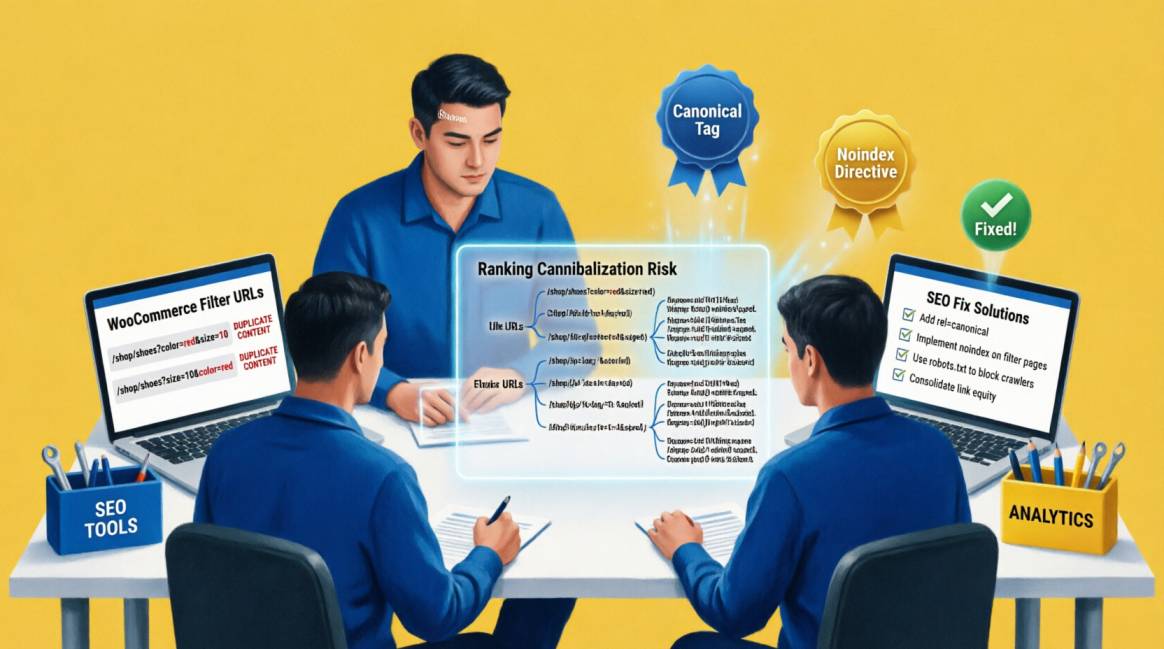
Faceted Navigation & SEO: How to Stop WooCommerce Filter Pages Cannibalising Your Rankings

This guide introduces the Facet Value Taxonomy — a three-tier classification system that determines the precise SEO treatment for each individual facet type on your WooCommerce store.
| Key Notes: |
|---|
| 10K+ Filter URL combinations a 4-facet WooCommerce store with 10 options per facet can generate |
| 40% Average crawl budget consumed by faceted filter URLs on unoptimised WooCommerce stores |
| 2.7× Higher ranking potential for category pages with 150–300 words of unique content above the product grid |
Table of Contents
Table of Contents
The Problem Every WooCommerce Store Has & Almost Nobody Fixes Correctly
Every WooCommerce store with product filters is generating more URLs than it should rank for. The moment a shopper selects a colour, a size, a price range, or a brand — or any combination of these — WooCommerce creates a new URL. That URL is, by default, accessible to Google's crawler. And because it contains real products on a real page, Google often indexes it.
The result is an index that grows exponentially with your filter options, not linearly with your product count. A store with 200 products, 4 filter types, and 10 options per filter can generate over 10,000 unique filter URLs before a single paid variant or sort order is added. Most of these URLs show nearly identical product grids with slight variations. None of them have unique content. All of them compete with your clean category pages for the same query intent — and none of them win.
Here is the problem with how most WooCommerce guides approach this: they offer a binary solution — either block all filter URLs or canonicalise all filter URLs to the parent category. This binary thinking is exactly wrong. Applied uniformly, 'block everything' destroys the legitimate SEO opportunity hidden inside your filter structure. 'Canonical everything to the parent' produces canonical tags Google ignores 20% of the time and wastes the structural equity of your most commercially valuable filter combinations.
The correct approach is taxonomic — not binary. Different facet types deserve different SEO treatments based on three criteria: whether they generate genuine search demand, whether their filtered results are meaningfully unique, and whether they represent a recognisable buyer intent. A brand filter (Nike trainers) has completely different SEO potential from a price filter (trainers under ₦50,000). Treating them identically is a strategic error with measurable ranking consequences.
This guide introduces the Facet Value Taxonomy — a three-tier classification system that determines the precise SEO treatment for each individual facet type on your WooCommerce store. Alongside it, we cover the complete technical implementation stack: how WooCommerce generates filter URLs, the four crawl control methods and their specific limitations, the plugin options for implementation, and the monitoring framework for catching parameter leakage before it compounds into index bloat.
📌 What This Guide Covers:
- Why the binary 'block all' or 'canonical all' approach to faceted navigation is incorrect and costs you ranking potential
- The Facet Value Taxonomy: a three-tier classification system for determining the right SEO treatment per facet type
- The eight-question Facet Indexation Decision Matrix for borderline cases
- How WooCommerce specifically generates filter URLs — and why WooCommerce's default behaviour is an SEO liability
- The four crawl control methods: their specific use cases and their specific failure modes
- The WooCommerce plugin comparison for faceted navigation SEO implementation
- The analytics distortion problem: how filter URLs corrupt your GA4 data and how to fix it
- A faceted navigation audit checklist you can run on your WooCommerce store today
Section 1: How WooCommerce Generates Filter URLs — and Why the Default is an SEO Problem
Before you can fix faceted navigation, you need to understand precisely how WooCommerce creates filter URLs, because the mechanism determines which technical solutions are available and which are appropriate.
Native WooCommerce Filtering (The Default Behaviour)
WooCommerce's built-in product filtering generates URLs using query parameters — string additions to your base category URL:
Category page base URL: /shop/trainers/

After applying colour filter: /shop/trainers/?filter_colour=blue

After adding size filter: /shop/trainers/?filter_colour=blue&filter_pa_size=42

After adding price range: /shop/trainers/?filter_colour=blue&filter_pa_size=42&min_price=5000&max_price=25000Every parameter combination creates a distinct URL. WooCommerce does not, by default, implement any canonical tags on these filtered URLs, any noindex directives, or any robots.txt rules to prevent crawling. The URLs are fully accessible to Google, they contain real content, and if they receive any internal links — through filter sidebar links, AJAX navigation breadcrumbs, or simply by being accessible — Google will crawl and index them.
The crawl budget consequence is severe: A WooCommerce store with 4 filter attributes and 10 options each generates 40 unique single-filter URLs. However, the total number of multi-filter combinations scales exponentially, capable of generating over 10,000 unique URL permutations before a single sorting option or pagination parameter is added. On an unoptimised store, Googlebot can spend 40% or more of its crawl budget on filter URL variations — pages that will never rank for anything — while your core category pages, new product listings, and blog content crawl infrequently or not at all.
Clean URL Plugins vs Parameter-Based Filtering
The cleanest solution to WooCommerce's parameter URL problem is to replace parameter-based filtering with clean, static URL generation via a purpose-built plugin. Purpose-built filter tools like FacetWP and FiboFilters can be configured to generate clean, static URLs (e.g., /shop/trainers/colour/blue/), though achieving this clean folder structure usually requires activating dedicated 'pretty URL' settings or installing native add-on modules. This is a fundamentally different architecture with different SEO implications:
- Clean URLs are crawlable and potentially indexable as independent pages — they function like a proper subpath of your category hierarchy
- Parameter URLs are technically crawlable but signal to Google that they are variants of a parent page, not independent content
- Clean URLs allow you to add unique content, canonical tags, or noindex directives on a per-facet-value basis rather than a blanket parameter rule
- Parameter URLs require robots.txt blocking or parameter handling rules to prevent mass crawling — less granular, more error-prone
The choice between parameter-based and clean URL filtering is the foundational architecture decision for WooCommerce faceted navigation SEO. Stores with 100+ products in categories with SEO-relevant filters should be running clean URL generation. Stores with simpler filter structures can manage adequately with parameter blocking — but this approach has a ceiling.
Section 2: Facet Value Taxonomy — The Framework Every Guide is Missing
The most consequential insight in WooCommerce faceted navigation SEO is this: not all facets are the same, and treating them identically is the root cause of both index bloat and missed ranking opportunities. The Facet Value Taxonomy classifies every filter type on your WooCommerce store into one of three tiers, each with a distinct technical SEO strategy, URL treatment, and indexation decision.
Classify every filter on your store before implementing any technical solution. The taxonomy below is the classification system:
🏆 TIER 1: Commercial Intent Facets — Rank These
Tier 1 facets represent filter combinations that real users search for independently — not 'all red shoes' but specifically 'red leather shoes' or 'Nike running shoes size 10.' These are combinations where the filtered URL, if properly optimised with unique content, could rank for a specific, commercially valuable query and deliver a better user experience than your base category page.
Examples: Brand (Nike, Samsung, Adidas), Material (leather, organic cotton, waterproof), Use case (running, office, outdoor), Model/Series (iPhone 15 series), Specific certification (NAFDAC-approved, ISO-certified)
| SEO DECISION | URL FORMAT | CANONICAL | INDEXABLE? |
|---|---|---|---|
| INDEX + Optimise | Clean static URL:/category/brand/nike/ | Self-referencing canonical on filtered page | YES — with unique content |
🔵 TIER 2: Navigational Facets — Preserve But Do Not Index
Tier 2 facets help users navigate your store efficiently but do not generate independent search demand. Someone searching Google does not type 'blue shoes size 42 under ₦30,000' — they type 'blue shoes' or 'affordable running shoes.' Multi-facet combinations almost universally fall into Tier 2. They should remain accessible to users but invisible to search engines.
Examples: Colour (single), Size (single), Price ranges, Availability (in stock), Rating (4+ stars), Multi-facet combinations of any type
| SEO DECISION | URL FORMAT | CANONICAL | INDEXABLE? |
|---|---|---|---|
| Option A: Canonical to Parent | Either format acceptable — clean URL preferable | Canonical to parent category page | No |
| Option B: Noindex, Follow | Either format acceptable — clean URL preferable | Self-referencing canonical tag | No |
🚫 TIER 3: Noise Facets — Block Entirely
Tier 3 facets generate zero independent search demand, produce near-empty or identical result sets, and exist purely for user interface convenience. Every crawl request Google makes to a Tier 3 URL is a crawl budget unit wasted on a page that provides no ranking signal and no user value that Google cannot obtain from the parent category.
Examples: Sort order (?orderby=price, ?orderby=date), Pagination beyond page 2, Per-page count (?per_page=24), Availability variants (on sale, featured), Empty or near-empty result combinations
| SEO DECISION | URL FORMAT | CANONICAL | INDEXABLE? |
|---|---|---|---|
| BLOCK from crawl | Parameter-based (blocked via robots.txt) | None needed — blocked at crawl | NO — prevent indexation entirely |
How to Apply The Taxonomy to Your WooCommerce Store:
- Step 1: List every filter type on your store. Export from WooCommerce → Products → Attributes.
- Step 2: For each filter type, ask: 'Does this filter value, combined with my category, represent a query that someone in my target market would type into Google?' If yes → Tier 1 candidate. If no → Tier 2 or 3.
- Step 3: For each Tier 1 candidate, verify search demand using Google Keyword Planner or Search Console. Filter values with measurable monthly search volume (even 50+ per month) justify Tier 1 treatment.
- Step 4: For Tier 1 values, plan unique content: 150–200 words on the filtered page that speaks specifically to the brand, material, or use case — not copied from the parent category description.
- Step 5: All remaining facets default to Tier 2 (noindex, follow) unless they meet Tier 3 criteria (sort, pagination, availability) which go to Tier 3 (block).
- Common classification mistakes: treating ALL colour filters as Tier 1 (only specific high-demand colour + category combinations are Tier 1). Treating brand filters as Tier 3 (brands are almost always Tier 1 with genuine search demand). Applying Tier 1 treatment to multi-facet combinations (nearly always Tier 2).
Section 3: Facet Indexation Decision Matrix — for Borderline Cases
After applying the taxonomy, you will have borderline cases — filter combinations that sit between Tier 1 and Tier 2. The following decision matrix resolves these ambiguities systematically. For each facet combination you are uncertain about, answer all eight questions. The pattern of answers determines the correct SEO treatment.
| Qualifying Question | ✅ All Yes = Index | ⚠️ Mixed = Noindex Follow | ❌ All No = Block |
|---|---|---|---|
| Facet generates exact-match search demand | YES | CONDITIONAL | NO |
| Filtered URL returns 10+ unique products | YES | CONDITIONAL | NO |
| Content on filtered page is unique beyond product grid | YES | YES | NO |
| Facet combination exists as a recognisable buyer intent | YES | CONDITIONAL | NO |
| Single-facet selection (not multi-facet combination) | YES | YES | NO |
| URL is static/clean (not a query parameter string) | YES | CONDITIONAL | NO |
| No existing category page already covers this combination | YES | YES | NO |
| SEO VERDICT | 🟢 INDEX + Optimise Content | 🟡 NOINDEX, FOLLOWCanonical to parent | 🔴 NOINDEX + Block from crawl budget |
The most important principle the matrix enforces: a single 'No' answer is not disqualifying, but a majority of 'No' answers makes indexation incorrect. The goal is to identify the facet combinations where indexation genuinely serves search intent — not to maximise the number of indexed pages.
Section 4: The Four Crawl Control Methods — With Their Specific Failure Modes
Once you have classified every facet on your WooCommerce store using the taxonomy, you need to implement the correct technical controls. There are four methods available — each with a specific use case and, critically, a specific failure mode that most guides do not explain.
| Crawl Control Method | What It Does | Limitation to Know | When to Use It |
|---|---|---|---|
| robots.txt Disallow on parameters | Blocks crawl entirely — Googlebot never visits the URL | Fastest crawl budget protection. But if any external link or internal link points to the blocked URL, Google may still index it from the link alone — without crawling the content. | Price, sort, and pagination parameters (?orderby=, ?per_page=, ?paged=). Parameters that create URL variants with identical content and zero search demand. |
| noindex meta tag on filtered pages | Page is crawlable but Google will not include it in the index. Link equity can still pass from the page. | Googlebot still visits the page and consumes crawl budget. For very large sites this matters — you are still paying the crawl cost even though the page is not indexed. Better than indexing, but not as efficient as robots.txt blocking for confirmed zero-value parameters. | Facet combinations with some internal link value (sidebar links, breadcrumbs) that you want to preserve for user navigation but not indexation. |
| Canonical tag pointing to parent category | Tells Google which URL is the preferred version. Link equity from filtered URL is consolidated to the canonical destination. | Canonical tags are suggestions, not commands. Google follows them approximately 80% of the time for faceted pages — less reliably when the filtered page content diverges significantly from the canonical destination. If Google ignores your canonical, you have wasted the implementation. | Single-facet pages with moderate search demand that you want to credit to the parent category rather than rank independently. |
| Self-referencing canonical + Indexable | The filtered URL is its own canonical — it declares itself as the preferred version. Google indexes and may rank it independently. | Correct only for Tier 1 facet combinations that have genuine search demand and unique content beyond the product grid. Misapplied to low-value filters, this produces the index bloat problem you were trying to prevent. | Tier 1 brand, material, or use-case combinations with verified keyword demand — e.g., /category/leather-shoes/ with self-referencing canonical and 200+ words of unique content. |
The Correct Implementation Stack for WooCommerce
The optimal WooCommerce faceted navigation SEO stack combines all four methods applied to their correct facet tier, not any single method applied uniformly:
- Tier 3 facets (sort, pagination, availability, per-page count): robots.txt Disallow on the specific parameter patterns. This is the fastest, most complete crawl protection with zero residual risk for parameters that have zero indexation value.
- Example robots.txt rules: Disallow: /*?orderby=*; Disallow: /*?per_page=*; Disallow: /*?paged=*; Disallow: /*?min_price=*; Disallow: /*?max_price=*
- Tier 2 facets (colour, size, multi-facet combinations): Use a canonical tag pointing back to the parent category OR a noindex meta tag with a self-referencing canonical. Do not combine a noindex tag with a cross-page canonical. Combining them sends conflicting signals to Google. The best practice for consolidating link equity without causing index bloat is to rely solely on the cross-page canonical tag pointing to the parent category, ensuring Google understands it is a variant of the main page.
- Tier 1 facets (brand, material, certified use-case): self-referencing canonical + indexed + 150–300 words of unique content above the product grid. Internal links from relevant category pages and blog content to these Tier 1 facet pages are legitimate and valuable.
Section 5: WooCommerce Plugin Comparison — Choosing the Right Implementation Tool
No WooCommerce store should attempt to implement faceted navigation SEO manually at scale — the combination of filter attributes, values, and URL patterns is too large to manage without automation. The following comparison covers the five most viable implementation approaches:
| Plugin / Approach | What It Controls | Key Limitation | Best Fit |
|---|---|---|---|
| Rank Math SEO (Pro) | Advanced global taxonomy hygiene, virtual robots.txt edits, and clean breadcrumb schema mapping. | Lacks a dedicated, automated UI for faceted navigation. Applying granular rules to active product attributes requires custom code snippets or hooks. | Stores aiming for great overall sitewide SEO and metadata automation. |
| Yoast SEO (Premium) | Breadcrumb canonical configuration, noindex settings for product archives, and taxonomy-level meta robots control. Does NOT natively handle query parameter blocking. | Features a dedicated "Crawl Optimization" tool designed to strip unregistered URL parameters, block internal search results from being crawled, and clean up campaign tracking parameters. While it handles basic parameter cleanup beautifully, it may still require a plugin like FacetWP if you want to generate static, clean URLs for Tier 1 indexable facets. | Sites already using Yoast for general SEO with simple filter taxonomies |
| FiboFilters (or FacetWP) | Purpose-built filter plugins that generate clean, SEO-friendly URLs (/category/color-blue/ instead of ?filter_color=blue) and allow indexation control per-filter type. | FacetWP ($149/yr) is the gold standard for WooCommerce faceted navigation SEO. It generates static, crawlable URLs for Tier 1 facets and handles noindex/nofollow at the facet level. | Any WooCommerce store with 500+ products where filter SEO is a strategic priority |
| AIOSEO (All in One SEO) | Parameter handling via robots.txt wizard, noindex meta tag control at taxonomy and archive level, breadcrumb canonical support. | Parameter handling UI is simpler than Rank Math but less granular. Good for stores wanting centralised SEO management without high technical complexity. | Stores prioritising ease of configuration over granular facet-level control |
| Custom robots.txt + Screaming Frog audit | Manual robots.txt rules to block specific parameter patterns (?orderby=, ?per_page=, etc.) combined with quarterly Screaming Frog crawl audits to catch parameter leakage. | Most technically precise option but requires developer involvement for implementation and ongoing maintenance. No plugin interface — all changes are code-level. | Enterprise WooCommerce installations or custom builds where plugin overhead is undesirable |
🔧 Semola Recommendation: The Two-Plugin Stack for WooCommerce Faceted Navigation SEO
- For most WooCommerce stores with 100–2,000 products: use FacetWP ($149/yr) for clean URL generation and per-facet indexation control, combined with Rank Math Pro ($59/yr) for canonical tag management, robots meta control, and schema markup.
- FacetWP handles what WooCommerce's native filters cannot: it generates /category/brand/nike/ style URLs, allows you to set noindex/follow rules per filter type, and prevents the parameter URL proliferation that is the root cause of WooCommerce index bloat.
- Rank Math Pro handles everything above the URL level: ensures self-referencing canonicals on Tier 1 facet pages, applies noindex on Tier 2 archive pages, and manages the breadcrumb schema that helps Google understand your category hierarchy.
- Total annual cost: approximately ₦127,000 ($208) — a fraction of the organic revenue loss from an unoptimised faceted navigation structure.
Section 6: Keyword Cannibalization Problem — Why Filter Pages Suppress Your Category Rankings
Keyword cannibalization from faceted navigation is subtler than typical cannibalization — and more damaging because it operates at scale. Here is the mechanism: your /shop/trainers/ category page is optimised for 'running trainers Nigeria.' Your filter page /shop/trainers/?filter_colour=black exists, is indexed, and also shows running trainers. Your filter page /shop/trainers/?filter_pa_size=42 exists, is indexed, and also shows running trainers. So do the 48 other single-filter combinations, the 2,000 multi-filter combinations, and the sort order variants.
Google now faces a disambiguation problem. It has 2,000+ URLs from your domain that all appear to be relevant to 'running trainers Nigeria.' None of them has meaningfully more authority than the others (because your category page's link equity has leaked across all the filter variants that received internal links). Google picks one to rank — and it frequently does not pick the one you want it to.
How to Detect Keyword Cannibalization from Filter Pages in Search Console
- Navigate to Search Console → Performance → Pages: Filter by your primary category URL (e.g., /shop/trainers/). Note the impressions, clicks, and average position.
- Now search site:yourstore.com/shop/trainers in Google: Count how many filter URL variants appear in the index for your store. If you see more than 20 indexed URLs under a single category, cannibalization is active.
- In Search Console → Performance → Queries: filter by your target keyword (e.g., 'running trainers Nigeria'). Check which URLs are generating impressions for that query — if multiple filter URLs appear alongside your category page, they are cannibalising it.
- Export the data and sort by impressions: Any filter URL generating more than 10% of the impressions of your base category URL for the same query cluster is actively diluting your category page's authority.
The fix is not more optimisation on the category page — it is removing the competing filter URLs from the index. Apply Tier 2 (noindex + canonical to parent) to all filter URLs that are appearing in your cannibalization diagnostic. Within 4–8 weeks of implementation, their impressions will migrate to your canonical category URL.
Section 7: The Analytics Distortion Problem — How Filter URLs Corrupt Your GA4 Data
Faceted navigation creates a reporting problem in Google Analytics that most WooCommerce store owners discover only when they try to analyse their top-performing pages and find the list populated almost entirely with filter URL variants that have nothing in common except a shared category parent.
As Search Engine Land documented: parameterised filter URLs often inflate pageview counts and make engagement metrics unreliable. /shoes?color=red and /shoes?color=blue appear as different pages in GA4, even though they serve the same function and the same user intent. Your 'most visited' pages may actually be endless filter variations, hiding your true top performers.
There are two levels of fix required:
Fix 1 — Stripping URL Parameters via Google Tag Manager (GTM)
Unlike Universal Analytics, GA4 no longer offers a simple "Exclude URL Query Parameters" setting in the admin interface. To prevent filter parameters from fragmenting your pageview data, you must strip them before the data reaches GA4. This is best done using Google Tag Manager. You will need to create a Custom JavaScript variable that returns the Page URL without the query string (e.g., stripping?filter_colour=blue), and assign this clean URL variable to the page_location field in your GA4 Configuration Tag. This ensures GA4 records all variations simply as your clean category page.
This post walk you through step-by-step on how to stripping URL parameters via Google Tag Manager (GTM): How to Strip WooCommerce Filter Parameters Without Killing Your UTMs in GTM.
Fix 2 — Google Search Console Impression Segmentation
In Search Console, use the page filter with 'Contains' queries to identify which filter URL patterns are generating impressions. A filter for URLs 'Containing ?filter_' will reveal every parameter-based filter URL Google is surfacing in search results. This is your cannibalization diagnostic view — the impressions shown here are impressions being diluted away from your canonical category pages.
Recommended Reading: WooCommerce SEO: The Complete 2026 Agency Guide
Section 8: The WooCommerce Faceted Navigation SEO Audit
| PHASE 1 — INVENTORY AND CLASSIFICATION (WEEK 1) | |
|---|---|
| ☐ | List every filter attribute on your WooCommerce store: export from WooCommerce → Products → Attributes |
| ☐ | For each attribute, list every value (e.g., Colour: red, blue, black, white, green) |
| ☐ | Classify every attribute using the Facet Value Taxonomy: Tier 1 (commercial intent, rank-worthy), Tier 2 (navigational, noindex+canonical), Tier 3 (noise, block) |
| ☐ | For Tier 1 candidates: verify search demand in Google Keyword Planner or Search Console — confirm measurable monthly volume before finalising Tier 1 classification |
| ☐ | Run: site:yourdomain.com inurl:?filter in Google — document how many indexed filter URLs currently exist. This is your baseline. |
| ☐ | Check Search Console → Coverage report for 'Duplicate, Google chose different canonical than user' warnings — each warning is an actively ignored canonical or a cannibalization signal |
| ☐ | Milestone: Complete taxonomy classification spreadsheet. All filter attributes assigned to Tier 1, 2, or 3. Indexed filter URL count documented as baseline. |
| PHASE 2 — TECHNICAL IMPLEMENTATION (WEEKS 2–4) | |
|---|---|
| ☐ | Implement Tier 3 controls first: add robots.txt Disallow rules for sort, pagination, price range, and availability parameters. Test with Google's robots.txt tester in Search Console. |
| ☐ | Implement Tier 2 controls: add noindex meta tag + canonical pointing to parent category URL on all single-colour, single-size, and multi-facet filter pages. Verify via Screaming Frog crawl. |
| ☐ | For Tier 1 facets: switch to clean URL generation (FacetWP or equivalent). Implement self-referencing canonical on each Tier 1 facet page. Write 150–200 words of unique content for each Tier 1 page. |
| ☐ | Implement URL parameter exclusion in GA4 to consolidate filter URL variants under their parent category URL in your analytics reporting. |
| ☐ | Add Product schema (name, price, availability, rating) to all Tier 1 facet pages — this qualifies them for rich results independently of the parent category. |
| ☐ | Update your XML sitemap: Tier 1 facet pages should be included. All Tier 2 and Tier 3 URLs must be excluded from your sitemap. |
| ☐ | Submit your updated sitemap to Search Console and request indexing on your top 10 Tier 1 facet pages via URL Inspection. |
| ☐ | Milestone: All Tier 3 parameters blocked. All Tier 2 pages noindexed + canonicalised. At least 5 Tier 1 pages live with clean URLs and unique content. |
| PHASE 3 — MONITORING (ONGOING MONTHLY) | |
|---|---|
| ☐ | Run monthly: site:yourdomain.com inurl:?filter — the number of indexed filter URLs should be trending toward zero |
| ☐ | Monitor Search Console → Coverage for 'Duplicate, Google chose different canonical' warnings — these should decline as Tier 2 canonicals are accepted |
| ☐ | Check Crawl Stats in Search Console monthly: total crawl requests on filter URL patterns should be decreasing as robots.txt blocks take effect |
| ☐ | Monitor category page impressions for your target keywords: they should be increasing as filter page impressions migrate to the canonical category URLs |
| ☐ | Quarterly: re-classify any Tier 2 facets that have gained search demand — promote to Tier 1 with unique content if volume justifies it |
| ☐ | GEO monitoring: Test your Tier 1 facet pages (e.g., /shop/trainers/brand/nike/) in Google AI Mode for relevant queries. Tier 1 pages with FAQPage schema and unique content should be AI-citation eligible within 6–8 weeks of indexation. |
Summing it up…
Faceted Navigation is Not a Problem to Suppress — It is an Opportunity to Structure
The dominant approach to WooCommerce faceted navigation SEO is defensive: block the filters, canonical the filters, keep them away from Google. This approach solves the index bloat problem while leaving the ranking opportunity entirely untouched. It treats all filter combinations as a liability when some of them — the Tier 1 commercial intent facets — are among the highest-converting, lowest-competition ranking opportunities available to an e-commerce store.
A WooCommerce store in the Nigerian market that correctly classifies its facets, builds 150-word unique content blocks for its Tier 1 brand and material combinations, implements clean URLs, and applies the correct crawl controls to its Tier 2 and Tier 3 facets gains three simultaneous advantages: a cleaner index with faster crawl cycles on important pages, independent rankings for high-intent filter combinations that competitors are either not exploiting or actively suppressing, and AI citation eligibility for the specific product category and attribute combinations that conversational search increasingly surfaces.
The Facet Value Taxonomy is not complex to apply. It requires half a day to classify your filter attributes, one to two weeks to implement the technical controls, and a quarterly monitoring routine to catch parameter leakage and reclassify growing facets. The compound ranking advantage from that investment accumulates for as long as your store operates.
📋 Article Summary: Faceted Navigation & SEO for WooCommerce
- The binary approach ('block all' or 'canonical all') is incorrect. Different facets deserve different treatments based on search demand, content uniqueness, and buyer intent.
- The Facet Value Taxonomy: Tier 1 (brand, material, use case — rank independently with unique content), Tier 2 (colour, size, multi-facet — noindex + canonical to parent), Tier 3 (sort, pagination, price range — block from crawl entirely).
- WooCommerce's default parameter URL generation creates index bloat. A 4-facet store with 10 options per facet generates 10,000+ filter URL combinations without any SEO controls.
- The four crawl control methods have specific failure modes: robots.txt blocking misses externally linked pages; canonical tags are ignored 20% of the time; noindex still consumes crawl budget; self-referencing canonical only works when content is genuinely unique.
- The correct implementation stack: robots.txt for Tier 3, noindex + canonical for Tier 2, FacetWP clean URLs + Rank Math Pro for Tier 1. FacetWP is the gold standard for WooCommerce faceted navigation SEO.
- Keyword cannibalization diagnosis: use site:yourdomain.com inurl:?filter in Google + Search Console impression segmentation by URL to identify actively cannibalising filter pages.
- Analytics fix: apply URL parameter grouping in GA4 so all filter URL variants consolidate under the parent category URL in your reporting.
- GEO opportunity: Tier 1 facet pages with FAQPage schema and unique content are independently eligible for AI Overview citation — expanding your AI visibility beyond base category pages.
Frequently Asked Questions
Questions readers ask about this topic
The FAQs below are pulled directly from this article's structured content and are designed to help readers quickly find answers to common questions related to the topic.
Should I block all WooCommerce filter URLs in robots.txt?
Google keeps ignoring my canonical tags on filter pages. What do I do?
We have an active WooCommerce store — can we implement this without risking our current rankings?
Does faceted navigation affect AI Overview eligibility for our product pages?

Founder, Technical Analyst
Oladoyin Falana is a certified digital growth strategist and full-stack web professional with over five years of hands-on experience at the intersection of SEO, web design & development. His journey into the digital world began as a content writer — a foundation that gave him a deep, instinctive understanding of how keywords, content and intent drive organic visibility. While honing his craft in content, he simultaneously taught himself the building blocks of the modern web: HTML, CSS, and React.js — a pursuit that would eventually evolve into full-stack Web Development and a Technical SEO Analyst.
Follow me on LinkedIn →