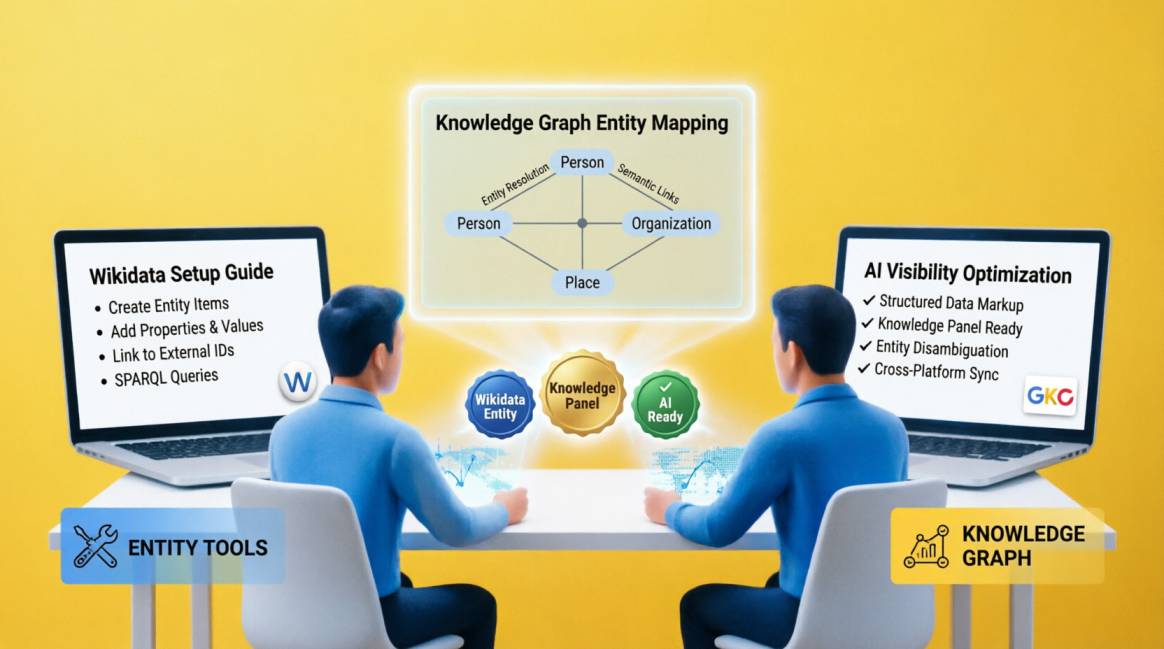
Wikidata for Nigerian Businesses: The 30-Minute Entity Setup That Opens the Door to AI Visibility

A Wikidata entry is the single most impactful 30-minute investment available to any Nigerian business for AI citation eligibility. When ChatGPT, Gemini, or Perplexity evaluates whether to recommend your brand by name, the first thing it checks is whether your brand exists as a verified entity in the Knowledge Graph. Wikidata is the primary public knowledge graph that feeds this verification. A brand without a Wikidata entry is harder for AI systems to verify as real — making it less likely to appear in recommendations regardless of how good its content is.
What you need to know upfront:
- Wikidata ≠ Wikipedia: Creating a Wikidata entry does not produce a Wikipedia article. They are entirely separate projects. You do not need a Wikipedia article to create a Wikidata entry.
- It is free and permanent: Wikidata is run by the Wikimedia Foundation. Creating an entry costs nothing. Your Q-ID, once assigned, is an immutable identifier that will not change.
- It is publicly editable: Anyone can add to or edit your Wikidata entry. This means quarterly review is essential — check that your entry remains accurate.
- Nigeria's own Q-ID is Q1033: When you add your headquarters country, you will reference Q1033 to link your business entity to Nigeria in the knowledge graph.
Time required: 30 minutes to create the entry and note your Q-ID. An additional 15 minutes to add your Q-ID to your Organisation schema in Rank Math. One-time setup, then quarterly 10-minute review.
Table of Contents
Table of Contents
What Wikidata is — and How it Differs From Wikipedia
Wikidata is a knowledge base for machines. Wikipedia is an encyclopaedia for humans. This is the fundamental distinction that explains everything else. Wikipedia stores narrative articles written in natural language. Wikidata stores structured facts — property-value pairs — in a format that computers, search engines, and AI systems can read directly without interpretation.
Every entity in Wikidata — a person, company, city, or concept — gets a unique identifier beginning with Q. Berlin is Q64. Nigeria is Q1033. Elvis Presley is Q303. When your Nigerian business has a Wikidata entry, it receives its own Q-ID that permanently anchors your entity in the global knowledge graph. This Q-ID is machine-readable proof that your brand is a distinct, verifiable thing — not just a string of text on a page.
Here is the distinction that Nigerian business owners misunderstand most: creating a Wikidata entry does not produce a Wikipedia article.
The relationship works in the opposite direction — when a Wikipedia article is published, a Wikidata entry is automatically generated from it. Creating a Wikidata entry manually is a separate, independent action. While Wikidata's barrier to entry is much lower than Wikipedia's, it does not mean it has no notability policy.
Under Wikidata:Notability (VBR), an item must fulfill at least one criterion. If a completely unknown local shop with zero digital footprint creates an entry, a Wikidata editor will flag it for deletion within days. It needs structural mapping or coverage in reliable, independent sources.
Why Wikidata is the Entity Anchor for AI Citation — The Mechanism
AI systems — particularly Google Gemini, ChatGPT, and Claude — do not cite brands they cannot verify. The verification process they run before recommending a brand by name is, in simplified form: Does this brand exist as a defined entity with a consistent, machine-readable identity across multiple authoritative sources?
Wikidata is the primary public knowledge graph that feeds this verification. When you link your website's Organisation schema to your Wikidata Q-ID via the sameAs property, you create an entity bridge: your website entity IS the same as your Wikidata entity IS the same as your LinkedIn entity IS the same as your Google Business Profile. This consistent, cross-platform identity is what AI systems call entity resolution — and it is what makes the difference between a brand that gets recommended and a brand that gets described as 'a company that appears to operate in X sector.'
The evidence base for this is substantial and recent. Google patented 'Soft Knowledge Prompts' (US12321706B2, 2025) — a mechanism using Wikidata-structured facts to improve the accuracy of AI-generated answers. The Wikidata Embedding Project (Wikimedia Deutschland and Jina.AI, launched October 2025) built a vector database of Wikidata specifically designed for RAG (Retrieval-Augmented Generation) systems — the architecture that powers real-time AI answer generation. Denny Vrandečić, the creator of Wikidata, co-authored a 2025 research paper with a clear conclusion: LLMs generate answers but cannot verify facts. Wikidata supplies verifiable facts but cannot generate text. They are designed to work together.
For Nigerian businesses, this creates a specific first-mover advantage: AI systems searching for Nigerian brands in most sectors find very few verified entities — and the ones they find are the ones they recommend. The brands that create their entries now will be the cited authorities in AI-generated Nigerian market responses for years.
Step-by-Step — Creating Your Nigerian Business Wikidata Entry
1. Create Your Free Wikidata Account
Navigate to wikidata.org. Click 'Log in' —> 'Don't have an account? Create one.' Create a Wikimedia Foundation account.
—> Crucial Policy Note: Your username must represent you as an individual (e.g., JohnDoe_SEO or a personal pseudonym). Do not use your company or brand name as your username. Wikimedia explicitly bans corporate, shared, or promotional account names, and doing so will result in an immediate account block.
2. Create a New Item
Once logged in, navigate to wikidata.org/wiki/Special: NewItem. You will see two fields: Label and Description. Label = your exact canonical brand name in English (e.g., 'Semola Digital'). Description = one sentence in plain English: '[Your Brand] is a [business type] company based in [city], Nigeria.' The description must be factual and neutral — not promotional.
→ Your Label MUST match your brand name exactly as it appears on your website, LinkedIn, and Google Business Profile. Inconsistency creates entity disambiguation problems that undermine AI recognition.
3. Add Aliases if Relevant
If your business is commonly known by a shortened name, acronym, or variation, add these as Aliases. Example: if your official name is 'Semola Digital Limited' but you are universally known as 'Semola Digital', add the shorter version as an alias. Aliases help the knowledge graph match query mentions of your brand to your entity.
→ Keep aliases to genuine alternative names — not keyword stuffing. Wikidata editors review new entries and may flag or delete items that appear promotional.
4. Add Your Core Properties
Click 'Add statement' to begin adding properties. Add at minimum: P31 (instance of), P856 (official website), P17 (country = Q1033 for Nigeria), P159 (headquarters location), P571 (inception year), P452 (industry). See the Properties Reference Table in Section 4 for full guidance on each property and its value format.
→ Every statement should ideally have a reference source. For your official website, the reference is simply your URL. For your founding date, the reference could be your CAC registration document or a press mention.
5. Note Your Q-ID
After saving your new item, look at the URL in your browser address bar. It will show: wikidata.org/wiki/Q[number]. Your Q-ID is the full URL in this format: https://www.wikidata.org/entity/Q[number]. Copy this URL. You will add it to your Organisation schema in the sameAs array in Section 5.
→ Your Q-ID is permanent. It will not change even if you update your entry, rename your business, or move to a new domain. It is the immutable anchor for your entity in the global knowledge graph.
6. Add Cross-Platform Identifiers
Once the core entry is saved, add external identifier properties: P4264 (LinkedIn company ID — find this in your LinkedIn company admin URL), P2002 (Twitter/X username without @), and any other verifiable external profiles. These cross-platform identifiers are what strengthen entity corroboration — they tell AI systems that your Wikidata entity, your LinkedIn entity, and your website entity are all the same real-world organisation.
→ To find your LinkedIn company numeric ID: go to your LinkedIn company page admin, look at the URL — it contains a numeric ID in the format /company/[number]/admin/.
7. Save and Verify
Review your entry for accuracy. Every statement must be factually correct — Wikidata is a public database and incorrect entries can be flagged or deleted by other editors. Click 'Publish' on each statement individually. After publishing, search for your brand name on wikidata.org to confirm your entry appears in search results with the correct label and description.
→ Set a recurring quarterly calendar reminder: 'Review Wikidata entry for [Brand Name].' Check that all URLs are live, the founding date is correct, and no vandalism or incorrect edits have been made by other editors.
Properties Reference — What to Add to Your Nigerian Business Entry
The following table lists the most important Wikidata properties for a Nigerian business entity. Prioritise the Critical properties first — these are the minimum viable set for AI entity recognition. Add the High and Medium properties in a second pass once the entry is published and verified.
| Property | Property Name | What It Records | Nigerian Example | Priority |
|---|---|---|---|---|
| P31 | instance of | The fundamental type of your entity. Be specific — not just 'organization' but 'digital marketing agency', 'e-commerce business', 'logistics company', 'fintech company'. | business → digital marketing agencybusiness → law firmbusiness → e-commerce company | 🔴 Critical — defines what you are to every AI system that reads this entry |
| P856 | official website | Your primary domain URL. One of the most important properties — creates the direct verified link between your Wikidata entity and your web presence. Must match your canonical domain exactly. | https://yoursite.com | 🔴 Critical — the entity anchor connecting Wikidata to your site |
| P17 | country | The country where your business is headquartered. Use the Wikidata item for Nigeria: Q1033. | Q1033 (Nigeria) | 🔴 Critical for local AI citation and Google Maps entity recognition |
| P159 | headquarters location | Specific city. Use the Wikidata item: Q8673 (Lagos), Q1900 (Abuja), Q178680 (Port Harcourt), Q5145 (Enugu), Q167495 (Kano). | Q8673 (Lagos) | 🟠 High — improves local pack and city-specific AI recommendation accuracy |
| P571 | inception | Your business founding date. Format: Point in Time ($YYYY-MM-DD$). Input the exact date if known. If you only know the year, type the year (e.g., 2019) and Wikidata will automatically adjust the precision to 'year' level. | 2019 | 🟠 High — establishes business longevity signals for trust evaluation |
| P452 | industry | Your sector classification. Search for the closest Wikidata item matching your industry. Note: If your business covers multiple sectors, enter each one as a separate statement using its individual QID. Do not type them out as a list. | Q1148556 (digital marketing) Q48473 (search engine optimization) Q482381 (e-commerce) | 🟠 High — determines which category queries you appear in |
| P18 | image | A freely licensed logo or photo of the business. You must upload it to Wikimedia Commons first. When adding it to Wikidata, copy only the exact file name and extension (e.g., MyCompanyLogo.jpg). Do not include the 'File:' prefix or the full URL. | [Exact filename on Commons, e.g., SemolaDigitalLogo.png] | 🟡 Medium — supports Knowledge Panel visual display |
| P4264 | LinkedIn company ID | Your LinkedIn company page numeric ID (e.g., 12345678). Can be found in your LinkedIn company admin URL, or by inspecting the source code/public links of your standard company profile. Do not paste the full URL here. | [Your LinkedIn ID number] | 🟡 Medium — cross-platform entity verification |
| P2002 | Twitter/X username | Your Twitter/X handle without the @ symbol. Establishes entity corroboration on social platforms. | semoladigital | 🟡 Medium — social entity corroboration |
| P8687 | social media followers | Optional — adds quantitative authority signal. Update annually if included. | [count] | 🟢 Optional |
Connecting Your Wikidata Q-ID to Your Organisation Schema — The Critical Bridge
A Wikidata entry without the sameAs bridge is like a passport without a photograph. The entry exists, but it cannot be definitively linked to your website. The sameAs property in your Organisation schema is the explicit statement to AI systems: 'The entity at yourwebsite.com is the same entity as the Wikidata item at this Q-ID.' Without it, AI systems may recognise your Wikidata entity and your website separately without connecting them.
Implementation via Rank Math Schema Generator
- In WordPress Admin, navigate to your homepage edit screen.
- Open the Rank Math meta box and click the Schema tab —> Schema Generator.
- Edit your existing Organization schema (or create a new one).
- Scroll to the sameAs section. Add a new row for each URL, pasting your full Wikidata link alongside your canonical social links.
- Save and validate using Google's Rich Results Test.
What a Correct Sameas Array Looks Like
"sameAs": [

  "https://www.wikidata.org/entity/Q[YourQID]",

  "https://www.linkedin.com/company/[YourCompany]/",

  "https://www.facebook.com/[YourPage]/",

  "https://x.com/[YourHandle]",

  "https://maps.google.com/?cid=[YourNumericCID]"
]Verifying That Your Wikidata Entry is Working
The Brand Description Test
Four to six weeks after creating your Wikidata entry and implementing the sameAs bridge in your Organisation schema, run the brand description test: prompt 'Who is [Your Brand]?' in ChatGPT (with web browsing on), Google Gemini, and Claude. If your entity signals are being read, you will receive an accurate description of your business — your sector, your location, your founding context. Before Wikidata: 'I have no specific information about this brand.' After: '[Brand] is a [category] company based in Lagos, Nigeria, specialising in [services], founded in [year].'
This transition — from unknown text to a recognised, describable entity — is the AI citation eligibility threshold. An AI system that can describe your brand accurately has the entity anchor it needs to recommend you by name when a relevant query is asked.
Search Console Signal
- ✓A secondary verification: monitor your branded query visibility and rich snippets in Google Search Console over the coming months. While a Wikidata entry won't instantly reflect on your search volume, it provides the foundational entity data Google needs to reward your brand with Knowledge Panel features and entity-driven discovery elements in conversational search.
Conclusion…
30 Minutes That Changes How AI Systems See Your Business
Every GEO guide — including Semola Digital's own — refers to Wikidata as the foundational entity signal. This guide exists because the reference is only useful if you know exactly how to act on it.
The seven steps in Section 3, executed in a single sitting, produce a verified, machine-readable entity entry that anchors your Nigerian business in the same knowledge graph that powers Google Gemini, informs ChatGPT's entity recognition, and feeds the AI systems that increasingly mediate how Nigerian consumers and global audiences discover businesses in your sector.
The brands that create their entries now — and connect them correctly to their Organisation schema — will be the default recognised entities in their categories when AI systems generate recommendations about the Nigerian market. That recognition compounds: AI citations drive branded searches, branded searches strengthen Knowledge Graph signals, stronger entity signals drive more AI citations.
Create your entry at wikidata.org today. Note your Q-ID. Add it to your sameAs array. Validate. Set a quarterly review reminder. That is the complete action set — and it is all that stands between your business and the entity recognition that makes AI citation possible.
📋 Summary: Wikidata for Nigerian Businesses
- Wikidata = a machine-readable knowledge base where every entity gets a permanent Q-ID. Wikidata ≠ Wikipedia — no Wikipedia article required, no notability threshold for established businesses.
- The mechanism: AI systems (Gemini, ChatGPT, Claude) check whether your brand exists as a verified entity before recommending it. Wikidata is the primary public knowledge graph for this verification.
- The Nigerian opportunity: Many Nigerian businesses don’t yet have a Wikidata entry. Nigeria's own Q-ID is Q1033 — use it for your headquarters country property.
- Seven steps: Create Wikimedia account → New Item (label + description) → Add aliases → Add core properties (P31, P856, P17, P159, P571, P452) → Note your Q-ID → Add cross-platform identifiers (P4264 LinkedIn, P2002 Twitter/X) → Quarterly review.
- The sameAs bridge: in Rank Math Pro → Organisation schema → sameAs field, add your full Wikidata entity URL alongside LinkedIn, Facebook, GBP. Validate in Google Rich Results Test — zero errors.
- Verification: 4–6 weeks after setup, prompt 'Who is [Your Brand]?' in ChatGPT and Gemini. An accurate description returning from both confirms entity recognition.
- Time required: 30 minutes to create. 15 minutes to add Q-ID to schema. 10 minutes quarterly to review. One-time setup, permanent benefit.
Frequently Asked Questions
Questions readers ask about this topic
The FAQs below are pulled directly from this article's structured content and are designed to help readers quickly find answers to common questions related to the topic.
Do I need a Wikipedia article to create a Wikidata entry?
How long does it take for a Wikidata entry to improve AI citation visibility?
Can anyone edit or delete my Wikidata entry?
What is the difference between my Wikidata Q-ID and a Google Knowledge Panel?
Should I add my Wikidata Q-ID to the sameAs array in my schema?
Does my business need to be well-known to have a Wikidata entry?

Founder, Technical Analyst
Oladoyin Falana is a certified digital growth strategist and full-stack web professional with over five years of hands-on experience at the intersection of SEO, web design & development. His journey into the digital world began as a content writer — a foundation that gave him a deep, instinctive understanding of how keywords, content and intent drive organic visibility. While honing his craft in content, he simultaneously taught himself the building blocks of the modern web: HTML, CSS, and React.js — a pursuit that would eventually evolve into full-stack Web Development and a Technical SEO Analyst.
Follow me on LinkedIn →